
CanvasGPT
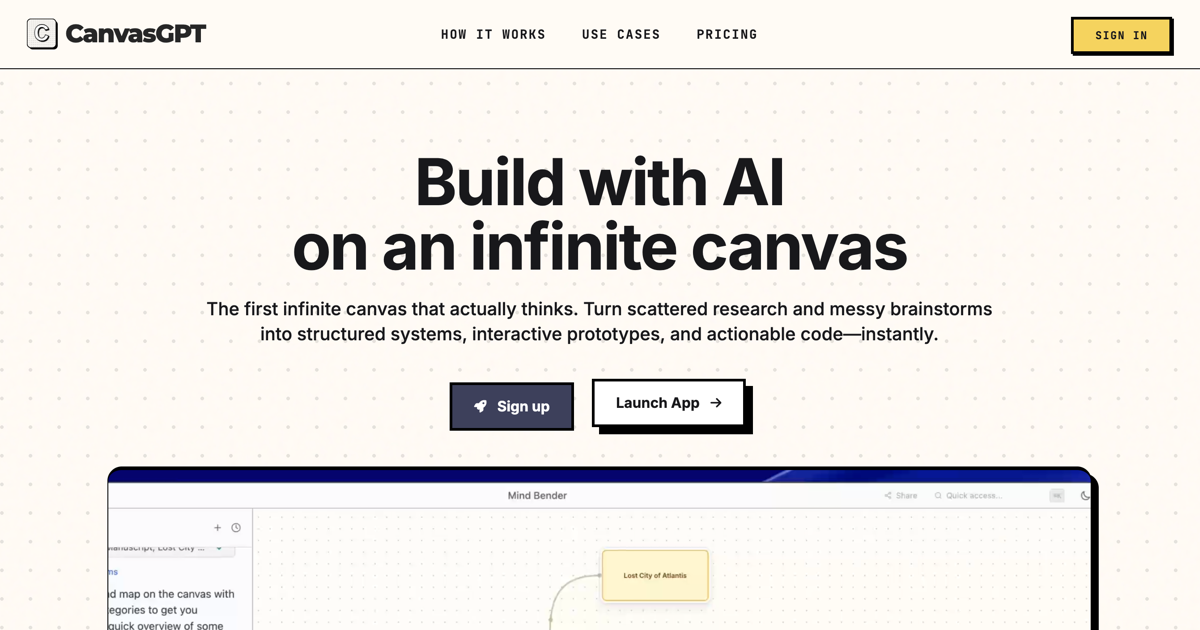
CanvasGPT replaces the linear chat thread with an infinite spatial canvas where AI agents research, generate media and build shareable apps. It runs OpenAI, Claude and Gemini side by side and bills through pay-as-you-go credits.
What is CanvasGPT?
CanvasGPT is an AI workspace built on an infinite canvas rather than a scrolling conversation. Its publisher, the Canadian company Motion Tag Inc., argues in its manifesto that the chat interface suffers from a Keyhole Problem: you can ask a model a question, but you cannot show it a system. The canvas is the answer it proposes, a persistent surface where ideas, files, generated assets and working software sit next to one another. The product is organised around three movements, each marked Live on the homepage. Discover & Research maps ideas across the canvas and keeps their context. Produce & Create generates media synthesised from that context. Build & Share turns the accumulated knowledge into applications anyone can use. Material enters the canvas from the web, the clipboard or a local drive. Images, PDFs and documents are read and synthesised; a live voice mode answers in under a second, and typing remains available. From there, more than eighty specialised AI experts can be deployed to plan and work together autonomously, among them a Mind Mapper, a Deep Researcher, a Data Analyst, a Presentation Designer, an Interior Designer and a Music Producer. Work is organised on smart boards with visual grouping, a Deep Focus zoom for individual artefacts, and connectors that link artefacts into a knowledge graph. External knowledge comes from Google Search and Maps, Wolfram Alpha computation, and access to more than 450 million academic papers. Media production covers images and video, sprite sheets, sound effects and music, with image generation credited to Gemini Image. Dynamic artefacts carry automated inputs and tasks, pass data between connected steps and stay in sync on their own. Finished work is published instantly as a live website, saved to a phone home screen, or opened through a portal with individual logins and controlled visibility. A single board can switch between OpenAI, Claude and Gemini, and users may bring their own API keys. Four published use cases show the range: planning and strategy, creative production, research and intelligence, and building automations that authenticate against external services. The site carries a Systems Operational status and is published entirely in English, with no interface language list given.
What it does
- Map ideas across an infinite canvas and keep every element in view and in context
- Deploy over 80 specialised AI experts that plan and work together autonomously
- Drop in images, PDFs and documents from the web, clipboard or computer and synthesise them
- Query live sources: Google Search and Maps, Wolfram Alpha computation, 450 million-plus academic papers
- Generate images, video, sprite sheets, speech, sound effects and music directly onto the board
- Publish what you build as a live website, share it by link or open a permissioned portal
- Switch between OpenAI, Claude and Gemini on the same board, or supply your own API keys
When to use CanvasGPT / When not to
A quick filter to help you decide if CanvasGPT is the right fit.
When to use CanvasGPT
- Product and design teams who need research, mockups and working prototypes to live on one surface instead of in four separate tools
- Founders, consultants and freelancers building client-facing tools or brand assets without a development budget
- Analysts and researchers who want live web sources, Wolfram Alpha computation and academic papers pulled into the same board as their notes
- Creative producers generating images, sprite sheets, voice-over, sound effects and music for a single campaign or project
- Small teams that want a shared real-time workspace and per-viewer portals rather than a personal chat history
When not to use CanvasGPT
- Organisations under regulatory pressure: the site claims no GDPR alignment, no certification, no DPA and no subprocessor list
- Developers looking to call the product programmatically, since CanvasGPT publishes no API and no developer documentation
- Users who need a native iOS or Android application, as mobile access is limited to saving a built tool to a phone home screen
- Buyers who require published subscription pricing, because only credit packs are quoted and no plan tier carries a public rate
- Anyone who needs a documented retention period, a stated hosting jurisdiction or a training opt-out before uploading files
How to use CanvasGPT
A typical end-to-end flow, from setup to results.
- Open an account from the Get CanvasGPT button, which leads to the sign-in page; nothing is installed and no native app is needed
- Buy a credit pack through Stripe, choosing any amount between 10 and 1,000 US dollars, or supply your own API keys under the BYOK option
- Start a board and describe the goal in your own words, by voice or by keyboard
- Feed the canvas by dropping images, PDFs and documents from the web, the clipboard or your computer
- Let the agent map the problem first: on planning work it makes its reasoning visible before executing anything
- Deploy the specialised experts the task calls for, from deep research to presentation design or music production
- Pull in external knowledge through Google Search and Maps, Wolfram Alpha or the academic paper index
- Generate the assets you need, then remix and edit them from within the same board
- Group related artefacts, zoom into one with Deep Focus, and link them with connectors to form a knowledge graph
- Publish the result as a live website, share the canvas by link, or open a portal with individual logins and permissions
Pros & Cons
Pros
- The spatial model keeps the whole problem visible, which is precisely what a scrolling chat thread cannot do
- Research, media generation, tool building and publishing sit in one product instead of four
- OpenAI, Claude and Gemini can be used on the same board, with the option to bring your own API keys
- External sources are named and citable: Google Search and Maps, Wolfram Alpha, and an index of over 450 million academic papers
- Pay-as-you-go credits start at 10 US dollars with no subscription commitment, and remain valid for one year
- Unused credits roll over automatically to the next billing cycle under the terms of service
- Ownership of user content is stated plainly in the terms, and the licence granted back is bounded by purpose
Cons
- The legal documentation is unusually thin: the privacy policy has three sections and never mentions GDPR, retention, hosting or data subject rights
- No data processing agreement, no subprocessor list, no certification and no documented training opt-out
- No public API and no developer documentation, so the product cannot be driven programmatically
- No native iOS or Android application; mobile use is limited to saving a built tool to the phone home screen
- Only credit packs are priced publicly, while the Starter, Professional and Team tiers visible in the site configuration carry no published rate
- Credits are non-refundable, non-transferable between workspaces, and capped at twice the monthly plan amount
- No permanent free plan and no free trial are announced, and the dedicated FAQ answers do not render without JavaScript
Pricing & Plans
No permanent free plan and no free trial are announced. Access is sold as pay-as-you-go credit packs, purchased through Stripe, with the amount set freely on a slider between 10.00 USD and 1,000.00 USD. The lowest entry point is therefore 10.00 US dollars. The site foregrounds a 25.00 USD pack worth roughly 2,500 credits, for which it estimates 1,100 AI tasks, 120 image generations, 140 document analyses and 10 GB of cloud storage, noting that these figures are estimates based on real usage. Credits remain valid for one year. Under the terms of service, unused credits roll over automatically to the next cycle, the balance is capped at twice the monthly plan amount, and credits are neither transferable between workspaces nor refundable on cancellation. No subscription tier is published with a price.
- Credit pack — freely adjustable between 10.00 USD and 1
- 000.00 USD
- credits valid for one year
- paid through Stripe
- Credit pack
- reference amount shown on the site — 25.00 USD for approximately 2
- 500 credits
- estimated at 1
- 100 AI tasks
- 120 images
- 140 document analyses and 10 GB of storage
- BYOK — an option to use your own API keys is offered alongside the credit tab
- with no published rate
- Team plan — cited in the homepage FAQ as including shared real-time workspaces
- with no price published
Data, GDPR & hosting
A consolidated view of how CanvasGPT handles your data.
GDPR overview
There is no GDPR mention anywhere on this site. A systematic search of every page collected, in both the rendered text and the archived HTML, returns no occurrence of GDPR, of a data processing agreement, of a subprocessor list or of any certification. The privacy policy, dated 10 July 2025, runs to three sections only: what is collected, how it is used, and a postal address for questions. No legal basis for processing is stated, no retention period is given, no hosting country is named, and no data subject right of access, rectification, erasure or portability is described. No Article 27 representative and no data protection officer are designated. The governing law is that of British Columbia, Canada. The publisher neither claims nor denies compliance, so this record leaves the compliance flag empty rather than infer either answer.
Who owns the data?
The terms of service, in force since 10 July 2025, state that the user retains ownership of everything created, uploaded or stored on the service, including the applications they build. In exchange, the user grants Motion Tag Inc. a worldwide, non-exclusive, royalty-free licence to use, reproduce, modify and display that content, limited by wording to providing and improving the service. The privacy policy makes the collected scope explicit: the tools and applications built, the Tiles and Blueprints designed, the messages sent to AI models, and every uploaded file. Third-party API keys supplied by the user are also stored, in order to run their applications.
Reuse rights
Nothing in the terms restricts what the user may do with their own output: ownership is retained, no approval step is described, and no commercial-use limitation is stated, so work produced on the canvas can be reused freely. The published sharing features point the same way, since a canvas can be turned into a live website, shared by link, saved to a phone home screen or opened through a permissioned portal. In the other direction, the licence granted to Motion Tag Inc. is broad in its verbs but narrow in its stated purpose, being confined to providing and improving the service. What the documents never address is whether that content feeds model training, and the site nowhere offers an opt-out.
Data retention & training
Hosting summary
The site says nothing about where user data is hosted. Neither the privacy policy nor the terms of service names a country, a region or a data centre provider, and no trust or security page exists. What can be established from outside the documents is limited and must not be mistaken for a hosting location: the domain resolves to an anycast CDN address, which indicates the delivery edge rather than where anything is stored. The publisher, Motion Tag Inc., is established in Surrey, British Columbia, and the terms of service are governed by British Columbian law, so a dispute would be heard in Canada. Payment is handled by Stripe, and the publisher states it does not store card details itself. Beyond that, a prospective user has no published basis for judging jurisdiction, transfer mechanisms or data residency, and would have to ask the publisher directly.
Things to keep in mind
Risks and trade-offs to weigh before adopting CanvasGPT.
- Files, generated work and your own third-party API keys are stored by a publisher that documents neither a retention period nor a hosting jurisdiction
- Nothing on the site says whether your content trains AI models, and no opt-out is offered, so the question stays open by default
- The licence you grant over your content is broad in its verbs, and its only real limit is the stated purpose of providing and improving the service
- Credits are non-refundable and non-transferable, and the balance is capped at twice the monthly plan amount, so buying a large pack up front carries real risk
- Access can be suspended or terminated at any time without prior notice for conduct the publisher judges harmful, and the service is supplied as is with a wide liability exclusion
- A canvas that answers in under a second and generates finished assets on demand invites you to accept output faster than you check it, so verify the citations the tool offers
- Any dispute falls under the law of British Columbia, Canada, which may sit far from where you work
Setup & Integrations
Technical difficulty
Very low. CanvasGPT runs entirely in the browser, with nothing to install, no server to manage and no build pipeline. You create an account, buy a credit pack and start a board. The published use cases insist repeatedly that no code is required, and connections to external services are handled by the agent itself. The only optional technical step is entering your own API keys under the BYOK option. The real friction is not technical but documentary: the site publishes no getting-started guide, no tutorial and no help centre, so first steps rely on the interface alone.
Deployment
Integrations
Behind CanvasGPT
Resources
All the official URLs gathered for verification and reference.
Alternatives
Tools that compete with or complement CanvasGPT.
Frequently asked questions
What is CanvasGPT?
Which AI models can I use?
What does it cost?
What happens to credits I do not use?
What can I actually create with it?
Can my team work on the same canvas?
Is there a mobile app?
Who owns what I create?
Who is behind CanvasGPT, and how do I reach them?
Does the site say how long my data is kept?
Should you pick CanvasGPT?
CanvasGPT makes a clear and unusually well-argued bet: that the bottleneck in working with AI is no longer the model but the interface, and that a spatial canvas beats a scrolling thread once a problem stops being a single question. The execution matches the argument. Research, media generation, tool building and publishing all happen on the same surface, external sources are named and citable, and a single board can call OpenAI, Claude and Gemini in turn. Pricing is refreshingly plain, since credit packs start at 10.00 US dollars, roll over when unused, and commit the buyer to nothing. The reservation is not about the product but about everything around it. For a tool that stores your files, the applications you build and your own third-party API keys, the published paperwork is remarkably thin: a three-section privacy policy, no GDPR mention, no stated retention period, no hosting jurisdiction, no subprocessor list, no data processing agreement and no training opt-out. The only channel published for legal or privacy questions is a postal address in British Columbia. There is no API, no native mobile app, and nothing about the team or the company beyond its registered name. The evidence points to a young product still filling in its edges: a first Wayback capture in February 2023, legal documents dated July 2025, and subscription tiers that exist in the site configuration but have never been published with a price. For individual makers, founders, consultants and creative teams working on their own material, it is well worth a 10-dollar trial. For anyone handling client data, regulated information or anything that would need a compliance answer, the right move is to ask Motion Tag Inc. those questions in writing first.
- Choosing a selection results in a full page refresh.
- Opens in a new window.