
OneTask
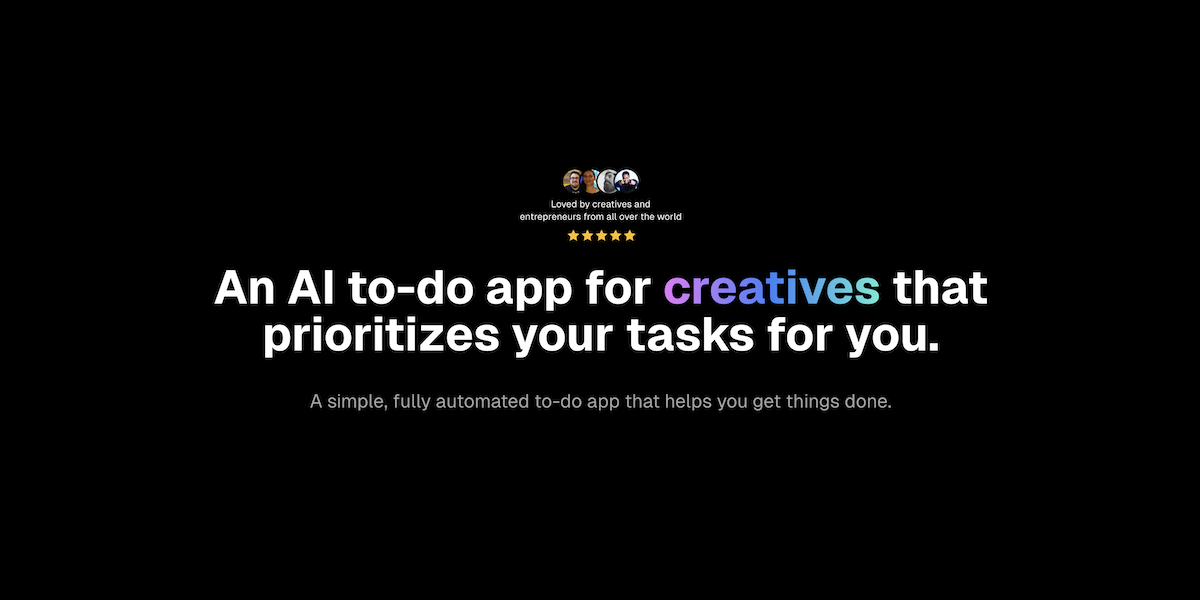
OneTask is an AI to-do app built for creatives, people with ADHD and neurodivergent thinkers. A single toggle auto-prioritises your list. The brand has since been replaced by Fluidwave, and the OneTask homepage now redirects there.
What is OneTask?
OneTask is an AI-assisted to-do application published by OneTask Inc. Its premise is stated on the homepage in one line: it tells you the single task you need to do next. Rather than asking you to rank a backlog by hand, the app exposes a Prioritize toggle; switching it on reorders the list and surfaces the item that matters most at that moment. A companion focus mode narrows the view further, showing only the tasks you can actually act on right now, which the product describes as removing analysis paralysis and decision fatigue.
The audience is stated just as plainly. OneTask addresses creatives, people with ADHD and readers on the neurodivergent spectrum, alongside self-employed founders and small teams. Around the prioritisation engine sit the usual task-manager building blocks: list, card, calendar and kanban views, detailed task history, and unlimited personal and shared workspaces with no cap on the number of people in a workspace. The AI layer extends beyond ranking: the feature list advertises breaking complex tasks into smaller steps, AI-assisted capture while on the move, AI document analysis with workflow summaries, an AI planner, an AI workflow assistant, advanced reasoning and a voice assistant.
Two named integrations are published: Google Calendar, which lets the app create, edit and delete events and block time slots for tasks, and Todoist. The product runs as a web application on desktop, tablet and mobile browsers, with a separate macOS app; no iOS or Android store listing was found. A public page also offers a free AI List Generator outside any account, with two further tools announced as coming soon.
One structural fact matters more than any feature. The OneTask brand is being retired in favour of Fluidwave. The homepage now returns a permanent redirect to fluidwave.com, the sign-up buttons on the last published version already pointed to app.fluidwave.com, and the LinkedIn page listed in the footer no longer resolves. The legal pages, blog, free tools and climate page remain online under onetask.me, and they still name OneTask Inc., but the product itself has moved.
What it does
- Auto-prioritise a task list with a single toggle and surface the one task to do next
- Break a complex task into smaller, actionable steps using AI
- Turn tasks into scheduled time slots in Google Calendar
- Switch between list, card, calendar and kanban views of the same work
- Analyse documents and produce workflow summaries with AI
- Share unlimited workspaces with an unlimited number of collaborators
- Generate a list on any topic with the free AI List Generator, without an account
When to use OneTask / When not to
A quick filter to help you decide if OneTask is the right fit.
When to use OneTask
- People with ADHD or a neurodivergent profile who lose time deciding what to tackle first
- Freelancers, consultants and solo founders juggling client work without an assistant
- Creatives — designers, illustrators, authors — who want a task list that stays out of the way
- Heavy Google Calendar users who want tasks turned into time slots automatically
- Small teams looking for shared workspaces without per-seat billing
When not to use OneTask
- Organisations subject to the GDPR that need a data processing agreement, a subprocessor list or EU hosting
- Teams that need a public API or deep automation between tools
- Users who want a native iOS or Android app rather than a mobile web app
- Buyers who need brand and roadmap stability, since OneTask is being folded into Fluidwave
- Anyone under 13, who is excluded by the privacy policy
How to use OneTask
A typical end-to-end flow, from setup to results.
- Open the OneTask site and use the Get Started button, which now leads to the Fluidwave web app
- Create an account, by email or through a social login; no credit card is required for the free plan
- Add your tasks, with as much or as little detail as you want
- Switch on the Prioritize toggle and let the AI reorder the list for you
- Use the focus view to see only the tasks you can act on at this moment
- Ask the AI to break a large task into smaller steps when you get stuck
- Pick the view that suits the moment: list, cards, calendar or kanban
- Connect your Google account to sync Google Calendar and assign time slots to tasks
- Invite collaborators into a shared workspace if you work with a team
- Download the macOS app if you prefer a desktop window to a browser tab
Pros & Cons
Pros
- An unusually generous free plan: auto-prioritisation, all four views, the AI planner, unlimited shared workspaces and the macOS app are all listed as free forever
- No credit card required to start
- The paid tier is a single 34.95 USD payment for lifetime access rather than a recurring subscription
- An explicit ADHD and neurodivergence focus, which is rare in this category
- User content stays the property of the user under the Terms of Service
- Google Calendar data is explicitly not shared with third-party vendors or AI models, and Google tokens are stored with AES-256 encryption
- One percent of revenue goes to carbon removal through Stripe Climate
Cons
- The brand is being retired: the OneTask homepage permanently redirects to Fluidwave and the app itself runs on a Fluidwave domain
- No GDPR claim, no data processing agreement, no subprocessor list, no Article 27 representative and no security certification
- Servers are in the United States only, with no European hosting option
- No public API and no technical documentation
- No published iOS or Android app, despite App Store and Google Play clauses in the Terms
- No public contact page: support is reached from a menu inside the product, and the published email addresses belong to another domain
- Purchases are non-refundable, and lifetime access only lasts as long as the publisher stays in business
Pricing & Plans
A permanent free plan is available and requires no credit card. The lowest paid entry point is a single payment of 34.95 USD for the Premium Experience, which adds lifetime access to everything included in the free plan. No monthly or annual subscription is advertised for OneTask.
- auto-prioritisation
- list
- kanban
- calendar and card views
- AI task analysis
- AI planner
- AI workflow assistant
- unlimited personal and shared workspaces
- everything in Free plus lifetime access
Data, GDPR & hosting
A consolidated view of how OneTask handles your data.
GDPR overview
OneTask never claims GDPR compliance: the word GDPR does not appear anywhere on the site, so the rating here reflects silence rather than a refusal. The privacy policy, effective 9 September 2024, does acknowledge that residents of the EEA and the United Kingdom may complain to their local supervisory authority, links to the European Commission's list of authorities and names the Swiss regulator. Access, correction and deletion requests go to a single email address. Beyond that, nothing: no Article 27 representative, no data protection officer, no data processing agreement, no subprocessor list and no named transfer mechanism, even though the servers sit in the United States and the policy warns that destination countries may offer weaker protection. California residents get a dedicated section; European users get no equivalent framework.
Who owns the data?
The Terms of Service state that OneTask claims no ownership rights over user content: whatever you post or share stays yours as between you and the company. In exchange you grant OneTask a licence broad enough to display, modify and even promote that content as part of running the service, and the plain-language summary adds that the company will never sell or share your data without your consent. In shared workspaces, other members can view and edit your content once both sides have consented, and OneTask reserves the right — without any obligation — to remove shared content. Everything outside user content, including the software, trademarks and interface, remains the exclusive property of OneTask and its licensors.
Reuse rights
Users keep the right to reuse their own task content freely, since the Terms confirm it remains theirs; no permission from OneTask is required to export, republish or reuse what you created. The permission runs the other way: you must hold the rights and consents for anything involving other people before sharing it, and you remain responsible for what you post. Anything belonging to OneTask itself — software, text, graphics, logos, and other users' content — may not be sold, licensed, copied, redistributed, adapted or turned into derivative works. On the company side, the privacy policy describes collecting registration details plus IP address, device and browser characteristics, operating system, language, referring URLs, country and usage data, using cookies and similar technologies, and sharing information only with consent, to comply with the law, to deliver the service, to protect rights, or as part of a merger, financing or acquisition. Derived usage analytics may go to third parties in de-identified or aggregated form only.
Data retention & training
Hosting summary
The privacy policy is explicit on one point and vague on the rest. Section 5 states that the servers are located in the United States, and that information may be transferred to, stored in and processed in countries other than the user's own. Users in the European Economic Area and the United Kingdom are warned that those countries may not have data protection laws as comprehensive as their own, with a general commitment to take the necessary measures to protect personal information in accordance with the policy and applicable law. No transfer mechanism is named: no standard contractual clauses, no adequacy framework, no certification. No European or other regional hosting option is offered, and no subprocessor list is published. The Terms add that the service is controlled and operated from facilities in the United States. At the network level, the domain resolves to an address geolocated in the United States on Amazon infrastructure.
Where OneTask works
Country-level availability.
Not available in
Things to keep in mind
Risks and trade-offs to weigh before adopting OneTask.
- The OneTask homepage permanently redirects to Fluidwave: the brand is being retired and any bookmark, licence or link tied to OneTask may stop working
- Two different company names appear for the same product — OneTask Inc. on onetask.me and Conscious Apps Inc. on the Fluidwave legal pages — at the same Houston address, which is a shared mail-forwarding address rather than an operating office
- The LinkedIn page published in the site footer no longer resolves, and the contact email addresses shown on OneTask pages belong to the fluidwave.com domain
- The Terms of Service carry visible traces of a copied template, including strings where a global find-and-replace has mangled ordinary words, which suggests a document derived from a competitor's
- The affiliate programme terms still contain an unfilled placeholder where the contact address should be
- Lifetime purchases are non-refundable and only valid for as long as the publisher stays in business, a clause worth reading twice during a rebrand
- Handing your whole task list to an automatic prioritiser can erode your own sense of what matters; the ranking is opaque, and a tool that always answers "do this next" is easy to follow without thinking
Setup & Integrations
Technical difficulty
Very low. Sign-up happens in the browser, with no installation, no configuration and no API key; a social login is available and the free plan asks for no card. Connecting Google Calendar takes a few clicks through the standard Google consent screen, after which the authentication token is stored encrypted. The macOS application is a separate download for users who prefer a desktop window. The only real friction is that the sign-up path now leads to the successor product rather than to OneTask itself.
Deployment
Integrations
Behind OneTask
Fundraising
Social
Resources
All the official URLs gathered for verification and reference.
Alternatives
Tools that compete with or complement OneTask.
Frequently asked questions
Is OneTask still running?
Is there a free plan?
How much does the paid version cost?
Which tools does OneTask connect to?
Is there a mobile app?
Where is my data stored?
Is my data used to train AI models?
How do I contact support, and can I get a refund?
Should you pick OneTask?
OneTask is a real, documented product rather than a landing page: published prices, three substantial legal documents, a macOS build, two named integrations, a large blog and a working free tool. What it does well is narrow and clear. The Prioritize toggle answers a genuine problem for people who stall in front of a long list, and the free plan is unusually complete, bundling the AI planner, the four views, unlimited shared workspaces and the desktop app at no cost. The single 34.95 USD lifetime payment is refreshing next to the subscription norm of this category.
The reservations are not about the product but about everything around it. Data governance is minimal: no GDPR claim anywhere, no processing agreement, no subprocessor list, no certification, and servers in the United States only. That is workable for an individual and hard to justify for a company handling client data in Europe.
The decisive point is elsewhere. OneTask is being folded into Fluidwave. The homepage permanently redirects there, the sign-up buttons already pointed to the Fluidwave app before the redirect appeared, and the LinkedIn page named in the footer no longer exists. The legal pages of the two sites even name two different companies at the same Houston address. None of that makes the product worse, but it changes what you are buying: a lifetime licence is only worth as much as the brand behind it, and the terms say so explicitly. Anyone attracted by what OneTask describes should look at Fluidwave directly, where the same team sells the same engine on a monthly plan.
- Choosing a selection results in a full page refresh.
- Opens in a new window.