
AgentScreenshots
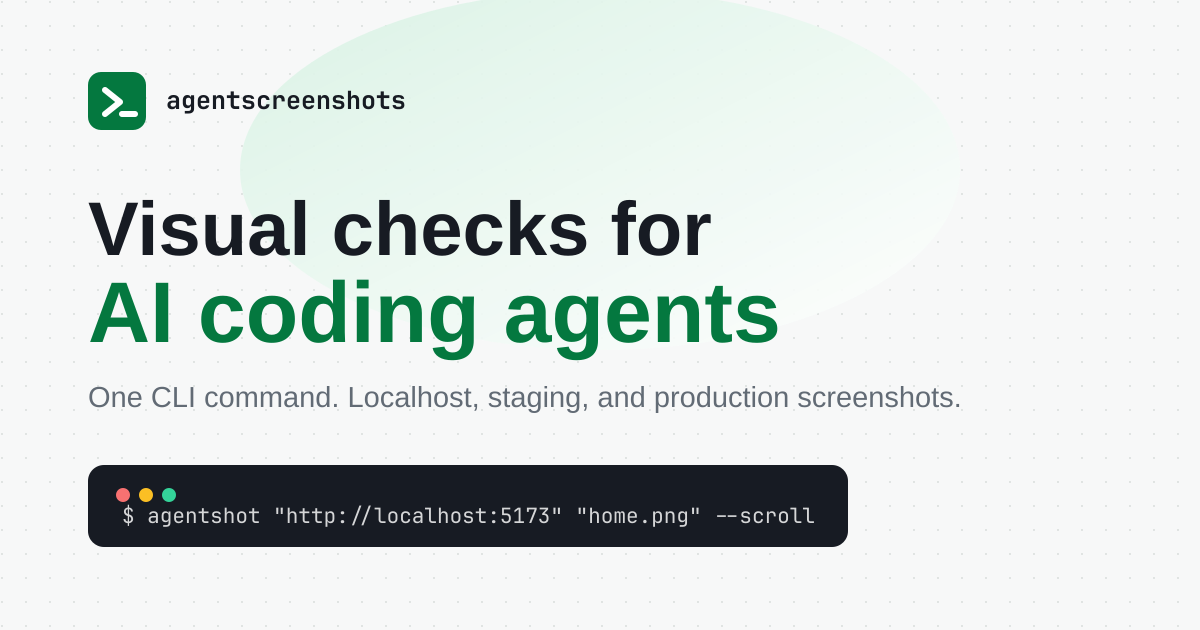
AgentScreenshots is a local command-line tool that lets AI coding agents capture rendered web pages as PNG or JPEG files, so they can inspect the interface they just built before declaring the work finished.
What is AgentScreenshots?
AgentScreenshots is a local-first command-line tool built for one narrow moment in frontend work: the point where an AI coding agent has just changed the interface and has no way of seeing the result. Agents write CSS, assemble pages and refactor component trees, then hand the work back with the same question, does it look right. This product answers that question inside the agent's own loop.
It ships as an npm package named agentscreenshots, installed globally, exposing a command called agentshot. Point it at a URL, give it an output path, and it renders the page headlessly and writes a PNG or JPEG to disk. Playwright does the rendering underneath, which the publisher states openly. Nothing is sent to a server, the backend never renders anything, and so localhost works without a tunnel, a proxy or a public URL. Preview, staging and production pages reachable from the machine behave the same way.
The capture options map to real review situations rather than to a generic screenshot API. A selector with padding isolates the component that was edited; --nth picks one card out of a repeated list; --from and --to cut a vertical band out of a very tall page; --viewport 390x844 reproduces the mobile bug; --scroll and --wait bring lazy content in; --wait-for holds until an application state appears; --click, --click-if-present and --hover put the page in a prepared state before the shutter fires. A device scale factor of two gives the agent a sharper image to inspect.
The CLI carries its own operating guide for agents, a diagnostic command and a usage command. Licensing is deliberately unfussy: keys rather than seats, one key valid across machines, repositories and teammates, and a single metered unit, the visual check, meaning one successful capture. Failed captures cost nothing. The tool keeps working offline, queueing usage events until connectivity returns.
The publisher is equally explicit about what this is not: no public screenshot API, no hosted rendering, no browser cloud, no MCP server, no visual regression suite and no scraping platform.
What it does
- Capture a rendered web page as a PNG or JPEG file with a single shell command
- Screenshot a localhost dev server directly, with no tunnel, proxy or public URL
- Scope the capture to a section or component using CSS, text or XPath selectors
- Render the same page at any viewport width, from 390 px mobile to ultrawide
- Click, hover or dismiss overlays to put the page in the exact state before capturing
- Scroll first to trigger lazy-loaded images and infinite-scroll content
- Load the built-in agent instructions so a coding agent knows when and how to capture
When to use AgentScreenshots / When not to
A quick filter to help you decide if AgentScreenshots is the right fit.
When to use AgentScreenshots
- Front-end developers who pair with an AI coding agent and want visual proof after every UI change
- Solo founders and indie builders shipping interfaces faster than they can review them by hand
- QA and test automation engineers running responsive sweeps across mobile, tablet and desktop widths
- Product and UX designers who need to see the rendered component rather than the code behind it
- Agencies and studios repeating visual checks across many client projects under a single licence key
When not to use AgentScreenshots
- Backend teams that need a hosted screenshot API callable from their own servers
- Anyone building scraping or bulk data-collection pipelines, which the terms of service forbid outright
- Teams looking for a full visual regression suite with baselines, diffs and approval workflows
- Agents that must operate a browser: log in, complete a checkout, or read console and network traces
- Users who want a mobile app or an editor extension rather than a Node-based command line
How to use AgentScreenshots
A typical end-to-end flow, from setup to results.
- Install the package globally with npm install -g agentscreenshots
- Run agentshot doctor to check the Node runtime, the browser launch, the config path and write access
- Run agentshot instructions to load the operating guide written for the coding agent
- Run agentshot status: a fresh install carries 50 anonymous captures, with no account required
- Test the workflow on the playground shipped inside the package, or on your own project
- Create an account on the login page, where a one-time code replaces any password
- Take the free licence the dashboard creates, or pick a paid plan and check out through Stripe
- Authenticate the CLI with agentshot auth followed by the key, then confirm with agentshot status
- In CI, set AGENTSHOT_LICENSE_KEY and AGENTSHOT_API_URL instead of authenticating interactively
- Add a short ignition note to AGENTS.md or CLAUDE.md so future agent sessions know the command exists
Pros & Cons
Pros
- A visual check takes about two seconds, against the 30 to 120 seconds the publisher attributes to a browser MCP
- One scoped image per check, instead of navigation events and DOM noise flooding the agent's context
- No feature gating: the free plan and the top plan run the same binary, only the quota changes
- Licences rather than seats, so one key covers machines, repositories and teammates
- Screenshots never leave the machine, and failed captures are not deducted from the quota
- Low entry cost, with a permanent free tier and a first paid plan at EUR 5 per month
- Agent-agnostic: anything with a shell can call it, and the CLI carries its own instructions
Cons
- No public API and no hosted rendering, so a backend cannot call the service
- No MCP server, no visual diffing, no baselines and no hosted screenshot history
- No legal entity, no postal address and no legal notice published anywhere on the site
- No GDPR mention, no data processing agreement, no subprocessor list and no stated hosting location
- No support address is published: only a legal and a privacy mailbox exist
- A very young product, with a domain registered in May 2026, one case study and a claimed MVP status
- Requires Node and npm, and writing good selectors still assumes some CSS and DOM familiarity
Pricing & Plans
A permanent free plan is available, offering 100 visual checks per month with no payment card required, and a fresh installation additionally includes a one-time allowance of 50 anonymous captures. The lowest paid entry point is the Solo plan, at EUR 5 per month or EUR 50 per year.
- EUR 0 per month
- 100 visual checks per month
- no payment card required
- EUR 5 per month or EUR 50 per year
- 2
- 000 visual checks per month
- EUR 20 per month or EUR 200 per year
- 10
- 000 visual checks per month
- presented as the most common choice
- EUR 100 per month or EUR 1
- 000 per year
- 100
- 000 visual checks per month
- aimed at agencies and teams
- 50 one-time captures shipped with a fresh installation
- with no account
Data, GDPR & hosting
A consolidated view of how AgentScreenshots handles your data.
GDPR overview
There is no mention of the GDPR anywhere on the site, neither in the privacy policy nor in the terms nor on any legal page. No Article 27 representative is designated, no data protection officer is named, no data processing agreement is offered or refused, and no subprocessor list is published as such. What does exist is narrower but real: a privacy policy dated 12 May 2026, a stated right to have the account and all associated data permanently deleted on request, a published privacy contact, and a genuinely minimal collection surface, since neither the images nor the page content ever reach the vendor. A European buyer working from a formal compliance checklist will find nothing to tick; a reader judging by data minimisation alone will find the design defensible.
Who owns the data?
The terms are unusually plain on ownership: you keep every right to the screenshots you capture and to the content they show, and the publisher claims no ownership over that output. What stays theirs is the product itself, namely the agentshot CLI, its documentation and the AgentScreenshots brand. Because captures are written straight to a local path and never uploaded, the vendor never holds the images in the first place. What it does hold is thin: the email address tied to the account, licence keys stored in encrypted form, and usage events. Deletion of the account and of all associated data, licence keys and usage records included, is available on request.
Reuse rights
Reuse is unrestricted on the user's side. The output belongs to whoever captured it, so a screenshot can be committed to a repository, attached to a pull request, shown to a client or published, with no permission to ask the publisher for. The vendor's own use of data runs the other way and is deliberately narrow. It never receives the images, the page content, the DOM, cookies or the full URLs; it records four things per capture, namely success or failure, whether the target was localhost or public, the CLI version and a timestamp, and it does so to enforce licences and to bill. Payment processing goes to Stripe, and no card detail is kept by the publisher. The account email serves one-time login codes and billing messages, and is neither sold nor shared with third parties.
Data retention & training
Hosting summary
Screenshots are never hosted anywhere: they are written to a local path on the machine that ran the command, and the publisher states that no image and no page content ever reaches its backend. What is hosted is the account layer. The backend runs on Cloudflare Workers, while account and licence data sits in Supabase, on PostgreSQL. Payment processing is handled by Stripe, which keeps the card details the publisher never stores. Each provider is named, and the privacy policy notes that each maintains its own security and privacy practices. No country and no region of hosting is stated anywhere, neither for the Workers deployment, nor for the database, nor for billing records, and no data processing agreement or subprocessor list is published. A buyer who needs to know which jurisdiction holds an account email and a usage log will not find the answer on the site. The mitigating factor is the size of the surface: an email address, encrypted licence keys, and usage events that contain neither a URL nor any page content.
Things to keep in mind
Risks and trade-offs to weigh before adopting AgentScreenshots.
- A quick visual check can lull a team into skipping unit tests, accessibility audits and human review, which the publisher explicitly says the tool does not replace
- An agent that trusts its own screenshot may still misread it: a rendered image proves what was drawn, not that the interface is usable, accessible or correct
- No legal entity, postal address or legal notice is published, so there is no identified counterparty if something goes wrong
- The GDPR is never mentioned and no data processing agreement exists, which is a real obstacle for regulated or European procurement
- Capturing live third-party sites for design inspiration sits close to copyright limits and to the terms' ban on bulk collection, and the judgement stays with the user
- A single licence key shared across machines and teammates is convenient and just as easy to leak; rotating the key is the only remedy
- Quotas reset each period and nothing rolls over, so an intense sprint can exhaust a plan mid-month and interrupt the very habit the tool is meant to build
Setup & Integrations
Technical difficulty
Low for anyone already working in a terminal. Installation is a single global npm command, followed by a licence key and a short note in AGENTS.md or CLAUDE.md; the publisher claims two minutes end to end, and a doctor command diagnoses the runtime, the browser launch, the config path and write access. Node and npm are the only prerequisites, and logging in needs no password, just a one-time code sent by email. The remaining difficulty is not the setup but the capture itself: writing good CSS or text selectors, and choosing the right wait, assumes some familiarity with the DOM.
Deployment
Integrations
Behind AgentScreenshots
Resources
All the official URLs gathered for verification and reference.
Alternatives
Tools that compete with or complement AgentScreenshots.
Frequently asked questions
What counts as a visual check?
Do I need a payment card to start?
Is the tool priced per seat?
Where do the screenshots go?
Is there a public screenshot API?
Does it ship an MCP server?
Which coding agents does it work with?
Can I cancel at any time?
Does it work offline?
Should you pick AgentScreenshots?
AgentScreenshots does one thing and says so plainly. It gives a coding agent a cheap, repeatable way to look at the interface it has just changed, and it stops there. The publisher spends as much space explaining what the product is not, with no screenshot API, no hosted rendering, no browser cloud, no MCP server and no regression suite, as explaining what it does, which makes the buying decision unusually easy for a tool this young.
Where it fits is clear: local frontend work driven by an agent, responsive sweeps, before-and-after evidence kept next to the code, and the occasional capture of a staging or production page. Where it does not fit is equally clear: anything requiring the browser to be operated rather than photographed, anything requiring a server-side call, and anything resembling scraping, which the terms forbid outright.
The commercial model is refreshingly plain, with quota-based licences instead of seats, no feature gating between tiers, failed captures left uncounted, and a free tier that outlives a trial. At EUR 5 a month for 2,000 checks, cost is not the deciding factor.
The reservations are about governance rather than product. No legal entity, no postal address and no legal notice appear anywhere on the site, the GDPR is never mentioned, no data processing agreement is offered, and no hosting location is stated. The privacy design is genuinely minimal, since the vendor never receives the images or the page content, but minimal design is not documented compliance. Add a domain registered in May 2026, a single case study and an openly declared MVP status, and the picture is a well-scoped tool that individual developers and small teams can adopt today, while larger organisations may prefer to wait for the paperwork to catch up with the engineering.
- Choosing a selection results in a full page refresh.
- Opens in a new window.