
Voibe
Voibe is a desktop dictation app for Mac and Windows that types your speech straight into any application. It runs fully on-device on Apple Silicon or through zero-retention cloud models, and never stores, sells or trains on your voice.
What is Voibe?
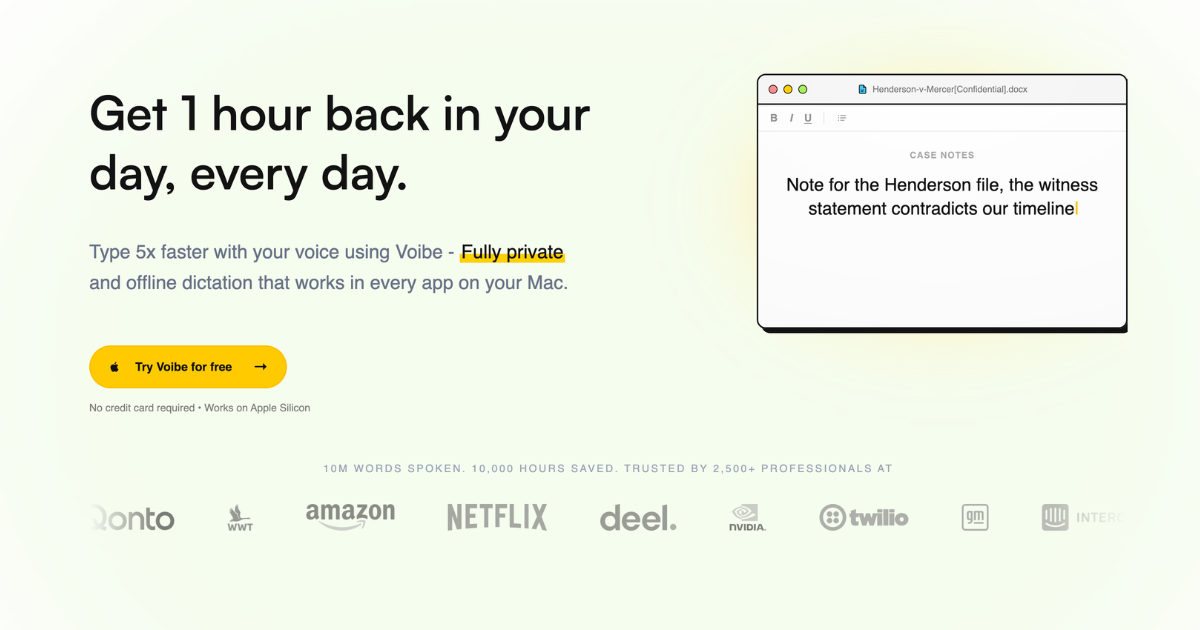
Voibe is a voice dictation application for macOS and Windows, published by the British company Essence AI Ltd. The interaction is deliberately narrow: you hold a key, by default the Fn key or any hotkey you choose, you speak at a natural pace, and when you release the key the transcribed text appears wherever your cursor happens to be. Because the insertion happens at system level, it works the same way in Slack, Notion, Google Docs, Apple Notes, a browser, a terminal, an IDE or a chat window with an AI assistant.
Two processing modes sit behind that single gesture. On-device mode runs the speech models locally on an Apple Silicon Mac using the Neural Engine, works with no internet connection, and sends nothing to any server. Zero-retention cloud mode covers every other machine, Intel Macs and Windows PCs included: audio travels encrypted to speech providers, is transcribed by open-source models, and is deleted the instant the text exists. The vendor names its stack openly, citing Whisper Large Turbo running on Groq or Cloudflare for recognition and the open-weight GPT-OSS 120B on Cerebras for optional formatting, and insists that only open-source or open-weight models are used.
Beyond raw dictation, the application ships four named capabilities: three dictation modes (Push to Talk, Hands-Free and, on Mac, Live Dictation), a Memory feature turning spoken shortcuts into full text, a custom Dictionary for names and jargon, spoken punctuation, and a Developer Mode that scans the local workspace to resolve file names, folder paths and variables inside Cursor, VS Code and Windsurf. The published claims are 97%+ accuracy, sub-300ms latency, more than 100 supported languages with automatic mid-sentence switching, 12 million words dictated and over 3,000 professional users.
A second product was added in 2026: a transcription API hosted at platform.getvoibe.com, built around three endpoints plus an MCP server. It returns a speaker-labelled transcript, timestamps and a prompt-steerable summary in a single response, separates up to four speakers, and supports webhooks. It is billed per second of audio from prepaid minute packs rather than by subscription. Requirements are macOS 13 or later and Windows 10 or 11; there is no mobile app.
What it does
- Dictate into any application on macOS or Windows, with the text inserted wherever the cursor sits
- Transcribe entirely on your own Mac, offline, with nothing sent to any server
- Switch to a zero-retention cloud mode on Intel Macs and Windows PCs
- Resolve file names, folder paths and identifiers by voice inside Cursor, VS Code and Windsurf
- Teach the app your own names, jargon and acronyms through a custom dictionary
- Expand spoken shortcuts into full text such as URLs, signatures or reusable prompts
- Send audio to a transcription API and receive speaker labels, timestamps and a summary in one response
When to use Voibe / When not to
A quick filter to help you decide if Voibe is the right fit.
When to use Voibe
- Software developers who dictate prompts, comments and documentation inside Cursor, VS Code or Windsurf, where Developer Mode resolves file and folder names spoken aloud.
- Lawyers, doctors and security professionals handling privileged or NDA-bound material who need dictation that keeps audio off third-party servers.
- Writers, journalists and content creators who want first drafts at speaking speed rather than typing speed.
- People living with RSI or carpal tunnel who need to replace the keyboard for the longest stretches of typing.
- Builders of AI agents who need a transcription API returning speaker labels, timestamps and a summary in a single call.
When not to use Voibe
- Teams looking for a meeting recorder and notetaker: the vendor itself points to Otter.ai or MacWhisper for that job.
- Windows and Intel Mac users who require fully offline dictation, since local processing needs an Apple Silicon Mac (M1 or later).
- Anyone wanting a permanently free tool: beyond a seven-day trial, the desktop app is paid only.
- Users who dictate mainly on a phone or tablet, as there is no iOS or Android application.
- Regulated buyers who need SOC 2, ISO 27001 or a signed HIPAA business associate agreement, none of which the vendor holds.
How to use Voibe
A typical end-to-end flow, from setup to results.
- Download the Voibe installer for macOS or Windows from getvoibe.com; no website account is needed to start
- Install the application and let it run in the background, where it lives in the Mac menu bar or the Windows system tray
- Grant the required system permissions: microphone and accessibility on macOS, microphone only on Windows
- Choose a processing mode during setup, on-device or zero-retention cloud, knowing it can be changed later in Settings
- Pick your hotkey, keeping the default Fn key or choosing another one if it clashes with an existing shortcut
- Click into the text field you want to fill, hold the hotkey, speak, then release to insert the text
- Double-tap the hotkey instead when you want hands-free mode for a longer stretch of dictation
- Add your product names, company names and technical jargon to the custom dictionary so they are spelled correctly from then on
- Inside a coding agent, say 'file ...' or 'folder ...' so Developer Mode annotates the right paths in the conversation
- For the API, create a job with POST /v1/transcripts, upload the audio to the signed URL, then poll GET /v1/transcripts/{job_id} or register a webhook
Pros & Cons
Pros
- A genuinely local mode on Apple Silicon Macs, where dictated audio never leaves the machine and works offline
- Cloud processing restricted to open-source models on zero-retention providers, with the whole chain named publicly
- System-wide insertion that works in every application, with no copy and paste step
- Developer Mode, which the vendor's own comparison table shows is missing from most competing dictation apps
- A one-time lifetime option at USD 149, unusual in a market dominated by subscriptions
- Seven-day free trial plus a no-questions-asked 30-day money-back guarantee on every plan
- Subprocessors listed by name on a dedicated security page, alongside encryption and access-control details
Cons
- Fully local processing requires an Apple Silicon Mac (M1 or later); Intel Macs and Windows PCs are cloud-only
- Live Dictation is a Mac-only feature and is absent from the Windows build
- No permanent free plan: after the seven-day trial the desktop app must be paid for
- No mobile application on either iOS or Android
- No SOC 2 or ISO 27001 certification and no HIPAA business associate agreement, which the vendor acknowledges openly
- No postal address published anywhere on the site, and no Article 27 representative for EU users
- A very young company, with the domain registered in June 2025 and the first web archive capture in July 2025
Pricing & Plans
There is no permanent free plan for the desktop application: access begins with a seven-day free trial and then requires payment. The lowest entry point is the Professional monthly plan at USD 7.50 per month, with an annual option at USD 59 per year and a one-time lifetime licence at USD 149. Team pricing starts at USD 6.00 per seat per month for a minimum of three seats. The Transcription API is sold separately as prepaid minute packs from USD 10, with 15 free minutes on account creation. VAT may be added at checkout.
- USD 7.50 per month
- USD 59 per year
- USD 149
- one-time payment
- USD 6.00 per seat per month
- minimum three seats
- USD 49 per seat per year
- minimum three seats
- quoted individually from ten seats upwards
- prepaid minute packs at USD 10
- 25
- 50 or 100
Data, GDPR & hosting
A consolidated view of how Voibe handles your data.
GDPR overview
GDPR handling is documented in detail and the applicable regime is the UK GDPR. Essence AI Ltd is registered in England and Wales under company number 16349308 and with the Information Commissioner's Office under registration ZB977990, and it names itself as data controller. Three Article 6 bases are stated: contract performance for account email, legitimate interest for analytics and crash reports, consent for marketing. The full set of rights, including access, rectification, erasure, restriction, objection, portability and withdrawal of consent, is listed, with a one-month response commitment at hi@getvoibe.com and a right to complain to the ICO. Transfers outside the UK rely on standard contractual clauses. A data processing agreement is offered on request. No Article 27 EU representative and no data protection officer are named anywhere on the site.
Who owns the data?
Under the terms of service, you keep ownership of the text you produce with Voibe. In the desktop application the vendor states it has no access to dictated content and acquires no rights in it. Audio submitted to the Transcription API, together with the transcripts and summaries returned, also remains yours; Essence AI Ltd receives only the limited licence needed to process the file and hand the result back. Where your recording carries other people's voices, you are the controller and Voibe acts as your processor. Everything else in the service, including the application, the website, the branding and the models, is owned by or licensed to Essence AI Ltd.
Reuse rights
Nothing restricts what you do with your own output: the transcripts, texts and summaries you generate are yours to reuse commercially without asking permission, and no clause claims a licence over them. What the vendor collects on its side is narrow and purpose-bound: your email address to run the account, usage analytics that it states cannot identify you, crash reports that exclude dictated content, and marketing emails only where you have opted in. In on-device mode nothing dictated is transmitted at all. In cloud mode audio travels encrypted to zero-retention speech providers, is transcribed by open-source models and is deleted the moment the text exists; the text itself is never stored and never used to train any model. The optional Live Dictation AI Formatting feature, off by default, sends transcribed text only, never audio, to Cerebras. Personal data is not sold.
Data retention & training
Hosting summary
The vendor states that its infrastructure is primarily hosted in AWS regions in the United States, even though Essence AI Ltd is registered in England and Wales and operates under the UK GDPR. Data in transit between the application, the servers and the subprocessors is encrypted with TLS, and data stored in AWS is encrypted using AWS-managed encryption. In on-device mode there is nothing to host: dictated audio and transcripts stay on the user's Mac and never reach the vendor. In cloud mode, transcription is performed by Groq or Cloudflare and optional formatting by Cerebras, with the audio deleted as soon as the text is produced. Several subprocessors sit outside the United Kingdom, mainly in the United States; the vendor says transfers to countries without a UK adequacy decision rely on standard contractual clauses or on the provider's certification under an applicable transfer framework.
Things to keep in mind
Risks and trade-offs to weigh before adopting Voibe.
- Fully local dictation and Live Dictation are limited to Apple Silicon Macs, so check your hardware before paying
- On Windows and Intel Macs, audio necessarily transits through a cloud, however short-lived the vendor says that transit is
- The absence of SOC 2, ISO 27001 or a HIPAA business associate agreement must be raised with your compliance team before any clinical or regulated legal use
- The company is British but hosts primarily in AWS regions in the United States, so international transfer safeguards should be reviewed
- No postal address is published on the site and no Article 27 representative is named for EU users, which limits recourse
- The API keeps transcripts, speaker labels, timestamps and summaries on your account until you delete the account, unlike the desktop app which keeps nothing
- Dictating fluently is a skill: leaning on voice for every draft can flatten the editing reflex, and speaking sensitive material aloud in a shared office is a discretion risk the software cannot solve
Setup & Integrations
Technical difficulty
Setup is straightforward and requires no technical knowledge. You download a desktop installer, run it, and grant system permissions: microphone and accessibility on macOS, microphone only on Windows. You then choose a processing mode and a hotkey, and the vendor states that a first dictation is possible in under two minutes. No account is created on the website, no model has to be selected and no API key is needed. Using the transcription API is a developer task, but even there the MCP server connects with a single command.
Deployment
Integrations
Supported languages
Behind Voibe
Social
Resources
All the official URLs gathered for verification and reference.
Alternatives
Tools that compete with or complement Voibe.
Frequently asked questions
Which platforms does Voibe run on?
Is my audio stored or used to train AI models?
Does Voibe work offline?
How much does Voibe cost, and is there a free plan?
What is Developer Mode?
How many languages does Voibe handle?
Is there an API?
Who is behind Voibe, and is it suitable for regulated work?
What is the minimum age to use Voibe?
Should you pick Voibe?
Voibe answers a narrow question well: how do you replace the keyboard without handing your voice to a large AI vendor? Its answer is architectural rather than contractual. On an Apple Silicon Mac the audio never leaves the machine, and everywhere else it passes through open-source models on zero-retention providers and is deleted as soon as the text exists. The vendor names its whole processing chain in public, which is more transparency than this category usually offers, and it is equally frank about what it does not have: no SOC 2, no ISO 27001, no HIPAA business associate agreement.
The main thing to check before buying is your own hardware. The most attractive part of the product, fully local and offline dictation, is reserved for Apple Silicon; Windows users and Intel Mac owners get a cloud mode that is well documented but still a cloud mode, and Live Dictation is Mac-only. Developer Mode is the second genuine differentiator, and it is aimed squarely at people dictating into coding agents.
Commercially, the one-time USD 149 lifetime licence changes the arithmetic against subscription rivals, though it is presented with a countdown of remaining licences that deserves a sceptical eye. The 2026 transcription API, with diarization, timestamps and steerable summaries billed per second, widens the product well beyond individual dictation.
Two gaps remain for cautious buyers: no postal address is published anywhere on the site, and no Article 27 representative is designated for EU users, even though the company is British and hosts primarily in AWS regions in the United States. The company is also very young. For individual professionals the trade-off is attractive; for procurement teams, several answers still have to be requested directly.
- Choosing a selection results in a full page refresh.
- Opens in a new window.