
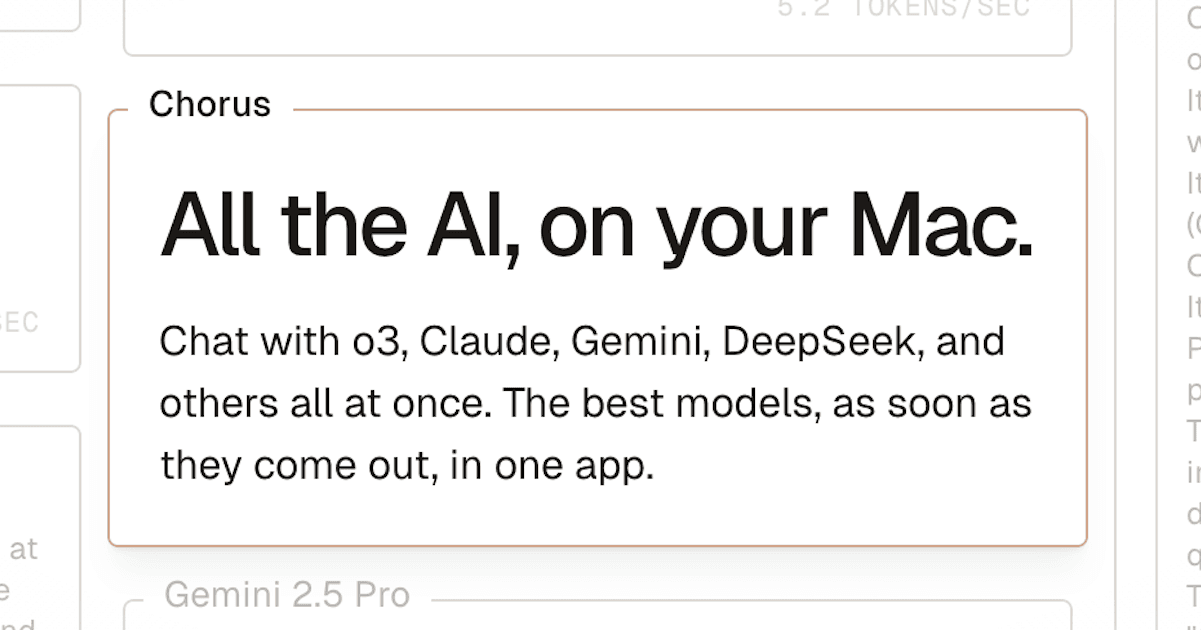
Chorus
Chorus is a native Mac app that lets you question several AI models at once — OpenAI, Anthropic, Gemini, xAI, DeepSeek, OpenRouter and local models — then compare their answers side by side in a single conversation.
What is Chorus?
Chorus is a native macOS application built on one idea: rather than asking a single model and hoping it is right, ask several at the same time and read their replies next to each other. A shortcut opens the model picker, you tick as many models as you want, and your next message is answered by all of them. You can add a model to a message already sent, reorder the responses, and click one of them to mark it In Chat — the reply that follow-up questions build on. The documentation counts seventeen models available natively across six providers, plus local models through Ollama and LMStudio and hundreds more through OpenRouter. Claude Sonnet 4, o3, o4-mini, GPT-4.1, GPT-4o, GPT-4.5, Gemini 2.5 Pro and Flash, DeepSeek R1 and Grok 3 are all named on the site.
The app goes well beyond a chat window. Ambient Chat opens a minimal panel from anywhere on the Mac, so a question about the document in front of you does not require switching applications. Vision Mode, off by default and flagged by a large orange indicator, attaches a screenshot of your screen to each message you send. Built-in tools let the models search the web, run terminal commands, generate images and act on GitHub repositories, issues and pull requests, and any local or remote MCP server can be added — including a one-click import of the servers already configured in Claude Desktop.
Projects gather conversations around a shared context field, with attachments and an optional memory that carries key information from one chat to the next. Pasted links are read into the conversation, PDFs, images and documents can be uploaded, history is searchable in full text, and code and LaTeX render properly. Existing histories can be imported from OpenAI and Anthropic. The whole thing runs as a Tauri application with a Rust backend, and the source has been open since version 0.14.0. Conversations stay on the machine rather than on the publisher's servers — and the app runs on macOS only, with Windows and Linux still on a waiting list.
What it does
- Query several AI models simultaneously in one conversation and compare their answers side by side
- Open a chat from any application on the Mac with a global shortcut, and optionally show it your screen
- Let models search the web, run terminal commands, generate images and work on GitHub repositories
- Plug in local or remote MCP servers, or import in one click those already set up in Claude Desktop
- Run open-source models locally through Ollama or LMStudio, alongside the hosted ones
- Group conversations into projects that share a context, attachments and an automatic memory
- Read a pasted URL, upload PDFs, images and documents, and search the whole history in full text
When to use Chorus / When not to
A quick filter to help you decide if Chorus is the right fit.
When to use Chorus
- Developers who want a second and third opinion on the same problem, with a terminal and GitHub tools sitting next to the chat
- AI practitioners and ML teams who compare models for a living and need seventeen of them side by side across six providers
- Mac users already paying for two or three separate assistants who would rather have one window and one shortcut
- Privacy-minded users who want their history to stay on their own disk and their own API keys to stay local
- Researchers and students reading dense material, who can query a paper from the ambient window without leaving the page
When not to use Chorus
- Anyone on Windows or Linux: the app does not exist for them yet, only a waiting list does
- Phone-first users, since there is no iOS or Android app and no web version at all
- Developers looking for an API to build on: no public API documentation is available
- European buyers with a procurement checklist, as there is no GDPR statement, no DPA and no terms of service to sign
- Teams that need published enterprise pricing, because team and enterprise tiers only exist behind a contact form
How to use Chorus
A typical end-to-end flow, from setup to results.
- Go to the Chorus site and click the download button
- Sign in with the account of your choice, confirming your address if you signed up by email
- Pick the build that matches your Mac, Apple Silicon or Intel, and install it
- Open the app and start a first conversation with the models included in the free tier
- Open the model picker and tick several models so they all answer your next message
- Click a response to mark it In Chat, so follow-up questions build on that particular reply
- Open the tool selector and switch on the web, terminal, image or GitHub tools you need
- Add your own provider API keys in the settings if you would rather pay providers directly
- Start Ollama or the LMStudio server, then refresh the local section of the model picker
- Create a project, fill in its context field and turn on project memory to share information across chats
Pros & Cons
Pros
- One interface and one subscription instead of several separate assistant accounts
- Comparing answers in place makes mistakes and hallucinations far easier to spot
- History stays on your own disk, and no conversation is stored on the publisher's servers
- Local models are properly supported, so work can continue without any hosted provider
- Extensible through MCP, with existing Claude Desktop servers imported in a single click
- The free tier is genuinely usable: unlimited fast models with your own key, plus fifty requests to premium ones
- Open source since version 0.14.0, and built on Tauri and Rust for responsiveness
Cons
- macOS only: Windows and Linux are announced but unavailable, with a waiting list form
- No mobile app and no web version, so nothing follows you off the Mac
- No terms of service, no legal notice and no postal address published anywhere
- No GDPR statement, no data processing agreement and no EU representative
- No retention period is published, and no hosting country or region is declared
- No public API documentation: the only OpenAPI entry in the docs index does not resolve
- Team and enterprise pricing is hidden behind a form, and support runs through one mailbox and a Discord
Pricing & Plans
A permanent free plan is available under the name Hobby, which requires bringing your own provider key. The cheapest paid entry point is the Plus plan at 20 USD per month, with a higher Frontier tier at 100 USD per month; team pricing is quoted on request.
- bring your own key
- unlimited access to Fast models (Gemini 2.5 Flash
- GPT-4.1 Mini
- Grok 3 Mini) and 50 free requests to Plus models (Claude Sonnet 4
- Gemini 2.5 Pro
- DeepSeek R1
- GPT 4o
- o3-mini and more)
- Plus models (Claude Sonnet 4
- o3
- o4-mini
- GPT-4.1
- Gemini 2.5 Pro
- DeepSeek R1 and many more)
- Fast models
- and founder support
- everything in Plus
- much higher usage limits
- Frontier models (GPT-4.5
- Grok 3 Fast and more)
- and founder support
- Team pricing — quoted through a form on the pricing page
- with a reply announced within 24 hours
- the amount is not published
- Enterprise — mentioned only in the privacy documentation
- where analytics collection can be switched off on request
- the amount is not published
Data, GDPR & hosting
A consolidated view of how Chorus handles your data.
GDPR overview
There is no mention of the GDPR anywhere on the site or in the documentation. Searching the full text and the archived HTML of every page collected returns no occurrence of GDPR, of a data processing agreement, or of subprocessors. No terms of service, no legal notice, no Article 27 representative and no data protection officer are published, and the only address exposed is the founders' mailbox. What does exist is a plain privacy page that names the data actually stored — account details and message metadata in an encrypted database at Fly, product analytics at PostHog — states that conversations remain on the user's own machine, and links to the privacy policies of the model providers. Useful as that is, it carries no compliance claim, no retention period and no description of access or erasure rights.
Who owns the data?
No terms of service are published, so the only contractual text is the privacy page in the documentation. It states that the publisher does not read conversations and does not sell data, and that the business model is subscription-based. Chat history is kept locally on the machine, in the Application Support directory, and none of it sits on the publisher's servers. What is stored elsewhere is limited to account data — email address and plan — and message metadata such as creation time, model, length and token count, held in an encrypted Postgres database at Fly, plus analytics at PostHog. Access is restricted to Melty employees. Screenshots sent in Vision Mode go to the model provider and are not retained.
Reuse rights
Because no terms of service exist, nothing in the publisher's documents restricts what you may do with the answers you obtain. In practice the material stays under your control: conversations live in a local directory you own, and your own API keys are stored locally too. The counterpart is that prompts travel to whichever model providers you enable, and their policies then apply — the privacy page links to those of OpenAI, Anthropic, Gemini, xAI and OpenRouter. The publisher states that it asks providers not to train on your data where possible, which is a request rather than a guarantee. Enterprise customers can have analytics collection turned off by writing to the founders' address.
Data retention & training
Hosting summary
No hosting country and no region are declared anywhere on the site. Most of the data never leaves the user's machine: chat history is kept in the local Application Support directory, and the privacy page states that none of it is stored on the publisher's servers. What sits elsewhere is limited to account data — email address and plan — and message metadata such as creation time, model, length and token count, held in an encrypted Postgres database operated by Fly, alongside product analytics at PostHog, which also records the operating system and IP address. The publisher describes both providers as SOC 2 compliant and states that access is restricted to Melty employees. Screenshots taken in Vision Mode are sent to the model provider and not retained. Prompts themselves transit through whichever model providers are enabled, each under its own policy. Nothing in the documentation identifies the jurisdictions involved.
Things to keep in mind
Risks and trade-offs to weigh before adopting Chorus.
- Vision Mode captures the whole screen and sends it to a model provider: passwords, confidential documents or third-party data on display leave with it
- The terminal tool runs real commands on your machine, so following a model's suggestion without reading it can be destructive
- Adding a remote MCP server means handing a third party access to your conversations and your tools
- With no terms of service, no DPA and no GDPR statement, nothing is contractually enforceable if something goes wrong
- Enabling several models multiplies the number of providers your prompts are sent to, and with it the exposure surface
- Agreement between models feels like verification but is not proof: models can be confidently wrong in the same direction
- History lives only on your disk, so a drive failure without a backup means losing all of it
Setup & Integrations
Technical difficulty
Straightforward for anyone comfortable installing a Mac app: download, sign in, confirm the email address, open it. The only choice to make is between the Apple Silicon and Intel builds, and the site links to Apple's help page for that. Basic use starts immediately on the free tier. The optional steps are more technical — adding provider API keys, installing Ollama or running the LMStudio server with CORS enabled, configuring MCP servers, granting screen-recording permission for Vision Mode — but none of them is required, and nothing has to be installed on a server.
Deployment
Integrations
Behind Chorus
Fundraising
Resources
All the official URLs gathered for verification and reference.
Alternatives
Tools that compete with or complement Chorus.
Frequently asked questions
Which platforms does Chorus run on?
Which AI models can I use?
How much does it cost?
Can I bring my own API keys?
Where are my conversations stored?
Are my messages used to train AI models?
Can Chorus see my screen all the time?
Can I connect my own tools?
Can I bring my history over from another assistant?
How do I get support, and is the code open?
Should you pick Chorus?
Chorus does one thing, and does it with unusual polish: it puts a dozen or more AI models into a single Mac window and lets you read their answers next to each other. That layout turns out to be more than a convenience — disagreement between models is the fastest way to notice that one of them is inventing, and several named practitioners say on the site that this is exactly what they use it for. Around that core the app has accumulated genuinely useful machinery: a system-wide ambient window, an optional screen-sharing mode with a visible indicator, built-in web, terminal, image and GitHub tools, MCP support with a one-click import from Claude Desktop, local models through Ollama and LMStudio, and projects that carry context and memory between conversations. Conversations stay on your own disk, the source has been open since version 0.14.0, and the free tier is usable rather than decorative.
The trade-offs are just as clear. The app exists for macOS and nothing else — no Windows, no Linux, no phone, no browser. And the paperwork a company would look for simply is not there: no terms of service, no legal notice, no postal address, no GDPR statement, no data processing agreement, no retention period and no declared hosting country. For an individual paying 20 USD a month that may be an acceptable silence; for a procurement department it is a blocker. Worth noting too that the publisher's Y Combinator profile now foregrounds a different product, which makes the maintenance rhythm worth checking before committing a team to it. As a personal tool for people who work with several models daily, it is one of the most convincing options on the Mac.
- Choosing a selection results in a full page refresh.
- Opens in a new window.