
ArchRender
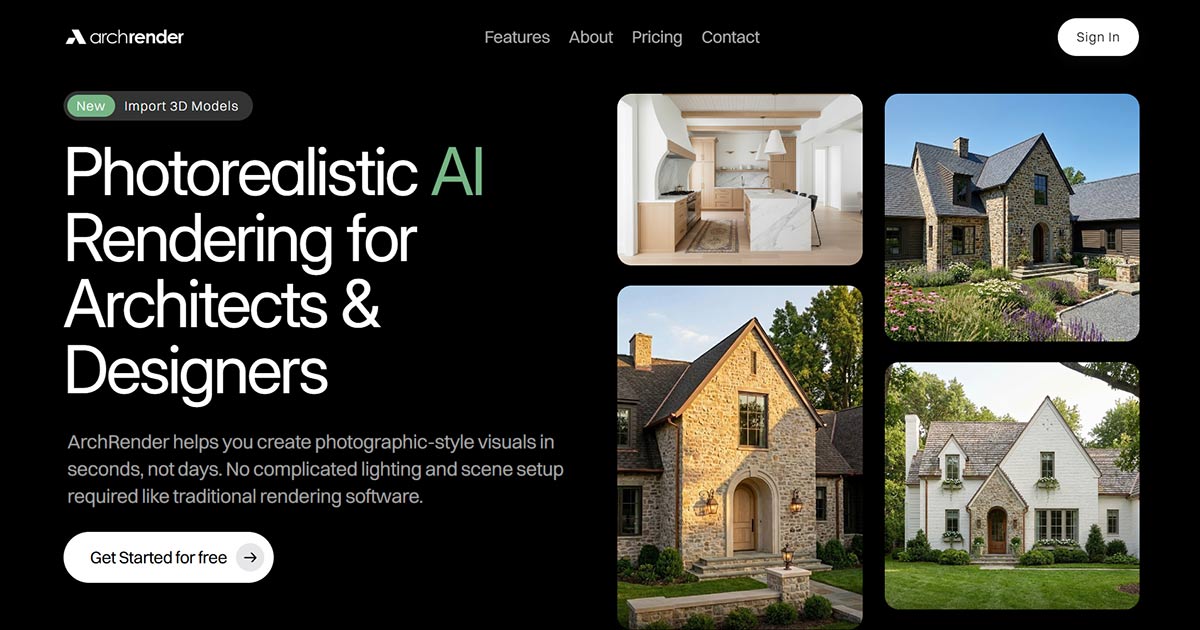
A web-based AI rendering platform for architecture. It turns sketches, elevation drawings, photos and imported 3D models into photorealistic images in seconds, with no scene setup, lighting work or traditional rendering software.
What is ArchRender?
ArchRender is a browser-based rendering platform aimed squarely at architecture, run from app.archrender.ai and claiming more than 10,000 architects and designers. It works in two modes. Render Mode generates images from drawings, sketches and 3D models; Edit Mode reworks an existing render or photograph one click at a time, so an iteration never starts from scratch.
The feature the vendor builds its case on is genuine 3D import. Most AI rendering tools are image-to-image processors: you upload a screenshot, the model restyles that single view, and a different angle means going back to your modelling software. ArchRender accepts OBJ, FBX and GLB files, then lets you set the camera angle, field of view and aspect ratio inside the platform — one upload, unlimited views, geometry preserved. Native SketchUp .skp files are not supported and must be exported first. Note that the homepage and the landing pages print "GPL" in their format list, which is plainly a typo for GLB.
Control is deliberately kept legible rather than technical. A prompt describes materials, style, mood and lighting, and prompts can be saved and reapplied. A mood board can replace the prompt entirely: the AI reads the colours, finishes and style of an inspiration image and carries them into the render. Scene settings cover season, time of day and surrounding environment — the kind of variation a client actually asks for. Any render upscales to 4K, and Video Mode turns one into a 5 second clip for 5 credits or a 10 second clip for 9, generated in the background.
Work is organised by project rather than by file, so renders and source images stay together, variants accumulate without overwriting, and a scheme can be picked up weeks later. A Team function shares projects with other ArchRender account holders. Thirty-six landing pages walk through the workflow for ArchiCAD, AutoCAD, Blender, Revit, Rhino and SketchUp, room by room.
What it does
- Import a 3D model in OBJ, FBX or GLB and render it from any camera angle
- Turn an elevation drawing, sketch or photo into a photorealistic image
- Steer materials, style and lighting with a plain-language prompt
- Drop in a mood board and let the AI read its colours, finishes and style
- Set season, time of day and surrounding environment before rendering
- Upscale any render to 4K and animate it into a 5 or 10 second clip
- Keep renders and source files together in projects and share them with a team
When to use ArchRender / When not to
A quick filter to help you decide if ArchRender is the right fit.
When to use ArchRender
- Architects and design studios working from 3D models who need several consistent views of the same building
- Builders and property developers who have to make a project legible to a client early on
- Interior designers testing materials, finishes and lighting moods before committing
- Independent designers, small practices and students with no workstation and no renderer licence
- Homeowners who want to see a house from its plan elevations before anything is built
When not to use ArchRender
- Anyone producing hero images, competition boards or publication-grade visuals, where the vendor itself points back to traditional renderers
- Teams that need interactive walkthroughs, animation rigs or complex vegetation systems
- Visualisation specialists who expect granular control over every parameter of the image
- SketchUp users unwilling to export, since native .skp files are not accepted
- Anyone needing a mobile app or an API, neither of which exists
How to use ArchRender
A typical end-to-end flow, from setup to results.
- Create an account and sign in at app.archrender.ai
- Start a project and choose between rendering something new or editing an existing render or photo
- Upload your input: a 3D model in OBJ, FBX or GLB, or an elevation drawing, sketch or photo
- If you brought a model, frame the shot — camera angle, field of view and export aspect ratio
- Describe the materials, style and lighting in a prompt, or upload a mood board instead
- Set the season, the time of day and the surrounding environment
- Generate, then iterate in Edit Mode to refine details or explore alternative styles
- Upscale the render you like to 4K for a presentation, a proposal or print
- Optionally open Video Mode from the sidebar or from the render itself, pick 5 or 10 seconds and a camera motion, and let it run in the background
- Invite colleagues from the profile menu by email — they need an existing ArchRender account — and find shared work under Shared With Me
Pros & Cons
Pros
- Real 3D file import where many rivals accept only images: upload once, render unlimited angles, geometry intact
- Renders arrive in seconds with no scene assembly and no lighting setup
- Nothing depends on local hardware, unlike GPU-hungry desktop renderers
- Predictable monthly cost instead of per-render billing
- Scene controls a client can actually follow — season, time of day, surroundings
- Mood boards hold an aesthetic direction more consistently than a long written prompt
- Project-based organisation and team sharing suit schemes that run for months
Cons
- No incorporated company name and no postal address anywhere: the contracting entity cannot be identified
- Legal documents are unusually thin, with no mention of GDPR, DPA, subprocessors, retention or hosting location
- The privacy policy is silent on whether customer content trains AI models, and on any opt-out
- Purchases are declared final and non-refundable unless the law says otherwise
- One single mailbox handles support, legal and privacy alike
- No mobile app, no public API, no native .skp, and no published social presence
- Prices sit under a permanent "limited time" discount banner and may climb back
Pricing & Plans
There is no permanent free plan in the published pricing table, but the site repeatedly offers a free entry point — "Try For Free" and "Start for free and upgrade anytime" — without stating how many credits that includes. The cheapest paid entry point is the Basic plan at USD 29 per month, billed as a recurring subscription with a monthly credit allowance. Annual commitment is advertised as saving a further 20%, though no annual figure is shown. All three plans are quoted against struck-through higher prices under a "limited time" 30% discount banner, so the standing list price for Basic is USD 39.
- 150 credits per month
- 5 projects
- 5 GB storage
- 3D model import
- 4K upscaling
- basic support
- 300 credits per month
- 20 projects
- 25 GB storage
- 3D model import
- 4K upscaling
- priority support
- 800 credits per month
- unlimited projects
- 100 GB storage
- 3D model import
- 4K upscaling
- priority support
- Annual billing — advertised as saving a further 20% on all three plans
- with no annual amount published
Data, GDPR & hosting
A consolidated view of how ArchRender handles your data.
GDPR overview
There is no GDPR implementation to describe. The words GDPR, CCPA, SOC 2 and ISO 27001 appear nowhere on the site, in the visible text or in the underlying page source. No EU representative is designated under Article 27, no data protection officer is named, no Data Processing Agreement is published or offered, and no processing-location or subprocessor list exists. The privacy policy does state, in generic terms, that users may access, correct or delete their personal data and may object to or restrict certain processing, exercisable by contacting the vendor at its single address. Those rights are asserted without reference to any legal basis, retention period or response deadline. The terms are governed by United States law.
Who owns the data?
Section 5 of the terms is short and clear on the essentials: you keep ownership of everything you upload. In return you grant ArchRender a licence to process that content, limited to what providing the service requires. The platform itself, its branding and its technology stay the vendor's property. Those terms took effect on 6 January 2026. What they never address is the other half of the question: nothing states who owns the images the AI generates from your input, and no clause assigns or licenses those outputs either way. For a tool whose entire purpose is producing client-facing deliverables, that silence deserves a direct question to the vendor.
Reuse rights
The terms grant the user no explicit reuse rights over generated renders, because they never mention the outputs at all. What is stated is narrow: you keep ownership of uploaded content, and the vendor may process it only as needed to run the service. The privacy policy adds that your name, email address and uploaded images are used to operate, maintain and improve the service, process payments, send technical notices and answer support requests. Data may reach third-party service providers who help run the platform, or be disclosed where the law requires it; no list of those providers is published. Whether uploads feed model training is not addressed anywhere, in either direction.
Data retention & training
Hosting summary
The site publishes nothing about where data is hosted. No country, no region, no jurisdiction for storage, no trust or security page, and no list of the service providers the privacy policy admits may receive data. On protection, the policy commits only to "reasonable measures" against loss, theft, misuse, unauthorised access, disclosure, alteration and destruction, and states plainly that no security system is impenetrable. The one technical observation available is that the domain resolves to an Amazon anycast node routed through Amsterdam. That indicates a content delivery network fronting the site; it says nothing about where uploads and renders are actually stored, and should not be read as evidence of European hosting. The marketing site runs on Framer, with the application served from a separate app subdomain. Anyone with client confidentiality obligations should ask the vendor directly before uploading project files.
Things to keep in mind
Risks and trade-offs to weigh before adopting ArchRender.
- You cannot tell who you are contracting with: no incorporated entity, no address, no declared country, and a country of origin inferred only from a governing-law clause
- Nothing states who owns the generated renders, which matters the moment a client deliverable is invoiced
- The privacy policy never says whether your uploaded projects train AI models, and offers no opt-out either way
- No retention period, no hosting country and no subprocessor list, so confidential client work goes somewhere you cannot audit
- Non-refundable purchases plus a credit system make it easy to overbuy before knowing your real consumption
- The advertised prices sit under a standing discount banner and can revert to the higher list price
- Photorealism arriving in seconds invites presenting an AI impression as a design decision; the vendor itself warns results vary and should be reviewed before use
Setup & Integrations
Technical difficulty
Very low. There is nothing to install and no hardware requirement: an account in a browser is the whole setup, and the platform is explicitly built so that no scene assembly, lighting work or rendering expertise is needed. The only genuine friction is upstream, in your own CAD software — you must export to OBJ, FBX or GLB, because native SketchUp files are not accepted. Everything after that is ordinary interface work: pick an angle, write a prompt or drop a mood board, generate. Six step-by-step guides cover the less obvious features.
Deployment
Integrations
Supported languages
Behind ArchRender
Resources
All the official URLs gathered for verification and reference.
Alternatives
Tools that compete with or complement ArchRender.
Frequently asked questions
What file types can I bring into ArchRender?
Do I need rendering experience to use it?
How does the credit system work?
Is there a free plan or a free trial?
Can I render several angles of the same building?
Can my studio share projects?
Is there a mobile app or an API?
What does ArchRender say about my data and privacy?
Can I get a refund or cancel?
Should you pick ArchRender?
ArchRender is a young, narrowly focused product, and the focus is what makes it worth attention. Its differentiator against general image generators is real and technical rather than cosmetic: it ingests actual geometry in OBJ, FBX or GLB and lets you move the camera inside the platform, so one upload yields many consistent views of the same design. For an architect who needs to show a client the same house from four angles, in winter and at dusk, that is a different proposition from a tool that restyles one screenshot at a time. The commercial model matches the promise — three monthly tiers with credit allowances, a free way in, and no per-render meter running.
The reservations are not about the rendering. They are about who stands behind it. No incorporated company name appears anywhere, no postal address, no declared country; the country shown on this page is inferred from a governing-law clause, not from anything the vendor publishes about itself. The legal documents are brief and generic, and they are silent on the questions a professional buyer has to ask: how long uploads are kept, where they sit, who processes them, and whether they train models. Purchases are declared non-refundable. The domain first appears in web archives in March 2026.
So: a capable, well-scoped tool for early and middle design stages, on a plan that is cheap enough to test properly. Treat it as the vendor does — a complement to traditional renderers, not a replacement — and, before uploading client work, ask directly about retention, hosting and model training. The answers are not on the website.
- Choosing a selection results in a full page refresh.
- Opens in a new window.