
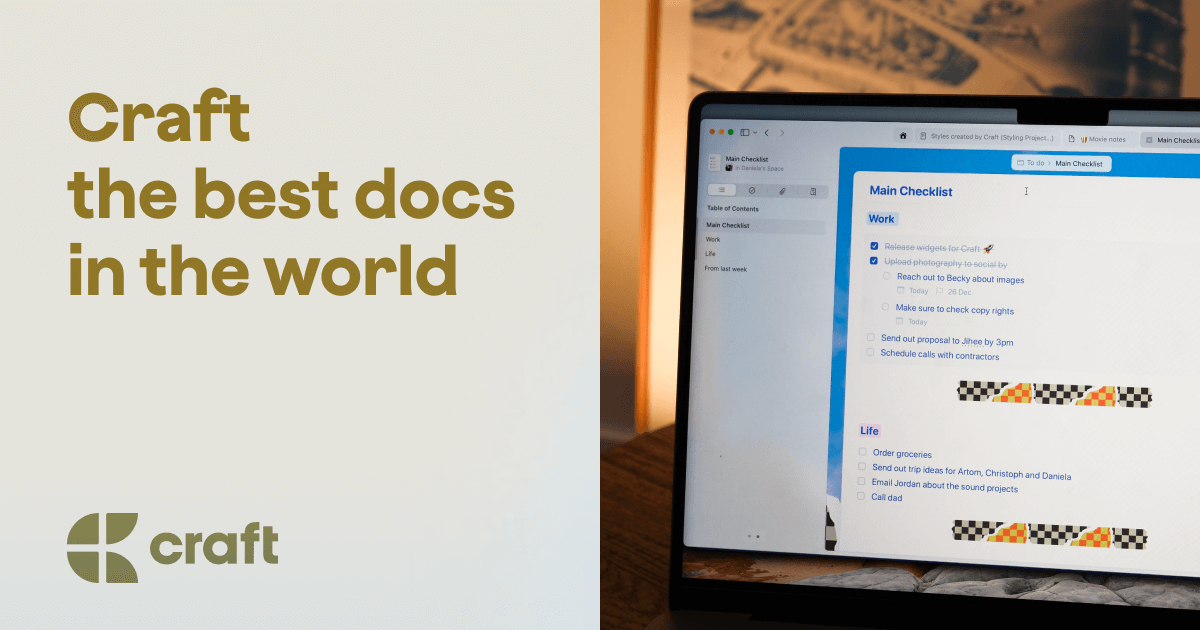
Craft
Craft is a block-based workspace for notes, documents, tasks and daily planning, with a built-in AI assistant included on every plan. It runs natively on Apple devices, Windows, Android and the web, and works fully offline.
What is Craft?
Craft is a workspace that keeps notes, documents, tasks, calendar, whiteboards and daily notes in one place instead of scattering them across separate apps. Its editor is built on blocks — text, checklists, code, cards, images, tables, callouts and toggles — and documents nest into pages and cards, so a long piece keeps its structure without becoming cluttered.
Three ways of organising coexist rather than compete. Spaces separate contexts such as work and personal, folders and tags handle classic hierarchies, and Collections hold structured data such as project trackers, reading lists and editorial calendars. Documents link to each other in both directions through a backlinks panel, and full-text search runs across everything.
The apps are native. Craft ships for macOS, iOS, iPadOS, visionOS, Windows and Android alongside a browser version, and the Apple builds are written in Swift and UIKit with Handoff, Spotlight, Siri Shortcuts, Widgets and Apple Pencil support. Sync is advertised at under one second, and the offline mode is a genuine one: creating, editing, organising and searching all work without a connection, with changes reconciled on reconnect.
An AI assistant is included on every plan, free tier included, and helps write, edit, summarise and organise. Three models are named on the pricing page — Core, Fast and Max, the last reserved for Plus — and the assistant can fall back to on-device models, which is what keeps it usable offline. Credits are metered: 15 on the free plan, 50 per month on Plus.
Any document can be published as a web page in one click, or shared by link with readers who need no account. Real-time collaboration, comments and shared spaces cover small teams. A browser extension for Chrome, Safari and Edge clips web pages, and an API plus MCP connections expose documents to tools such as Claude, ChatGPT, Cursor, Raycast, Lovable, Replit and v0.
Craft imports from Notion, Evernote, Apple Notes, Bear, Obsidian, Markdown and Readwise, and exports to Markdown, PDF and Word. The publisher is Craft Docs Limited, a British company registered in London under number 12092174 and founded by Balint Orosz.
What it does
- Write and structure documents in blocks, nested pages and cards
- Draft, rewrite, summarise and organise content with the built-in AI assistant
- Capture and edit everything offline, then sync across all devices
- Track tasks, reminders and a calendar directly inside your documents
- Publish any document as a polished web page in one click
- Collaborate in real time with comments and shared spaces
- Connect documents to AI tools through the API and MCP connections
When to use Craft / When not to
A quick filter to help you decide if Craft is the right fit.
When to use Craft
- Writers, authors and journalists who want a fast, distraction-free editor that also publishes finished pages to the web
- Students, researchers and educators, who get the full Plus feature set free through the Education plan
- Creators and podcasters juggling scripts, show notes, shoot plans and editorial calendars in one place
- Apple-centric professionals who value native apps, Apple Pencil, Handoff, Spotlight and Siri Shortcuts
- Small teams, founders and freelancers who need shared spaces, comments and real-time editing without enterprise overhead
When not to use Craft
- Teams whose work depends on complex relational databases or large internal wikis, which Craft's Collections deliberately keep simpler
- Users who insist on local Markdown files and offline-first file ownership, since Craft stores documents in the cloud
- Organisations that require end-to-end encryption, which Craft explicitly does not offer
- Businesses needing a signed Data Processing Agreement or a named EU Article 27 representative, neither of which is published
- Households wanting to run a business on the Family plan, which the terms reserve for non-commercial use
How to use Craft
A typical end-to-end flow, from setup to results.
- Create a free account — no credit card is required to start
- Choose your entry point: the web app, a native download, or the App Store, Play Store or Microsoft Store build
- Set up a Space per context, such as one for work and one for personal life
- Create a folder per subject, project or course, and add tags where a hierarchy is not enough
- Import your existing material: Notion and Obsidian via Markdown, Evernote via .enex files, or Apple Notes and Bear with the built-in tools
- Write in blocks, nesting long documents into pages and cards as they grow
- Use daily notes for the day's tasks and deadlines, and embed tasks directly where the thinking happens
- Call the AI assistant to draft, rewrite or summarise, switching to on-device models when you are offline
- Share a document by link for viewing or editing, or publish it as a web page in one click
- For automation, open the Connections tab, add an API connection, choose the documents to expose, then download the AI bundle to hand to an external tool
Pros & Cons
Pros
- Genuine offline use across writing, editing, organising and search, with on-device AI models when disconnected
- AI assistant included at no extra cost on every plan, free tier included
- Native applications rather than Electron, with sub-second sync and instant launch claimed
- Clear commitment never to train models on user content, extended to sub-processors
- Permanent free plan, a 14-day Plus trial and a fully free Education plan
- Active SOC 2 Type II certification and a published list of named sub-processors
- Broad import and export options plus an open API and MCP access, available even on the free plan
Cons
- No end-to-end encryption, which the company acknowledges outright
- Collections are simpler than relational databases, as Craft itself concedes against Notion
- No local Markdown files: content lives in the cloud unless you use External Storage Spaces
- Displayed prices are geolocated and converted from US dollars, so the amount you see depends on your country
- Comparison pages still advertise USD 5 and USD 7.99 per month while the pricing page and App Store list USD 9.99
- No named Data Processing Agreement, EU Article 27 representative or Data Protection Officer
- Free plan is tightly capped at 1,500 blocks, 1 GB of storage and 15 AI credits
Pricing & Plans
Craft offers a permanent free plan, capped at 1,500 blocks, 1 GB of storage, a 7-day version history and 15 AI credits. The lowest paid entry point is the Plus plan at USD 9.99 per month, or USD 95.99 per year, which works out at USD 8.00 per month on annual billing. A 14-day Plus trial is available without commitment, and no credit card is required to open an account. Prices are set in local currency and converted from US dollars, exclusive of local taxes, so the amount displayed varies by country.
- 1
- 500 blocks
- 1 GB storage
- 7-day version history
- 15 AI credits
- Core and Fast models
- API and MCP access included
- unlimited content and storage
- 30-day version history
- 50 AI credits per month
- Core
- Fast and Max models
- a bundle of Plus accounts sharing a single subscription and a shared Space
- grouped Plus accounts with a shared Space
- Business — USD 299.00 per month
- listed only among the App Store in-app purchases
- Education — free for students
- teachers and academic staff
- with the full Plus feature set and annual re-verification
Data, GDPR & hosting
A consolidated view of how Craft handles your data.
GDPR overview
Craft states GDPR compliance explicitly on its security page, saying its operations are designed to align with the regulation. Concrete measures are published: an active SOC 2 Type II certification audited annually, a list of fourteen named sub-processors with their country and purpose, a vendor management policy requiring suppliers to meet SOC 2 or ISO 27001, and a commitment to notify users of a breach within 72 hours. The privacy policy, effective 21 November 2025, offers rights of correction and deletion, exercised at support@craft.do. Several standard items are missing, however: no Data Processing Agreement is named, no Article 27 EU representative and no Data Protection Officer are designated, and international transfers are described as potentially worldwide without citing Standard Contractual Clauses.
Who owns the data?
Craft states plainly that the content you put into the product stays yours: depositing notes changes neither ownership nor copyright status. The company says it does not sell customer data to third parties, does not use it for advertising, and will not read private notes without written or verbal consent. Everything placed in a personal Space is private by default; publishing and link-sharing are opt-in features. Craft also commits to never using personal information or user content to train or fine-tune any AI or machine-learning model, and extends that restriction to its service providers and sub-processors. Portability is part of the same promise, with exports to Markdown, PDF and Word.
Reuse rights
Users keep the right to reuse their own content freely: Craft claims no ownership or licence over it beyond what is needed to operate the service, so documents can be exported and reused without asking permission. Exports run to Markdown, PDF and Word, with direct transfer to apps such as Bear and Ulysses, and External Storage Spaces keep chosen content off Craft's servers entirely. On its own side, Craft uses account details, communications and usage data to deliver and bill the service, to provide support, and for security, fraud prevention and product research. It may create de-identified or aggregated data for internal analysis. Content is shared with other users only where you place it in a shared Space or send a link.
Data retention & training
Hosting summary
Craft stores content in the cloud on Amazon Web Services. Data is encrypted in transit with TLS and at rest using default RDS encryption for document content and personal data, and SSE-S3 for uploaded binaries; the company states plainly that end-to-end encryption is not provided. Employee access follows least privilege, with continuous vulnerability scanning and regular third-party penetration tests. Fourteen sub-processors are published with their country and purpose, the great majority in the United States, including AWS and DigitalOcean for infrastructure and hosting, OpenAI for AI features, Cloudflare, Datadog, Amplitude, Zendesk, Brevo and Paddle; NiceReply operates from Slovakia and Plausible from Germany. The privacy policy adds that information may be transferred, processed and stored anywhere in the world, the United States included. External Storage Spaces let you keep chosen content off Craft's servers entirely. Note that the published sub-processor table was last updated in April 2024.
Things to keep in mind
Risks and trade-offs to weigh before adopting Craft.
- A single workspace holding notes, tasks, calendar and journal becomes a single point of failure: keep exports current rather than trusting one account
- Leaning on the AI assistant to draft and summarise can quietly erode your own writing and synthesis, especially for students whose work is the thinking itself
- Content is stored in the cloud without end-to-end encryption, so genuinely sensitive material deserves External Storage Spaces or another tool
- Published pages and share links are public to anyone holding the URL: it is easy to expose a draft by reflex
- Beautiful documents invite time spent on styling instead of substance, which is the productivity trap this category is prone to
- The free plan's 1,500-block cap arrives sooner than expected, and migrating away once a workflow has settled costs real effort
- AI output is generated text and can be wrong or invented: check anything factual before it leaves your notes for a paper, a client or a publication
Setup & Integrations
Technical difficulty
Very low. An account is free and needs no credit card, and the web app runs immediately without any installation. There are no plugins to install or configure, and imports from Notion, Evernote, Apple Notes, Bear and Obsidian are guided. The only mildly technical steps are optional: enabling the API takes six clicks in the Connections tab and requires no code, MCP connections are documented client by client, and the Readwise integration asks for an access token.
Deployment
Apps stores
Integrations
Supported languages
Behind Craft
Fundraising
Social
Resources
All the official URLs gathered for verification and reference.
Alternatives
Tools that compete with or complement Craft.
Frequently asked questions
Is the free plan time-limited?
Can I try Plus before paying?
Does Craft really work offline?
Do I have to pay extra for the AI assistant?
Is my content used to train AI models?
Which devices does Craft support?
Can I import from another note-taking app, and get my data back out?
Is there an API?
What is on offer for students?
Why does the price change depending on the country?
Should you pick Craft?
Craft occupies a deliberate middle ground between the lightness of Apple Notes and the machinery of Notion, and it competes on craftsmanship as much as on features. The bet largely pays off. Native applications on six platforms, sub-second sync, a genuinely complete offline mode and an AI assistant that costs nothing extra on any plan add up to a product that is pleasant to live in daily, and the design awards it collects are not accidental.
The trade-offs are equally clear and, to Craft's credit, mostly stated out loud. Collections are simpler than relational databases, there are no local Markdown files, and there is no end-to-end encryption. What Craft offers instead is an unusually explicit data posture: content stays yours, nothing is sold or used for advertising, and no model is trained on user content — a restriction extended to sub-processors. An active SOC 2 Type II certification and a published list of fourteen named sub-processors back that up.
Two reservations deserve attention before committing. The compliance paperwork stops short of what an organisation may need: no Data Processing Agreement is named, no EU Article 27 representative and no Data Protection Officer are designated, and international transfers are described as potentially worldwide. And the pricing story is inconsistent — comparison pages still quote USD 5 and USD 7.99 per month while the pricing page and the App Store list USD 9.99, plan capacities differ between the marketing copy and the billing configuration, and the sub-processor list has not been refreshed since April 2024.
For writers, students, creators and small Apple-centric teams, Craft is an easy recommendation, and the free plan plus the 14-day Plus trial make it cheap to test. For regulated organisations, the documentation gaps are worth resolving with the vendor first.
- Choosing a selection results in a full page refresh.
- Opens in a new window.