
Mumble Note
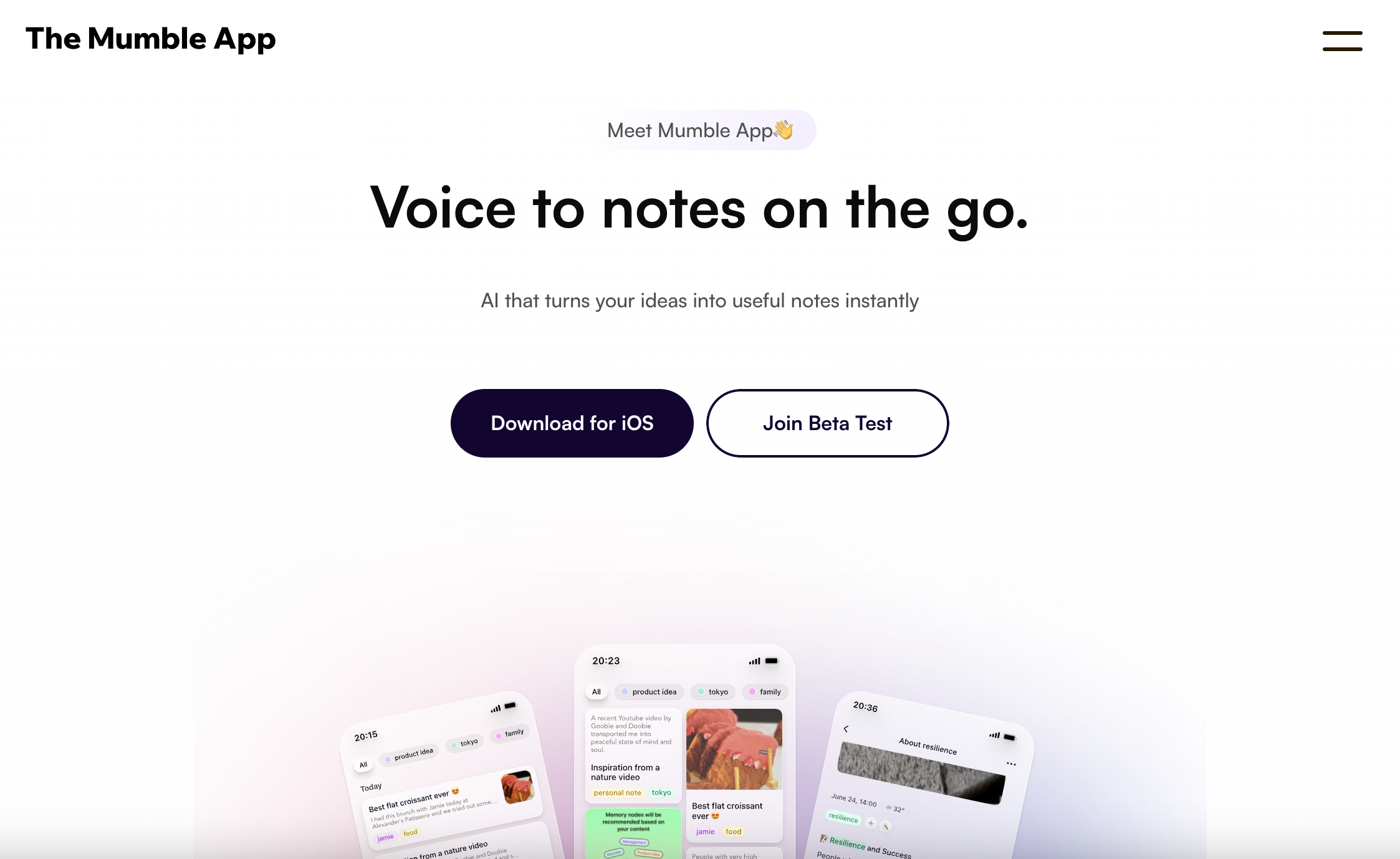
Mumble Note is an iOS voice notetaker that turns spoken thoughts into clean transcripts, structured notes and synced to-dos. Built for iPhone and Apple Watch, it records up to two hours per note, even screen-off.
What is Mumble Note?
Mumble Note is an iOS voice notetaker published by Narya.ai Inc. Its premise is that speaking is faster than typing: you talk, and the app returns a clean transcript alongside a rewritten, structured note. The homepage organises this around four situations — meeting notes, task planning, idea capture and quick notes — and the app runs on iPhone and Apple Watch. A macOS version is described in the FAQ as the next step, but the Mac experience is currently carried by a separate product from the same publisher rather than by Mumble Note itself.
Input is deliberately mixed. A single note can combine voice, typed text and images such as photos, screenshots or links, and recordings run up to two hours each, continuing with the screen off. Once captured, the AI produces both a verbatim transcript and a refined version with improved subheadings, then identifies decisions, follow-ups and action items. Those action items sync outward to six named integrations: WhatsApp, Things, Apple Calendar, Google Calendar, Apple Reminders and Google Tasks. Deleting an item in the app also removes it from the connected tool.
Organisation is meant to happen without manual filing. Collections group related notes by topic or project on their own, and Mumble AI can draft a fresh note summarising everything inside a Collection from a single voice command. A conversational layer lets you question your own archive — summarise, brainstorm, expand, rewrite — and, in beta, send the assistant to browse the web. Supporting features include OCR text extraction from images, transcription and translation across 40+ languages, a Personal Vocab that teaches the app your own terms and names, Apple Watch capture, widgets and dark mode. The FAQ names GPT-4o and Whisper among the models used.
The product remains young: public releases are still numbered 0.7.x, several capabilities are flagged as beta, and the company advertises users in 10+ countries rather than a large installed base. Privacy is a stated priority, with encrypted storage and sensitive terms encrypted during transcription.
What it does
- Record a voice note with one tap from the iPhone or Apple Watch, screen off, for up to two hours
- Turn a recording into a full transcript plus an AI-structured note with decisions and follow-ups
- Extract action items automatically and push them to Things, Apple Reminders, Google Tasks, Apple Calendar or Google Calendar
- Group related notes into themed Collections automatically, and have the AI draft a summary note from a whole Collection
- Chat with Mumble AI about your own notes to summarise, brainstorm, expand or rewrite them, and let it browse the web
- Pull text out of photos and screenshots with OCR, and send images or links straight from WhatsApp
- Transcribe or translate notes across 40+ languages, with a personal vocabulary the app learns
When to use Mumble Note / When not to
A quick filter to help you decide if Mumble Note is the right fit.
When to use Mumble Note
- iPhone and Apple Watch owners who think out loud and want a one-tap way to capture ideas while walking, driving or between meetings
- Professionals who sit through back-to-back meetings and need transcripts, decisions and follow-ups without taking notes themselves
- People who already live in Things, Apple Reminders, Google Tasks or a calendar and want spoken action items to land there automatically
- Consultants, product managers, designers and content creators juggling many parallel threads that need sorting into topics on their own
- Students and researchers capturing lectures, interviews and reading notes, including in languages other than English
When not to use Mumble Note
- Android users and anyone who works mainly in a browser: there is no Android app and no web version of Mumble Note
- Developers looking to embed transcription or note generation in their own product, as no public API or developer documentation exists
- Teams wanting a shared workspace with collaborative editing and permissions, since sharing happens note by note
- Organisations bound by strict procurement rules, which will find no Data Processing Agreement, no named subprocessor list and no published postal address
- Anyone handling privileged or health-related material who needs a firm, unambiguous commitment that recordings will never train models
How to use Mumble Note
A typical end-to-end flow, from setup to results.
- Download Mumble Note from the Apple App Store on an iPhone
- Create an account, either with a phone number verified by SMS code or through an existing Google or Apple account
- Start on the free plan, which grants immediate access to the AI tools within a monthly allowance
- Set your main language in Settings, or let the app auto-detect the language you speak
- Grant the iOS permissions the app needs, including both Reminders and Calendar access if you want to-do syncing to work
- Connect your task manager or calendar once so that generated action items flow into it
- Tap the mic button on the Home Screen, from a widget or from the Apple Watch to begin recording, and add text or images as you go
- Let the AI turn the recording and your notes into a transcript and a structured summary in one click
- Turn the result into to-do lists, follow-ups or other output formats, and add a voice follow-up later to extend the same note
- Review the note and share it with colleagues directly from Mumble Note
Pros & Cons
Pros
- Genuinely hands-free capture: one tap, screen off, and recording straight from the wrist
- Two-hour recordings, well beyond the few-minute ceiling common in voice note apps
- A complete chain from speech to transcript to structured note to synced to-dos, with no manual filing
- A very low entry price: a permanent free plan, and a first paid tier advertised at USD 3 per month
- Six concrete task and calendar integrations, including Things and WhatsApp
- Multimodal notes combining voice, text and images, with OCR and 40+ language coverage
- An active, publicly documented release cadence and stated 24-hour support response
Cons
- iOS and Apple Watch only: no Android app and no web version
- The vendor's position on model training is contradictory — the FAQ says notes are not used for AI training, while the privacy policy claims training and improving their technology as a purpose
- No public API and no developer documentation
- No postal address published anywhere on the site, leaving the company identifiable only by its legal name
- No Data Processing Agreement, no named subprocessor list, and no documented way to opt out of training
- Targeted advertising is contemplated inside the app, and registration requires a phone number
- A young product: releases are still 0.7.x, several features are beta, and the Terms predate the privacy policy by eight months
Pricing & Plans
A permanent free plan is offered at no cost, covering unlimited text notes and 60 minutes of voice notes per month. The lowest paid entry point is the Starter plan, advertised at USD 3 per month, with the Pro plan advertised at USD 10 per month. All fees are charged in US dollars and are stated to be non-refundable. Prospective buyers should note that the pricing page carries a monthly/annual toggle rendered in JavaScript, and that discount badges suggest the advertised figures may correspond to annual billing.
- unlimited text notes
- 60 minutes of voice notes per month
- up to 2 minutes per note
- unlimited text notes
- 3000 minutes of voice notes per month
- up to 2 hours per note
- 30 AI tools per month
- most advanced AI models
- unlimited text notes
- unlimited AI voice notes
- up to 2 hours per note
- unlimited AI tools
- Collection Auto Mode
- Chat with Mumble AI
- most advanced AI models
- early access to beta features
Data, GDPR & hosting
A consolidated view of how Mumble Note handles your data.
GDPR overview
Concrete and reasonably detailed. Section 12.2 of the privacy policy is devoted to EEA residents. It names Narya.ai Inc. as the data controller, with feedback@narya.ai as the contact point, sets out six legal bases (consent, contractual necessity, legitimate interests, legal compliance, public interest and vital interests), and details eight rights: access, rectification, withdrawal of consent, erasure, restriction, portability, objection, and complaint to a supervisory authority, with a link to the EDPB directory. Transfers outside the EEA rely on adequacy decisions under Article 45 or on standard contractual clauses. A separate section covers the California CCPA. Two gaps stand out: no Article 27 EU representative is designated, although the policy expressly addresses EEA residents, and no Data Processing Agreement is published. The policy is dated 15 May 2025 and is governed by California law.
Who owns the data?
Under the Terms of Service, Narya.ai Inc. does not own the Input you upload — audio, text and images remain yours — and you own the Output the service returns, including all intellectual property rights in it. In exchange, you grant the publisher a worldwide, royalty-free, sublicensable licence, in perpetuity, to copy, modify, distribute and create derivative works from your recorded audio, transcription text and related data. That licence covers five stated purposes: delivering the service, maintenance and diagnostics, improving Mumble and its corporate affiliates' products and services, actions you authorise in writing, and legal obligations. Ownership stays with you; the licence you grant over it is broad and permanent.
Reuse rights
Yes. The Terms state that, subject to compliance with them and with applicable law, you may use the Output for any purpose, and that you hold all rights, title and interest in it. No prior permission, fee or attribution is required, so transcripts, summaries, to-do lists and rewritten drafts can be published, shared with clients or fed into other tools freely. The only carve-out is the Materials — the interface, graphics, design, code and software of the service itself — which remain the publisher's property and may not be reused. On the vendor side, the privacy policy lists service delivery, communications, marketing and targeted advertising served inside the app, experience improvement, safety and security, legal compliance, and technology development and research. Audio, pictures and text may be processed by third-party AI providers, and data may be shared with the corporate group, service providers, third-party SDKs and, where legally required, authorities.
Data retention & training
Hosting summary
The privacy policy states that the servers storing personal information related to Mumble are presently located in the United States, and that by using the service you accept transmission and storage there. Data may also be shared with third parties located outside the United States, subject to compliance with applicable cross-border transfer rules. For EEA residents, transfers out of the EEA rely on European Commission adequacy decisions under Article 45 or on standard contractual clauses. The publisher describes technical and organisational safeguards including encryption and desensitisation, while explicitly declining to guarantee that no transmission or storage can ever be compromised. The FAQ adds that notes are stored encrypted in the cloud, that no plain-text version is kept anywhere except on the device, and that on-device models are planned. No hosting region can be chosen by the customer, and no hosting provider is named in the policy; DNS resolution points to Amazon infrastructure in the United States, which is an infrastructure observation rather than a vendor statement.
Where Mumble Note works
Country-level availability.
Not available in
Things to keep in mind
Risks and trade-offs to weigh before adopting Mumble Note.
- The vendor's stance on training is contradictory: the FAQ promises notes are not used for AI training, while the privacy policy claims training and improving their technology as a purpose and the Terms grant a perpetual, sublicensable licence over recorded audio and transcripts. Anyone dictating confidential material should resolve this before adopting the tool
- Voice notes capture more than intended. People speak loosely, name third parties, and record conversations in which others have not consented, so an always-ready mic quietly accumulates other people's personal data alongside your own
- Audio, images and text are sent to third-party AI providers, and the app also embeds third-party SDKs governed by their own policies. The chain of custody extends beyond the publisher
- Targeted advertising is contemplated inside the app, and location is collected to fetch weather for note cover images. Both are ordinary practices that users of a private notebook may not expect
- Documentation gaps compound the risk: no postal address, no Data Processing Agreement, no named subprocessor list, no Article 27 EU representative and no training opt-out
- Outsourcing memory has a cost. Relying on automatic transcripts and AI summaries can erode the habit of listening actively and synthesising for yourself, and a summary that quietly drops a nuance is hard to notice when you never reread the source
- Commercially, fees are non-refundable, liability is capped at the greater of twelve months of fees or USD 50, and the product is still pre-1.0, so continuity of features should not be assumed
Setup & Integrations
Technical difficulty
Very low. Setup means downloading the app from the App Store and creating an account, either with a phone number verified by SMS or through a Google or Apple account. The free plan then gives immediate access to the AI tools. The only configuration worth attention is granting iOS permissions and connecting a task or calendar app once, so that action items sync; a release note records that both Reminders and Calendar permissions must be granted for that to work. Choosing a main language, or letting the app auto-detect speech, takes seconds. No API, no code and no deployment are involved.
Deployment
Apps stores
Integrations
Behind Mumble Note
Social
Resources
All the official URLs gathered for verification and reference.
Frequently asked questions
What is Mumble Note?
Which devices does it run on?
Can I record meetings with it?
Which AI models does it use?
What does it integrate with?
How much does it cost?
Are my notes used to train AI models?
Where is my data hosted and how long is it kept?
Is there a minimum age?
How do I contact the team?
Should you pick Mumble Note?
Mumble Note makes a narrow bet and executes it well. Rather than competing as a full knowledge base, it concentrates on the moment of capture: one tap, screen off, from a phone or a watch, for up to two hours at a stretch. What follows that tap is where the value sits — a transcript and a rewritten note, action items pulled out automatically and pushed into Things, Apple Reminders, Google Tasks or a calendar, and Collections that sort related notes by topic without anyone filing them. For an individual who thinks out loud and lives on an iPhone, the proposition is coherent, and a permanent free plan with a paid tier advertised at USD 3 a month makes it unusually easy to test.
The reservations are about maturity and documentation rather than the idea. Releases are still numbered 0.7.x, several capabilities are marked beta, and the platform coverage is deliberately narrow: no Android, no web app, no public API. More consequential for professional buyers, the paper trail is thin. No postal address appears anywhere on the site, no Data Processing Agreement is published, no subprocessor list is named, and there is no documented way to exclude your recordings from model training. The most important point to settle before adopting it is the training question itself: the FAQ says notes are not used to train AI, while the privacy policy claims training and improving their technology as a purpose and the Terms grant a perpetual licence over audio and transcripts. Both statements are on the vendor's own pages, and they do not agree.
For personal and mobile use, Mumble Note is a convincing and inexpensive capture tool. For regulated, confidential or client-sensitive material, clarify the training and processing terms with Narya.ai Inc. first.
- Choosing a selection results in a full page refresh.
- Opens in a new window.