
Chronicle
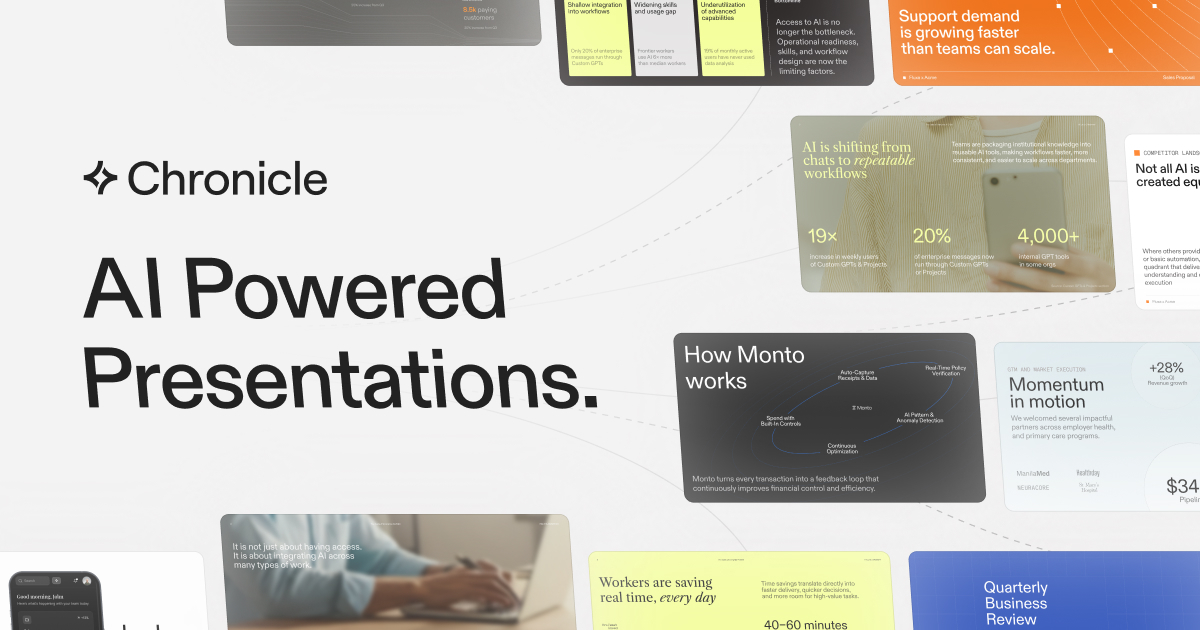
Chronicle is an AI presentation platform that turns notes, documents and business data into fully editable, on-brand slide decks. It enforces your brand rules across teams, exports to PowerPoint or PDF, and can generate decks straight from an API.
What is Chronicle?
Chronicle is a web-based presentation platform built by ChronicleHQ Inc., a Delaware company founded in 2021. Its pitch is narrow and deliberate: credible decks at the speed of AI. You feed it documents, notes, data or business context, and it returns a structured, fully editable, on-brand presentation rather than a rough draft you then have to rebuild.
The workflow the site describes has four stages. You start from anything — pasted notes, an outline, a meeting document, or an existing deck. Chronicle generates the slides, organising the content into a narrative sequence of hook, problem, solution and proof. You then refine by instructing the AI, which is where the product draws its main line against block-based generators: editing happens on a freeform canvas, so layout, copy and visuals stay fully under your control. Finally you share, exporting to PowerPoint or PDF, presenting live, sending a tracked link, or publishing the deck as a website.
Brand governance is a first-class feature rather than an afterthought. Fonts, colours and assets are uploaded once per workspace and then imposed on templates and generated content alike; administrators can publish approved templates, lock styles and control who may edit or duplicate them. The AI is not allowed to invent its own design system.
Under the hood, Chronicle draws on models from Anthropic and OpenAI alongside its own tooling, and generates imagery through Nano Banana, Runway Gen-4 and Ideogram 3.0. AI usage is metered in tokens: roughly one token per remix or rewrite, and about ten tokens plus one per chapter for a full generation.
For technical teams there is a second entry point. A documented REST API exposes eight endpoints covering templates, presentations, uploads and generation, and an MCP server lets Claude, ChatGPT or any MCP client produce decks from the context already in a conversation. Automation platforms such as n8n, Make.com and Zapier can trigger deck generation from CRM updates or meeting notes.
The company claims more than 5,000 teams, and its Trust Center names Ramp, Accenture, Stanford, Sephora, UC Berkeley and Adobe among its customers.
What it does
- Generate a full presentation from raw notes, an outline, a meeting document or an existing deck
- Edit and iterate by plain-language instruction on a freeform canvas rather than a fixed block editor
- Apply and enforce your brand — fonts, colours, logos and visual rules — across every deck and every user
- Import PowerPoint files, text, Markdown, Google Docs and Notion pages and turn them into slides
- Build charts, tables, metrics, interactive widgets and hundreds of third-party embeds
- Export to PowerPoint or PDF, present live, share a tracked link, or publish the deck as a website
- Create and update decks from Claude, ChatGPT, n8n, Make.com or Zapier through the API and MCP server
When to use Chronicle / When not to
A quick filter to help you decide if Chronicle is the right fit.
When to use Chronicle
- Sales teams building proposals, pitch decks and pipeline reviews they will have to defend in front of a client
- Consultants and agencies producing strategy decks and client deliverables under strict brand constraints
- Founders and startup leaders assembling investor updates, board decks and fundraising material
- Product, marketing and internal communications teams shipping recurring updates that must stay visually consistent
- Engineering and operations teams that want decks generated automatically from CRM records, dashboards or AI agents
When not to use Chronicle
- Anyone who needs a mobile or desktop client: Chronicle runs in the browser only, with no iOS, Android or offline app
- Teams working in a language other than English, since no other interface or processing language is published
- Organisations that require EU data residency, a signed DPA or an Article 27 representative, none of which are offered
- Occasional users hoping to stay on the free plan, which unlocks no AI features and stops at ten decks
- Workflows that depend on native Google Workspace or Microsoft 365 integration, still described as in development
How to use Chronicle
A typical end-to-end flow, from setup to results.
- Create an account at app.chroniclehq.com with an email address; no installation is required
- Pick a template from the library, or start from a blank canvas
- Paste raw notes or an outline, or import an existing deck, PowerPoint file, Markdown, Google Doc or Notion page
- Run the generation and let Chronicle structure the content into a narrative sequence and lay out the slides
- Upload your brand kit once — logo, fonts, colours and backgrounds — so it applies automatically to every deck
- Refine by instructing the AI with the Muse agent, or edit directly on the canvas
- Add charts, tables, AI-generated images, interactive widgets and third-party embeds
- Invite your team for real-time co-editing, in-context comments, permissions and guest editors
- Save the finished deck as a reusable workspace template so recurring reports stay consistent
- Deliver it: present from Chronicle, share a tracked link, export to PDF or PowerPoint, or publish it as a website
Pros & Cons
Pros
- Output is genuinely editable: the freeform canvas avoids the rebuild work that block-based generators create
- Brand rules are enforced automatically for every user, which is what makes the tool usable at team scale
- Real export paths — PowerPoint and PDF — plus live presenting, tracked links and web publishing
- Unusually clear data posture: no training on customer data, stated in both the privacy policy and the terms
- SOC 2 Type II and ISO 27001 v2022 attested, with a public Trust Center naming all fourteen subprocessors
- Documented REST API and MCP server, so decks can be produced from Claude, ChatGPT, n8n, Make.com or Zapier
- A permanent free plan with no time limit, and a 20% discount on annual billing
Cons
- AI features are metered in monthly tokens per seat (500, 1,000 or 2,000), which are not shared and expire monthly
- The free plan unlocks no AI features at all and stops at ten decks
- PowerPoint export and the Muse editing agent are locked until the Plus plan, at USD 25 to 30 per user per month
- No mobile app, desktop app or browser extension: the product is web-only
- No native Google Workspace or Microsoft 365 integration, and no published interface language other than English
- Hosting is United States only, with no EU data residency, no published DPA and no Article 27 representative
- Parts of the site lag the product: one page still calls PowerPoint export 'coming soon' and SOC 2 a work in progress
Pricing & Plans
Chronicle offers a permanent free plan at USD 0, limited to ten decks and excluding all AI features. The cheapest paid tier is Pro, at USD 12.00 per user per month on annual billing, or USD 15.00 per user per month when billed monthly. Enterprise pricing is quoted on request.
- up to 10 decks
- professional editing tools
- basic preset themes
- publish to web
- export to PDF and socials
- 3 guest editors
- no AI features
- everything in Free
- plus 500 tokens per seat per month
- unlimited decks
- a larger video upload limit
- no Chronicle watermark
- custom themes
- a shared workspace and up to 10 guest editors
- everything in Pro
- plus 1
- 000 tokens per seat
- the Muse editing agent
- high-quality AI image models
- saving and generating from templates
- PowerPoint export and unlimited guest editors
- everything in Plus
- plus 2
- 000 tokens per user
- advanced custom branding
- custom fonts and priority support
- advanced security
- admin controls
- dedicated onboarding and a design sprint to build on-brand templates during pilots
Data, GDPR & hosting
A consolidated view of how Chronicle handles your data.
GDPR overview
Substantial, but incomplete. The privacy policy, last updated 17 December 2025, carries a dedicated GDPR chapter in which ChronicleHQ Inc. names itself Data Controller and its service providers Data Processors. Six legal bases are listed — consent, performance of a contract, legal obligation, vital interests, public interest and legitimate interests — and six data subject rights are detailed: access, rectification, objection, erasure, portability and withdrawal of consent. Requests go to admin@chroniclehq.com, and the right to complain to an EEA supervisory authority is spelled out. A separate CCPA chapter covers California residents. What is missing matters too: no Article 27 EU representative, no named DPO, no standard contractual clauses and no Data Processing Agreement published or offered. Hosting is in the United States, and the terms treat access from elsewhere as agreement to transfer.
Who owns the data?
You keep full ownership of what you upload and create. Chronicle explicitly asserts no ownership over your Contributions and takes only the licence it needs to operate: a non-exclusive, worldwide, royalty-free, sublicensable right to host, cache, store, reproduce, transmit, display, publish, distribute and modify your content, shared with whoever your permissions allow. You waive moral rights in it. One asymmetry deserves attention: Submissions — the feedback, suggestions and ideas you send about the product — become Chronicle's sole property, without compensation. Chronicle also reserves the right to edit, recategorise or delete Contributions at its own discretion and without notice.
Reuse rights
Yes, and without asking. You retain every right to use and exploit your own material, the generated slides are yours, and only stock elements keep their own licences. You can export to PDF and social formats on the free plan, to PowerPoint from the Plus plan upwards, present live, share a tracked link, or publish a deck as a website. Downgrading confiscates nothing: your content remains yours and remains reachable, though features close behind you — leaving Plus, for instance, cuts collaborators off from the workspace. Two limits apply. Chronicle's own site content and marks may not be reused commercially without prior written permission. And uploaded images or media may sit in publicly accessible storage folders: neither indexed nor listed, but technically reachable by anyone holding the direct link.
Data retention & training
Hosting summary
Chronicle hosts in the United States and says so plainly: the terms state the site is hosted there and treat access from any other region as agreement to transfer and process your data in the United States. The privacy policy adds that processing also happens wherever the parties involved are located, potentially outside your own jurisdiction. No EU data residency option and no alternative region are offered. The infrastructure is disclosed rather than hidden. The Trust Center publishes fourteen subprocessors, including AWS, Vercel and Datadog for infrastructure, Cloudflare for hosting, Liveblocks for data storage and Auth0 for authentication. Encryption at rest and transmission confidentiality appear among the published controls, and SOC 2 Type II and ISO 27001 v2022 are attested. Payment details are never stored, being handled by Stripe under PCI-DSS. Two caveats. The domain resolves to a Cloudflare anycast node, which indicates a CDN edge rather than a storage location. And uploaded files may live in publicly accessible buckets, reachable by direct link.
Things to keep in mind
Risks and trade-offs to weigh before adopting Chronicle.
- Uploaded images and media may sit in publicly accessible storage folders: not indexed or listed, but reachable by anyone who has the direct link, which matters for confidential decks
- Prompts and context are sent to third-party models from OpenAI and Anthropic, and the terms state the site is not built to meet HIPAA, FISMA or GLBA, so regulated material does not belong here
- Feedback, suggestions and ideas you send become Chronicle's sole property without compensation, and you waive moral rights in the content you contribute
- Retention is never quantified: data is kept 'as long as necessary', with no figure in days or months published anywhere
- Billing on two axes, seats and tokens, makes real cost hard to forecast, and unused tokens expire every month
- Delegating narrative structure to AI can quietly thin out an argument: a generated deck still has to be reread and defended in front of a room
- Enforced brand consistency cuts both ways — it protects credibility, but it can also make every deck look interchangeable
Setup & Integrations
Technical difficulty
Very low for normal use. You sign up with an email address, pick a template or start from a blank canvas, and the site claims a first deck within minutes; no design skill and no installation are required, since the product is entirely web-based. Setting up the brand kit — logo, fonts and colours — is a one-off task per workspace, and administrators additionally publish approved templates, lock styles and manage permissions. The API and MCP route is a different matter: key-based authentication, eight REST endpoints, scopes and rate limits mean developer skills are genuinely needed there.
Deployment
Integrations
Behind Chronicle
Fundraising
Social
Resources
All the official URLs gathered for verification and reference.
Alternatives
Tools that compete with or complement Chronicle.
Frequently asked questions
What exactly does Chronicle do?
What can I import, and what can I export?
How does the token system work?
Is there a genuinely free plan?
Which AI models does Chronicle use?
Is my content used to train AI models?
What security certifications does Chronicle hold?
Is there an API?
Where is my data hosted, and how long is it kept?
Is there an age limit?
Should you pick Chronicle?
Chronicle is a focused product rather than a general-purpose generator, and the focus is what makes it interesting. It targets presentations that carry consequences — board decks, investor updates, client proposals, strategy reviews — and its three structural strengths follow from that: output you can genuinely edit on a freeform canvas, brand rules enforced automatically across every user, and export paths that actually work, PowerPoint included.
Its data posture is unusually clear for an AI tool. Non-training is stated twice, in both the privacy policy and the terms, and extended to the model providers themselves. SOC 2 Type II and ISO 27001 v2022 are attested, and all fourteen subprocessors are named publicly. The technical surface is credible too, with a documented REST API and an MCP server that put deck generation inside Claude, ChatGPT and automation platforms.
Two things deserve scrutiny before committing. The first is cost: billing runs on two axes at once, per seat and per token, and the features most people actually want — the Muse editing agent and PowerPoint export — start at the Plus plan. A team that generates heavily will feel both. The second is the set of blind spots: no mobile or desktop app, no native Google Workspace or Microsoft 365 integration, English only, United States hosting with no EU data residency, no published DPA and no Article 27 representative. For a European controller handling regulated material, that last cluster is decisive.
One practical caution: parts of the site lag the product. One page still advertises PowerPoint export as 'coming soon' while the pricing page ships it, and an enterprise FAQ describes SOC 2 as a work in progress while the Trust Center attests it. Trust the pricing page and the Trust Center, and verify anything else against them.
- Choosing a selection results in a full page refresh.
- Opens in a new window.