
Cliphi
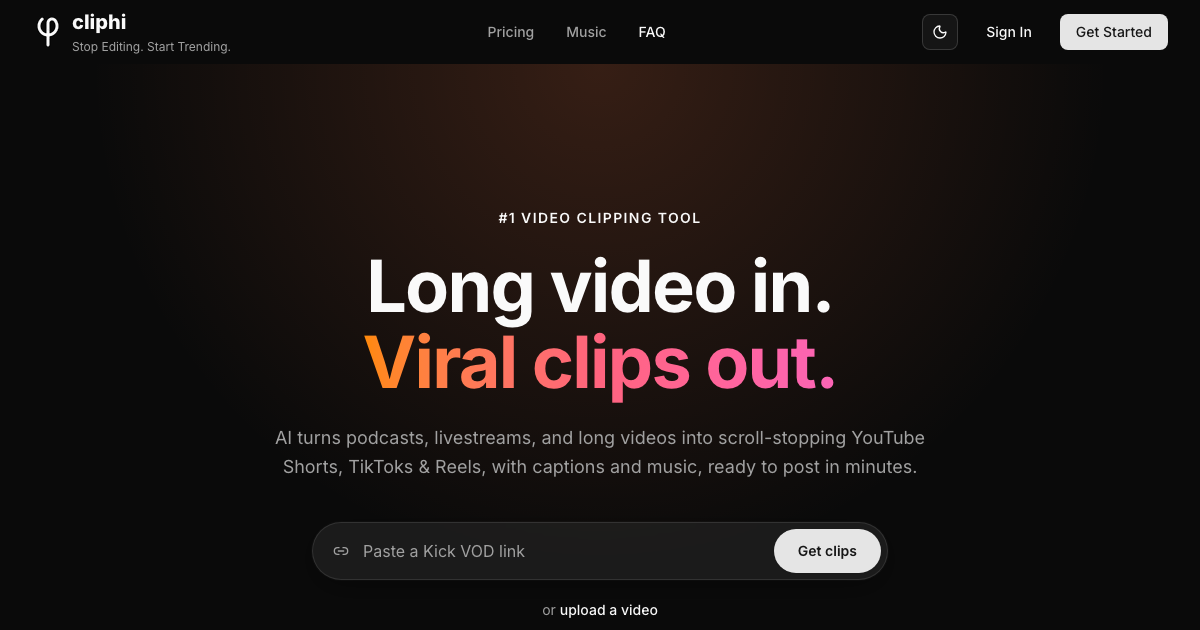
Cliphi turns podcasts, livestreams and long videos into vertical clips for TikTok, Reels and Shorts. The AI picks the best moments, then adds animated captions, generated music, speaker tracking and ready-made post copy automatically.
What is Cliphi?
Cliphi is a browser-based AI video editing platform that turns long-form video into short vertical clips ready to publish. You paste a link or upload a file, and the AI watches the whole thing for you: it analyses speech, energy and engagement signals, surfaces the moments most likely to travel, and gives each one a viral-potential score so you know what to post first. Custom prompts let you hunt for a particular kind of moment rather than taking whatever the model picks.
The source list is unusually wide. Cliphi accepts YouTube videos, Shorts and livestreams, Twitch and Kick broadcasts, podcasts via their YouTube link, TikTok, Instagram posts, reels, stories and highlights, Facebook, X video posts, Pinterest video pins and shared Google Drive files, plus direct uploads in MP4 or MOV up to 500 MB. Livestreams are the standout case: recording and clipping start while the stream is still running, so a highlight can be posted before the broadcast ends.
Every detected moment comes back as a finished clip rather than a rough cut. Active speaker detection tracks faces frame by frame and keeps whoever is talking centred, with grid layouts when several people are on camera. Word-by-word animated captions sync to the speech in a choice of styles, with control over font, colour, size and position. Each clip gets its own AI-generated instrumental, matched to the mood and ducked automatically under the voice. Hooks, titles, post descriptions and hashtags are written for the platform you are targeting, and clips render in 9:16, 1:1 or 16:9 without a watermark.
Beyond straight clipping, the editor offers Supercuts, ReShort/ReTok, Cut & Clip for an exact moment the AI missed, face or voice reactions recorded over a clip, cinematic transitions, canvas backgrounds, intros, outros, thumbnails, brand kits and style presets. Finished clips can be downloaded, published straight to a connected account, or scheduled.
Pricing runs on credits: a monthly subscription grants a credit allowance, and one-time packs top it up. Every plan unlocks every feature — only the credit volume changes. Note the boundaries: there is no API, no mobile app, and clips are deleted automatically 30 days after creation.
What it does
- Detect the most engaging moments in a long video and score each on viral potential
- Produce finished vertical clips ready to post, with no manual editing
- Clip a livestream while it is still broadcasting
- Generate word-by-word animated captions in over 50 languages
- Track the active speaker and reframe the shot automatically
- Create a matching AI instrumental with automatic ducking under speech
- Publish or schedule clips straight to connected YouTube, Instagram and TikTok accounts
When to use Cliphi / When not to
A quick filter to help you decide if Cliphi is the right fit.
When to use Cliphi
- Podcasters who want every episode cut into shareable vertical clips from its YouTube link
- Twitch, Kick and YouTube Live streamers who need highlights published while the stream is still running
- Social media managers feeding a constant Shorts, Reels and TikTok schedule from existing long-form video
- Solo creators with no editing skills or editing software, who want a finished clip rather than a timeline
- Marketing, PR and comms teams recycling interviews, webinars and conference talks into short social cuts
When not to use Cliphi
- Anyone clipping video with no speech in it — music-only or silent footage gives the AI nothing to work with
- Editors who need frame-level control, complex timelines or colour work; the editor is deliberately simple
- Teams wanting to automate through an API or a mobile app — Cliphi offers neither, only the browser
- Buyers who need published, comparable pricing before trialling a tool, since the grid is regional and not listed
- Organisations requiring contractual data guarantees: no DPA, no EU representative and no stated hosting country
How to use Cliphi
A typical end-to-end flow, from setup to results.
- Paste a video link on the home page — YouTube, Twitch, Kick, a podcast episode, or a post from TikTok, Instagram, Facebook, X or Pinterest
- Or tap Upload Video and pick an MP4 or MOV file from your computer, up to 500 MB
- Choose which section of a long video to clip, rather than running the whole thing
- Leave the language on Auto-detect, or pick the spoken language from the menu
- Let the AI scan the video; it returns clips with a viral-potential score on each
- Browse, filter and bookmark the clips you want to keep
- Adjust anything you like in the editor: trim, framing, caption style, music, background, speed
- Show, hide or rewrite the hook, title and description, and apply a style preset or your brand kit
- Record a face or voice reaction over a clip if you want to add your own take
- Tap Get Clip to render the final file — this is what spends credits — then download, publish or schedule it
Pros & Cons
Pros
- Every plan unlocks every feature — the tier changes credit volume only, never capability
- Credits never expire, roll over month to month and stay in the account after cancellation
- Live clipping while a stream is still broadcasting, which few competitors offer
- Unusually wide source list: nine platforms plus direct uploads and Google Drive
- No watermarks and unlimited downloads, including re-downloads of an already rendered clip
- You only pay on final render — previewing, restyling and Find More cost nothing
- The privacy policy names its subprocessors outright, which is rarer than it should be
Cons
- No price is published: the pricing grid is rendered client-side and varies by region
- Videos and clips are deleted automatically 30 days after creation, with no recovery
- No API, no mobile app and no browser extension — the web app is the only way in
- No legal entity, registration number or postal address is published anywhere on the site
- Support runs through a single email address, with no form, chat or phone route
- No DPA, no Article 27 EU representative and no documented training opt-out
- Hard input limits: roughly 3 hours per pasted link, 500 MB per upload, about 1 hour of live recording
Pricing & Plans
Cliphi runs on a credit-based model: a monthly subscription grants a credit allowance, and one-time credit packs are available to active subscribers as a top-up. New users receive free starting credits to try the service, and the site advertises itself as free to start, but no permanent free plan is described. Credit consumption is documented precisely — one credit per minute of video processed and 0.25 credits per second of rendered clip — and credits never expire. Prices themselves are not published in any form we could verify: the terms state that subscription tiers and prices vary by region, billed in INR in India and USD elsewhere, and the pricing page renders its figures client-side. No starting price or currency can therefore be quoted here with confidence.
- Monthly subscription tiers — several levels from a small starter plan up to a large one
- with a Most Popular option in the middle
- they differ only by the monthly credit allowance
- and prices vary by region and are not published in the page source
- One-time credit packs — top-up purchases available to active subscribers
- with pack sizes and prices likewise varying by region and not published
Data, GDPR & hosting
A consolidated view of how Cliphi handles your data.
GDPR overview
GDPR is named explicitly. The privacy policy states that appropriate safeguards are in place in accordance with applicable data protection laws, "including GDPR for European users", and international transfers are acknowledged openly. A rights section lists access, correction, deletion, export, portability and marketing opt-out, with a 30-day response commitment, all routed through a single address: support@cliphi.com. Cookies are limited to essential authentication and session cookies, with no advertising cookies or third-party tracking scripts. What is missing is the documentation layer: no Data Processing Agreement is published or offered, no EU representative is designated under Article 27, no Data Protection Officer is named, and standard contractual clauses are never mentioned. Compliance is claimed rather than evidenced.
Who owns the data?
You keep ownership of everything you create with Cliphi. The terms state plainly that you retain all ownership rights to your content, and grant Cliphi only a limited licence to process, store and render your videos so the service can run. Cliphi owns its own side: the platform, AI models, software, design and branding. Responsibility for the source material sits with you — you must hold the rights to any video you feed in. Where social accounts are connected, OAuth tokens are encrypted and used only to publish on your behalf, and the privacy policy states that Google and YouTube user data is not shared with any third party.
Reuse rights
Clips you generate are yours to use without asking permission: download them, post them anywhere, or publish and schedule them directly to a connected YouTube, Instagram or TikTok account from inside Cliphi. The constraint is upstream, not downstream — you are responsible for holding the rights to the source video and for complying with YouTube's terms when you process material from it. The terms also prohibit reselling or redistributing the Cliphi service itself. One practical limit deserves attention: videos and clips are deleted automatically 30 days after creation, so anything you intend to keep must be downloaded before that window closes.
Data retention & training
Hosting summary
Cliphi names its infrastructure but not its jurisdiction. Videos and clips are stored on Cloudflare R2 with encryption; account and usage data sit in MongoDB Atlas, also encrypted; authentication runs through Clerk; payments go through Stripe, which is PCI DSS compliant, or Razorpay depending on the region. AI analysis and transcription are handled by OpenAI and Google Gemini. All data is encrypted in transit over HTTPS/TLS and at rest, and social OAuth tokens are encrypted before storage. No hosting country or region is stated anywhere in the pages reviewed, and the policy acknowledges that data may be transferred to and processed in countries other than the user's own. The domain resolves to a Cloudflare anycast address, which reflects CDN routing rather than where data is actually stored, so it should not be read as a hosting location.
Things to keep in mind
Risks and trade-offs to weigh before adopting Cliphi.
- Clips are deleted after 30 days: forget to download and the work is gone for good, with no recovery
- Clipping video you do not own can breach platform rules and copyright law, and get the clip pulled or the account penalised
- A viral-potential score nudges you toward whatever hooks hardest, which is not always what is worth saying
- Short cuts strip context, and a clip can misrepresent the point the speaker was actually making
- AI-written hooks, titles and generated music flatten creators toward the same house style
- Leaning on full automation erodes the editing judgement you would otherwise build
- Connected accounts mean stored OAuth tokens with permission to publish in your name
Setup & Integrations
Technical difficulty
Very low. There is nothing to install: Cliphi runs entirely in the browser. You create an account, paste a video link, and clips come back — the marketing claim that no editing skills are required matches what the workflow actually asks of you. Connecting a social account through OAuth is needed only if you want to publish from inside Cliphi rather than downloading. There are no API keys and no configuration. The single concept worth understanding before you start is the credit system: previewing is free, and credits are spent when you render a final clip.
Deployment
Integrations
Supported languages
Behind Cliphi
Social
Resources
All the official URLs gathered for verification and reference.
Frequently asked questions
What can I feed into Cliphi?
Can it clip a livestream while I am still streaming?
How long does a clip take to generate?
How do credits work?
What does Cliphi cost?
How long are my clips kept?
Is there an API or a mobile app?
Is there a minimum age?
Should you pick Cliphi?
Cliphi is a focused, well-scoped clipping tool rather than a general video editor, and it commits to that scope convincingly. The pipeline runs end to end without manual editing: paste a link, get captioned, framed and scored clips with music and post copy already attached. Three things genuinely set it apart. Live clipping means a stream highlight can go out while the broadcast is still running. The source list is one of the widest available, covering nine platforms plus uploads and Google Drive. And every plan carries every feature, so the tier you pick governs volume alone, not capability — a refreshing break from the usual pro-only feature gating. Credits never expire and survive cancellation, which softens the risk of committing.
The reservations are mostly about transparency and maturity. No price is published anywhere in the page source: the pricing grid is rendered client-side and varies by region, so a prospective buyer cannot compare Cliphi against a competitor without signing up. No legal entity, registration number or postal address appears on the site; the footer simply reads "Cliphi by Kumar Deepam", which points to an individually run operation. Support is email-only. On the compliance side, GDPR is named but not documented: no DPA, no Article 27 representative, no stated position on whether customer content trains models, and no hosting country disclosed. The 30-day auto-deletion is short, and downloading in time is entirely the user's responsibility.
For creators, podcasters, streamers and social teams who want clips fast and judge a tool on output, Cliphi is a credible, feature-complete option. For buyers who need published pricing, an API, mobile apps or contractual data guarantees before adopting anything, it is not yet the right fit.
- Choosing a selection results in a full page refresh.
- Opens in a new window.