
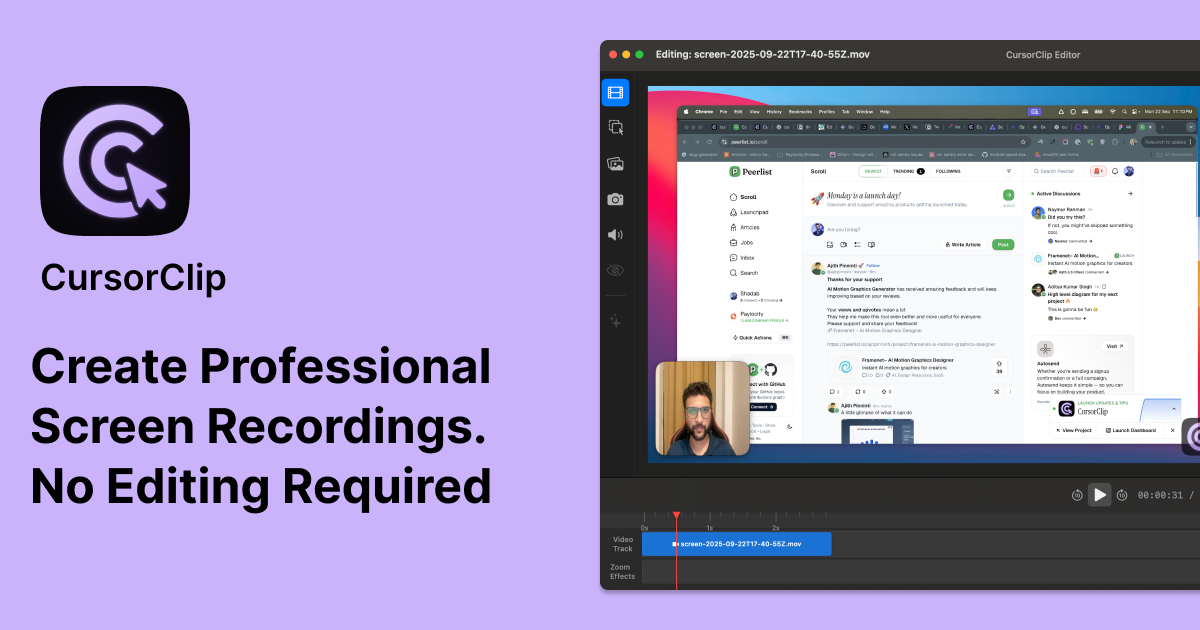
CursorClip
CursorClip is a native macOS screen recorder that zooms and pans automatically as your cursor moves, turning raw captures into polished demos with no timeline editing. It exports 4K MP4 or GIF, and a $59 lifetime licence replaces subscriptions.
What is CursorClip?
CursorClip is a screen recorder built natively for macOS by Team CursorClip, the trading name of Suryapratap Singh Rathore, a single publisher based in Indore, India. Its organising idea is automatic zoom: while you record, the app tracks the cursor, clicks and keystrokes, then zooms and pans onto the active part of the screen. The result looks edited without anyone having opened a timeline or set a keyframe. The technical pitch leans on being small. The app weighs around 18 MB, the download is a 20.4 MB disk image, and the site claims a launch under two seconds with low memory and processor use, a deliberate contrast with the 400 MB web-technology applications it measures itself against. Its own comparison table sets CursorClip at $59 once and roughly 18 MB against Screen Studio at $29 per month and roughly 283 MB. It requires macOS 13.5 Ventura or later and runs on both Apple Silicon and Intel machines. Capture covers the full screen, a window or a selected area, with a webcam overlay and system audio and microphone recorded independently or mixed. Recording reaches 4K at 60fps and exports as H.264 MP4 or as a size-tuned GIF. The built-in editor adds, removes or bulk-disables zoom points, cuts and trims, changes playback speed, switches aspect ratio from 16:9 to 9:16, swaps the background, resizes the cursor and saves a project to finish later. A custom watermark is optional; exports carry none by default. Recordings stay on the Mac and the app works fully offline, with an optional sharing feature that stores videos on Cloudflare R2 behind a password or burn-after-read. Commercially it is positioned against subscriptions: a one-off lifetime licence leads, with monthly and yearly plans in reserve and a paid seven-day trial. Distribution is a direct disk image rather than the Mac App Store. The public changelog runs from September 2025 to version 1.5.7 in July 2026, and the site claims 226+ creators, developers and educators. One inconsistency stands out: the homepage advertises no account needed while the terms require registration.
What it does
- Record the full screen, a single window or a selected area on macOS
- Let automatic zoom and pan follow the cursor, clicks and typing while you record
- Capture system audio and microphone together or as independent tracks
- Film the webcam alongside the screen, with adjustable frame shapes and ratios
- Adjust zoom points, trim, change playback speed and set the aspect ratio in the built-in editor
- Export up to 4K 60fps MP4, or an optimised GIF, watermark-free by default
- Save a project to finish later, and share a video by link with password or burn-after-read
When to use CursorClip / When not to
A quick filter to help you decide if CursorClip is the right fit.
When to use CursorClip
- Indie developers and solo founders recording product demos and build-in-public devlogs without touching a video editor
- Educators and course creators producing lesson material, tutorials and how-to guides on a Mac
- Support and customer success teams shipping help videos, onboarding clips and feature walkthroughs
- Product managers, designers and UX researchers sharing recorded walkthroughs of prototypes and releases
- Mac owners who refuse recurring software bills and want a licence they buy once and keep
When not to use CursorClip
- Windows and Linux users: no build exists for either, and the publisher points Windows users to OBS instead
- Anyone running macOS earlier than 13.5 Ventura, or looking for an iOS or Android recorder
- Live streamers: CursorClip records and edits, it never broadcasts
- Teams needing seat management, shared workspaces or an API, since a licence covers three Macs and extra activations go through email
- Creators who need captions, transcription or translation built into the recorder
How to use CursorClip
A typical end-to-end flow, from setup to results.
- Download the disk image from the site: no account and no payment are required to get the app
- Open it and drag CursorClip into your Applications folder
- Grant screen recording permission in System Settings, under Privacy and Security
- Paste the licence key from your purchase email; activation uses an email address and a one-time code
- Choose what to capture: full screen, one window or a selected area, plus webcam and audio sources
- Record your walkthrough while zoom and pan follow the active area on their own
- Play the preview back to see the automatic zoom before changing anything
- Refine in the editor: zoom points, trims, playback speed, aspect ratio, background and cursor size
- Export as MP4 up to 4K 60fps or as a GIF, after the app has checked free disk space
- Reuse the same licence on up to three Macs, or email support for extra activations
Pros & Cons
Pros
- Native and light: around 18 MB, a launch announced under two seconds, and modest memory and processor use
- A genuine one-off purchase at $59, with existing customers shielded from announced price rises
- Automatic zoom removes the editing pass that normally follows a screen recording
- Works entirely offline, with recordings kept locally on the Mac
- Three Mac activations per licence and a 14-day no-questions refund on every plan
- Steady release cadence and a detailed public changelog running from September 2025 to July 2026
- Clear ownership terms, and support diagnostics that exclude your recordings, projects and licence details
Cons
- macOS 13.5 or later only: no Windows, Linux or mobile version, and none planned
- No free plan, by the publisher's own statement, and the free mode cannot export a finished file
- The only time-limited trial costs $5 and is non-refundable
- No GDPR mention, no Data Processing Agreement and no security certification anywhere on the site
- No hosting country or region disclosed for videos placed on Cloudflare R2
- Liability capped at six months of payments, with disputes heard in Indore, India
- No API, no third-party integrations, and no captions or transcription
Pricing & Plans
There is no free plan, and the publisher states this explicitly. The application may be downloaded, and recordings made and edited, at no cost and without an account, but exporting a finished file requires a licence. The lowest paid entry point is a subscription at USD 7.00 per month, or USD 20.00 per year. The lifetime licence, presented as the main offer, costs USD 59.00 as a single payment and is announced as rising to USD 79.00. A seven-day trial is available for a one-off, non-refundable USD 5.00, credited in full against any subsequent upgrade. All plans carry a 14-day money-back guarantee. Prices exclude applicable taxes and are processed through Dodo Payments.
- all core features
- unlimited watermark-free exports
- full offline use
- no subscription and no account
- same core features
- cancel anytime
- same core features
- cancel anytime
- USD 5.00 one-time
- non-refundable
- credited in full toward any upgrade
Data, GDPR & hosting
A consolidated view of how CursorClip handles your data.
GDPR overview
There is no GDPR mention anywhere on the site. A full-text and archived-HTML search across the nine pages collected returns zero occurrences of GDPR, of any European regulation, or of certifications such as SOC 2 or ISO 27001. The privacy policy, effective 7 October 2025, does grant access, correction and deletion rights, but frames them as available depending on your location and routes them to support@cursorclip.com with a promise to respond in accordance with applicable data protection laws, without naming any. No Article 27 EU representative is designated, no data protection officer is named, no Data Processing Agreement is published or offered, and no transfer mechanism is described. Governing law is Indian, with exclusive jurisdiction in the courts of Indore. European buyers should treat this silence as a point to clarify before any regulated use.
Who owns the data?
The terms are unusually clear here: you keep full ownership of every recording and file you create, upload or share, and the publisher explicitly claims no ownership over that content. What you grant instead is a worldwide, non-exclusive, royalty-free licence letting the publisher host, store, reproduce and transmit your material, and only for three stated purposes: running and improving the service, answering your support requests, and delivering shared videos to the people you send them to. The software, source code, site design, brand and logos stay the publisher's property. You remain solely responsible for what you record, and content breaching the terms can be removed without prior notice.
Reuse rights
Your recordings are yours to reuse without asking permission: publish them, sell them, embed them or re-edit them elsewhere, since the publisher claims no rights over them. On its own side, CursorClip collects only a name and an email address at sign-up and states plainly that it never sells personal information. Payments run through Dodo Payments, which keeps card details away from the publisher, who receives only a transaction ID, name, email and payment confirmation. Website analytics rely on a self-hosted Umami instance with anonymised IP addresses and no cookies, while Microsoft Clarity captures anonymous session recordings and heatmaps of the website itself. The declared purposes stop at running the service, sending transactional email, preventing fraud and improving the product. Nothing in the published documents mentions using customer recordings to train any model.
Data retention & training
Hosting summary
Most of the time nothing leaves the Mac. Recordings are produced and edited locally and the application works fully offline, so hosting only enters the picture when you use the optional sharing feature: those videos are stored on Cloudflare R2, with optional password protection and a burn-after-read setting. Neither the privacy policy nor the terms name a hosting country or region, for Cloudflare R2 or for anything else, and no jurisdiction is stated for data storage. The other declared processors each hold a narrow slice: Dodo Payments for card handling, MailerSend for transactional email, Chatway for the support chat widget, Microsoft Clarity for heatmaps and anonymous session recordings on the website, and a self-hosted Umami instance for analytics with anonymised IP addresses and no cookies. Governing law for the service as a whole is Indian, with exclusive jurisdiction in the courts of Indore.
Things to keep in mind
Risks and trade-offs to weigh before adopting CursorClip.
- The homepage promises no account is needed while the terms require registration; the contradiction is never resolved
- Lifetime means the lifetime of the product, not of the buyer, and no refund is owed on lifetime purchases if the service stops
- The seven-day trial costs $5 and is non-refundable; only an upgrade opens the 14-day guarantee
- The announced rise from $59 to $79 creates commercial urgency, even though existing customers keep their price
- Shared videos are deleted when your subscription expires, wording that leaves lifetime licence holders unaddressed
- No hosting country is disclosed for shared videos, and Microsoft Clarity records browsing sessions on the website
- A single-person publisher, Indian governing law and exclusive jurisdiction in Indore make recourse harder from abroad
Setup & Integrations
Technical difficulty
Straightforward. It is a standard macOS install: download a 20.4 MB disk image, drag the app into Applications, then grant screen recording permission in System Settings under Privacy and Security. Exporting requires pasting the licence key from your purchase email, with activation by email address and a one-time code. No server setup and no cloud account are involved, and recording and editing work without signing in. The only prerequisite is macOS 13.5 Ventura or later on Apple Silicon or Intel. The help centre carries dedicated installation and activation guides for anyone who gets stuck.
Deployment
Behind CursorClip
Resources
All the official URLs gathered for verification and reference.
Alternatives
Tools that compete with or complement CursorClip.
Frequently asked questions
How much does CursorClip cost?
Is there a free plan or a free trial?
Is there a Windows or mobile version?
What does my Mac need to run it?
Do I still have to edit the video afterwards?
Is the lifetime licence really permanent?
On how many Macs can I use one licence?
Where are my recordings stored, and does the publisher use them?
Should you pick CursorClip?
CursorClip does one thing and draws a tight border around it: turning a Mac screen capture into a watchable demo without a montage step. The automatic zoom is the whole product, and it is convincing enough that reviewers name it before anything else. Around it sits a deliberately small application, offline by default, that installs in seconds and leaves recordings on the machine. The commercial proposition is the second argument, and for many buyers it will be the first: $59 paid once, against competitors billing monthly, with existing customers protected from the announced rise to $79. Anyone who records a handful of walkthroughs a month will recoup that quickly. The limits are just as clear. This is a macOS 13.5+ tool with no Windows, Linux or mobile counterpart, no API, no integrations, no captions and no transcription. Teams get three activations and an email address, not seat management. The free mode records and edits but will not export, and the only timed trial costs $5. The paperwork deserves attention before a corporate purchase. Content ownership is stated cleanly in the publisher's favour of the user, which is welcome, but there is no GDPR mention, no Data Processing Agreement, no certification and no disclosed hosting jurisdiction, while liability is capped at six months of fees and disputes go to the courts of Indore. The publisher is one person, and continuity depends on that person, even if the changelog has been busy from September 2025 to July 2026. For an independent developer, educator or support team on a Mac who wants polished demos and no recurring bill, it is a sound and inexpensive choice. For a regulated organisation, the missing compliance documentation is the question to settle first.
- Choosing a selection results in a full page refresh.
- Opens in a new window.