
DemoFast
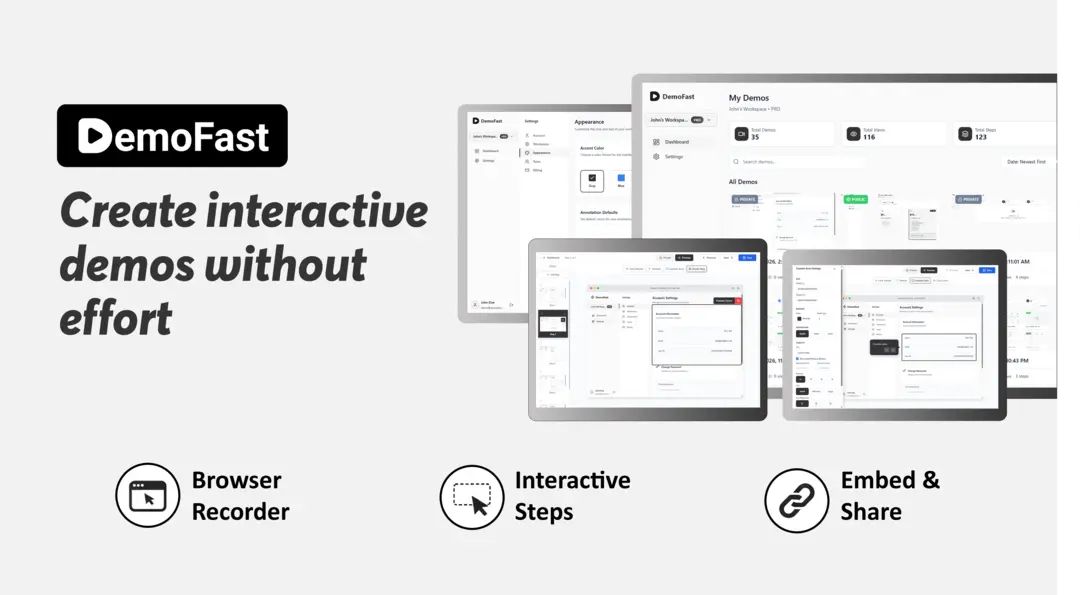
DemoFast turns a recorded product flow into a clickable, self-guided demo that buyers explore on their own. Capture with Chrome, annotate without code, then share by link, embed on a page or export as video.
What is DemoFast?
DemoFast is interactive product demo software: it records a real flow inside your application and replays it as a clickable, self-guided experience a prospect can explore without booking a call. Capture happens through a Chrome extension or by uploading screenshots, so nothing is installed inside the product being demonstrated. A visual editor then adds the guidance - rich textboxes to explain a step, click markers to point at the next action, custom areas to frame what matters, zoom areas to bring detail closer. Steps are generated automatically from the clicks recorded, and a demo can be edited later without re-recording it.
The finished story travels three ways: a shareable public link, an embed placed on a landing page, blog post, help document or launch page, or a video export in MP4, GIF or WebM for channels that cannot host an embed. Viewer analytics on the Pro plan report views, engagement and drop-off points, which is the distinction the vendor draws with passive screen recording - a video tells you someone watched, a demo tells you where they stopped.
The site organises the product around four uses: sales demos left behind after a conversation, website embeds that let visitors try before signing up, onboarding walkthroughs that replace a repeated explanation, and product updates that show what changed in a release. Capacity follows the plan - five live demos on the free tier, one hundred on Pro, and fifty demos of up to one hundred steps with eight seats on the one-off Lifetime plan.
DemoFast is a young product and does not hide it. The domain was registered in November 2025, the first web archive dates from May 2026, the Pro price is labelled an early-access price, and the roadmap, changelog, feedback board and help centre are all public. It positions itself explicitly as a Loom alternative and publishes comparisons against Navattic, Walnut, Reprise, Appcues, Consensus, Demostack, Tourial and Companion. What it does not publish is any corporate identity: no legal entity, no address, no named founder.
What it does
- Record a real product flow with the Chrome extension, or upload screenshots
- Add click markers, rich textboxes, custom areas and zoom areas in a visual editor
- Publish a shareable link or embed the demo directly on a web page
- Export the same demo as MP4, GIF or WebM for channels that need video
- Track views, engagement and drop-off points across published demos
- Apply your own logo and theme, and remove the DemoFast watermark
- Restrict access with private demos served through signed URLs
When to use DemoFast / When not to
A quick filter to help you decide if DemoFast is the right fit.
When to use DemoFast
- Sales teams that want to leave a clickable product behind after every call
- SaaS marketers embedding a product tour on landing pages and launch posts
- Customer success and onboarding specialists replacing repeated walkthrough calls
- Product managers announcing a release with a demo instead of a changelog entry
- Solo founders and small teams needing branded demos without a monthly subscription
When not to use DemoFast
- Teams that need a full sandbox clone of the back end for enterprise evaluations
- Anyone after quick asynchronous video messages to colleagues, which is Loom's territory
- Developers looking for a documented public API to automate demo creation
- Organisations requiring mobile apps or a capture browser other than Chrome
- Buyers who need a named legal entity, a postal address and an audit report before signing
How to use DemoFast
A typical end-to-end flow, from setup to results.
- Create an account on the DemoFast app; no credit card is required to start
- Install the Chrome extension, or prepare screenshots of the flow you want to show
- Record the product flow you explain most often, starting from a single milestone
- Let DemoFast generate the steps from the clicks it captured
- Open the visual editor and add textboxes, click markers, highlights and zoom areas
- Reframe each step with custom areas so attention lands on what matters
- Apply your logo and workspace theme, and remove the watermark on a paid plan
- Publish a shareable link, or embed the demo on a landing page, help doc or launch post
- Export the demo as MP4, GIF or WebM for social posts and presentations
- Read the analytics for views, engagement and drop-off, then edit without re-recording
Pros & Cons
Pros
- A permanent free plan with five demos and no credit card required
- Low paid entry point at USD 15 per month, plus a USD 49 one-time lifetime plan
- Thirty-day money-back guarantee covering every subscription
- No code required, explicitly aimed at sales, marketing, product and support teams
- Demos can be edited without re-recording, unlike a screen-recorded video
- One asset serves three channels: shareable link, website embed and video export
- Detailed GDPR page, TLS 1.3 and encrypted storage, with a public roadmap and changelog
Cons
- No postal address, no full legal entity and no named director anywhere on the site
- Very young: domain registered in November 2025, first web archive in May 2026
- Analytics are reserved for the Pro plan, and the free plan stops at five demos
- No documented public API; API and CRM integrations are announced for Enterprise only
- No mobile application, and capture works through Chrome alone
- No official social presence, and no Chrome Web Store link despite the extension
- SOC2 appears as an Enterprise bullet, with no trust page, report or audit date
Pricing & Plans
A permanent free plan is available and requires no credit card. The lowest paid entry point is the Pro plan at USD 15 per month, presented as an early-access price against a listed USD 29 per month. A one-time Lifetime plan is offered at USD 49, and Enterprise pricing is quoted on request. All subscriptions carry a thirty-day money-back guarantee.
- up to 5 live demos
- essential annotation tools
- shareable public links
- 100 demos
- advanced rich-media annotations
- full analytics
- white-label custom branding
- lead capture integrations
- 50 demos
- 3 creators plus 5 read-only viewers
- up to 100 steps per demo
- published links and website embeds
- WebM and GIF export
- watermark removal
- custom logo and workspace theme
- private demos with signed URLs
- everything in Pro unlimited
- dedicated account manager
- custom API and CRM integrations
- SSO and advanced security (SOC2)
Data, GDPR & hosting
A consolidated view of how DemoFast handles your data.
GDPR overview
Implementation is unusually detailed for a product this young. A dedicated GDPR page, last updated January 2026, lists the legal bases relied on - contract, legitimate interest, consent and legal obligation - and walks through eight rights with their article numbers: access (15), rectification (16), erasure (17), restriction (18), portability (20, in JSON or CSV), objection (21), withdrawal of consent (7) and complaint to a supervisory authority, with a link to the EDPB member list. Requests are answered within thirty days, extendable to sixty, free of charge. A data protection officer is reachable by email. Transfers outside the EEA rely on standard contractual clauses and adequacy decisions, and breaches go to the authority within seventy-two hours. No Article 27 EU representative is named, and no customer-facing data processing agreement is offered.
Who owns the data?
The terms make the customer responsible for the content and data placed in DemoFast, and nothing in the published documents transfers ownership of that material to the vendor. On the privacy side DemoFast states it does not sell user data to brokers or advertising platforms, and that no employee reaches recording data unless support is requested or a security investigation or legal obligation demands it. For personal data the GDPR page names DemoFast as the data controller. Accounts can be corrected and deleted from the dashboard, and after termination the terms allow thirty days to retrieve everything before the vendor acts on the account.
Reuse rights
Nothing in the published terms restricts what customers do with the demos they build: the material is theirs to publish, embed, export as MP4, GIF or WebM and reuse across campaigns and channels without asking permission. The single explicit prohibition is commercial - reselling, lending or renting DemoFast products, services or licence keys to third parties is forbidden once redeemed on an account. DemoFast's own use of the data is narrow by its Chrome extension disclosure: screenshots, click events, scroll positions, HTML element data, tab URLs and page titles serve the single purpose of creating and sharing demos, are never used for advertising and are never sold.
Data retention & training
Hosting summary
Demo data is encrypted and stored on Cloudflare R2, the only hosting provider DemoFast names. No hosting country or region is disclosed; the privacy policy says only that information may move to other countries where staff work remotely, while remaining on the vendor's own servers and systems. The GDPR page frames transfers outside the EEA with standard contractual clauses, adequacy decisions, encryption, access controls and security audits. Declared processors are a cloud hosting provider under SCCs, a database provider under a GDPR-compliant processing agreement, Google for authentication and analytics under model clauses, and a PCI-DSS payment processor; Polar handles the lifetime checkout. Stated security measures are TLS 1.3, encrypted database storage, OAuth authentication, regular updates and access logging. On 11 August 2026 the site resolved to 216.198.79.1, a United States anycast address on Amazon's AS16509 fronted by Vercel - a delivery footprint, not proof of where the data itself sits. Anyone with a data-residency requirement should confirm the region with the vendor.
Things to keep in mind
Risks and trade-offs to weigh before adopting DemoFast.
- The publisher is anonymous - no legal entity, no address, no named owner - which leaves little recourse if the service disappears
- The domain is registered for a single year, expiring in November 2026, while the Lifetime plan promises access forever
- Capture records screenshots and HTML from your live product: sanitise customer names, real data and internal figures before publishing a demo
- An early-access price shown against a crossed-out USD 29 signals the monthly cost may rise once the promotion ends
- SOC2 is listed as an Enterprise feature with no published audit report, so it should not be read as a held certification
- The minimum age is contradictory: eighteen in the terms, under thirteen or sixteen in the EEA on the GDPR page
- A polished demo can flatter a product beyond what it does, and buyers feel misled when the real onboarding turns out to be harder
Setup & Integrations
Technical difficulty
Low. Nothing is installed inside the product being demonstrated and no code is deployed. You create an account, add the Chrome extension or upload screenshots, then annotate in a visual editor; the site states plainly that no coding skills are needed. Embedding a demo means placing a snippet on a page. The vendor concedes that building a polished interactive tour takes a little longer than pressing record on a video, and capture works in Chrome only. A public help centre covers the rest.
Deployment
Integrations
Supported languages
Behind DemoFast
Resources
All the official URLs gathered for verification and reference.
Alternatives
Tools that compete with or complement DemoFast.
Frequently asked questions
What is DemoFast for?
Do I need to write code to build a demo?
Is there a free plan?
How much does the paid version cost?
Is the Lifetime plan really a single payment?
Can I embed a demo on my own website?
Can I see who viewed a demo?
Can I export a demo as a video?
Where is demo data stored?
Can I get a refund?
Should you pick DemoFast?
DemoFast does one thing and says so plainly: it converts a product flow you already explain by hand into something a buyer can click through alone. The craft sits in small decisions - steps generated from real clicks, annotations added visually, edits made without re-recording - and those decisions make the tool genuinely usable by people who will never open a video timeline.
Commercially it is one of the easier tools to try. The free plan is permanent rather than a countdown, the paid entry point is USD 15 a month, a one-off USD 49 Lifetime plan removes the subscription question altogether, and every subscription carries a thirty-day money-back guarantee. Legally it is more careful than most products of this age: the GDPR page walks through eight rights article by article, names a data protection officer and sets response deadlines.
The gap is corporate. Sixteen pages and a full sitemap yield no legal entity, no postal address, no named founder and no social presence; the terms designate the contracting party only as Demofa.st. The domain was registered in November 2025 for a single year, and SOC2 appears as a plan bullet rather than an audit. None of that makes the product bad, but it does make a lifetime commitment a bet on a publisher nobody can identify.
Try it if you send the same walkthrough more than once a week and you would rather the recipient clicked than watched. Take the monthly plan before the lifetime one, keep an export of anything you cannot afford to rebuild, and sanitise real customer data before publishing a capture. If procurement requires a named vendor, an address and an audit report, this is not yet that vendor.
- Choosing a selection results in a full page refresh.
- Opens in a new window.