
Devwares
Devwares builds tooling for developers; its flagship AI product, Windframe, lets developers and designers turn prompts, screenshots or 1,000+ templates into Tailwind CSS interfaces, edit them visually, then export production code for React, Vue, Svelte and more.
What is Devwares?
Devwares is a company that builds resources and tools for developers and designers, in its own words to aid developers during the development of their projects. Alongside non-AI UI kits such as Contrast (Bootstrap, React and Angular, in free and Pro editions) and the Loop design systems, downloadable from its resources page, it publishes one AI product: Windframe. Windframe is the flagship, and its site now lives on its own domain, windframe.dev, which is why the pricing, documentation and feature pages sit on a different host from the Devwares home page while the legal pages stay with Devwares.
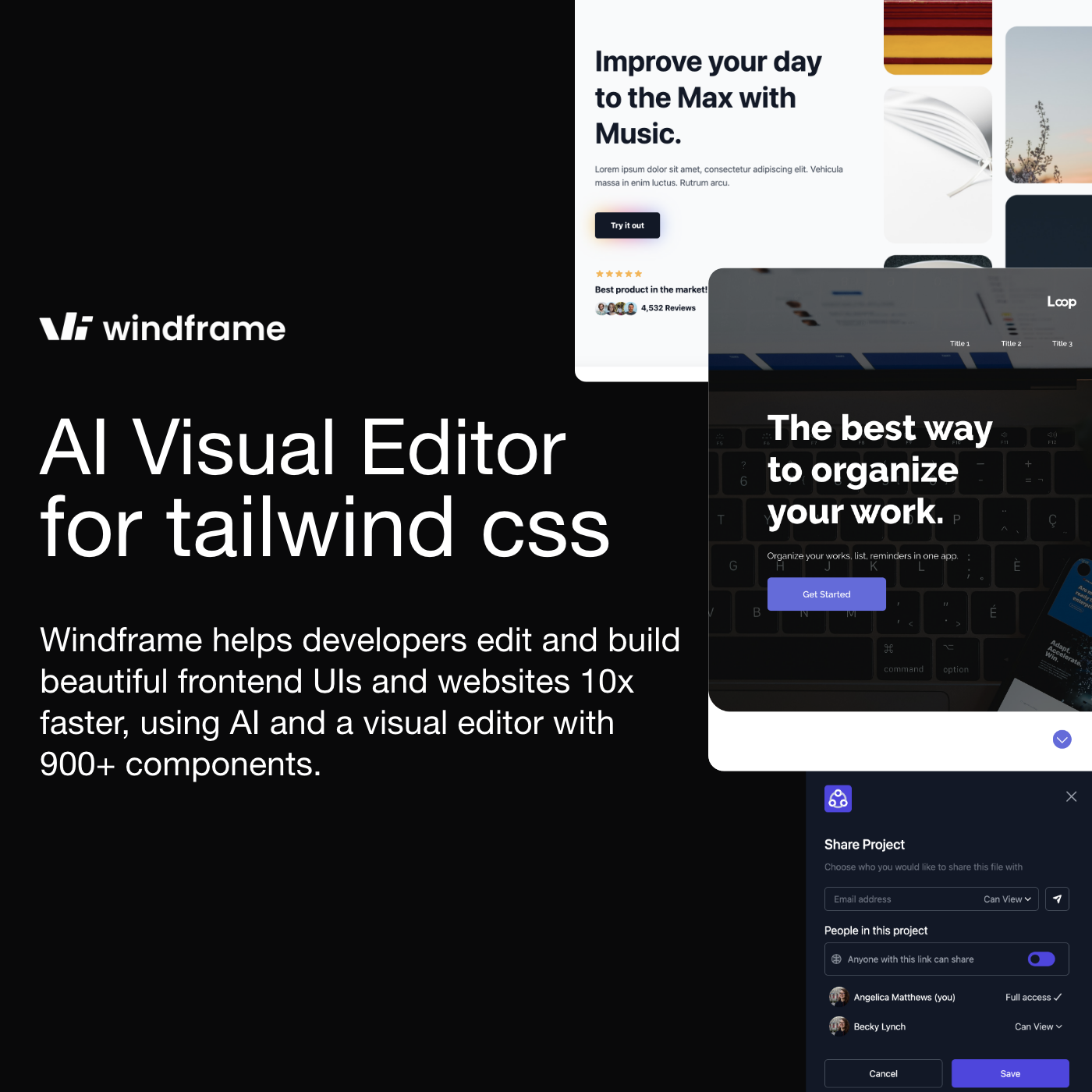
Windframe is an AI-assisted visual builder and editor for Tailwind CSS. Three parts work together: AI generation from a natural-language prompt, a library of more than 1,000 professional templates, and a drag-and-drop visual editor with a live preview. Describe the page you want, or pick a template, then click any element to adjust colours, text, spacing and layout. A screenshot-to-code feature converts a screen capture or a Figma mock-up into clean Tailwind markup. You can also import what you already have, whether an existing site, JSX components, external CSS, a Tailwind configuration or libraries such as Tailwind UI, Flowbite and daisyUI, rather than starting from a blank canvas.
The output is production code. Exports target more than ten frameworks, including HTML, React, Next.js, Vue, Nuxt, Angular, Svelte, Astro, SolidJS and Rails, and they carry the Tailwind configuration and the CSS with them. The tool runs on Tailwind CSS v4 and follows new releases.
Two routes exist beyond the editor. An MCP server plugs into coding agents, namely Claude Code, Codex, Cursor, OpenCode and VS Code, giving the agent real design tokens, components and Tailwind styles, with design styles including Linear, ShadCN, Notion, Pandora and Apple UI. A documented v1 API exposes Templates, Export and AI Generation endpoints on api.windframe.dev.
Team features cover shared work, unlimited saved projects and version history. Every AI generation spends a credit; credits renew at each billing cycle and can be topped up from a dedicated page. The Devwares home page claims use by over 15,000 developers, while the MCP page cites more than 17,000, and the product has been covered by Product Hunt, Hacker News and WebDesignerDepot.
What it does
- Generate a complete interface from a plain-language prompt.
- Start from one of 1,000+ pre-built professional Tailwind templates.
- Edit visually by drag and drop, with a real-time preview.
- Export production code to React, Next.js, Vue, Nuxt, Angular, Svelte, Astro, SolidJS, Rails or HTML.
- Turn a screenshot or a Figma mock-up into clean Tailwind code.
- Import an existing site, template or Tailwind components and keep editing them.
- Connect the MCP server to a coding agent so it generates with real design tokens.
When to use Devwares / When not to
A quick filter to help you decide if Devwares is the right fit.
When to use Devwares
- Back-end and full-stack developers who find front-end work slow going: one testimonial describes prototyping a page in Windframe, then exporting it straight into an existing React codebase.
- Small teams with no dedicated designer, where a non-technical founder can lay out screens in the evening and hand over shippable code without pulling product developers off their own work.
- Freelancers running several client accounts at once, since paid plans include unlimited saved projects and the site states you can work on as many client websites as you need simultaneously.
- Anyone who needs landing pages, dashboards or portfolios quickly, and who is already standardised on Tailwind CSS v4 so existing classes and configuration can be imported rather than rebuilt.
- Developers who drive work from a coding agent, such as Claude Code, Cursor, Codex, VS Code or OpenCode, and want the MCP server to feed it real design tokens and Tailwind components.
When not to use Devwares
- Teams that do not use Tailwind CSS: the generator, the editor and the export are all built around it, so a Bootstrap, CSS-in-JS or vanilla-CSS stack gains little.
- Buyers with compliance requirements, since the site never mentions the GDPR and publishes no data processing agreement, no sub-processor list and no data hosting location.
- Projects that need application back-end logic, because the tool produces interface code rather than server-side behaviour, databases or authentication.
- Anyone expecting a mobile app or a browser extension: the product is web-only, with no iOS, Android or browser store listing.
- Organisations that require a negotiated enterprise contract, as no Enterprise tier and no contact-sales route are published.
How to use Devwares
A typical end-to-end flow, from setup to results.
- Create an account from the home page with Sign Up or Get Started: an email address and a password are enough, and no credit card is required.
- Open the editor and choose a starting point, either by describing the page you want and letting the AI generate it, or by picking a template.
- Get your bearings in the four zones: the top bar for navigation and quick actions, the left sidebar for template libraries and layers, the central canvas for the design, and the right sidebar for element options, settings and history.
- Click any element on the canvas to adjust colours, text, spacing and layout, with the result updating in real time.
- Work directly on the Tailwind classes in their dedicated box, which separates responsive from regular classes and lets you edit or delete them one by one.
- Preview the design at different screen sizes and on different devices.
- Undo, redo and use the save points in the project history as you iterate.
- Export the code to your target framework, or publish the project.
- As an alternative route, install the MCP server and drive generation from your coding agent, without opening the visual editor at all.
- Consult the documentation on the Windframe site, which includes dedicated API and MCP pages, plus tutorials and keyboard shortcuts.
Pros & Cons
Pros
- Pricing is entirely public and detailed, laid out plan by plan in plain HTML rather than hidden behind a sales call.
- A permanent free plan with no credit card required, rather than a countdown trial.
- Exported code belongs entirely to the user, usable in client projects or commercial products with no attribution.
- More than ten output frameworks, which is unusually broad, and the ability to import existing code instead of starting over.
- AI generation, a full visual editor and a template library in a single product, where competing tools often stop at generation.
- A recent MCP server that connects the tool to mainstream coding agents, alongside a documented public API.
- Substantial documentation and a detailed public changelog (versions 1.0.0 to 2.8.3), support answers advertised within a few hours, a service status indicator in the footer, a student discount on request, and a one-off Lifetime purchase for those who dislike subscriptions.
Cons
- The legal documents have not been revised since 2021 (privacy policy December 2021, terms November 2021) while the product has changed considerably.
- No mention of the GDPR anywhere on the site, no data processing agreement, no EU representative and no sub-processor list.
- No data hosting country or region is published, and the position on training AI models on customer content is never stated.
- No postal address and no legal notice page anywhere, with a single email address serving support, legal and privacy alike.
- AI credits are capped even on paid plans, at 50 a month on Pro Monthly, and topping them up costs extra, so the real price tracks how heavily you generate.
- The 15 USD per month MCP plan excludes the visual editor, the whole tool depends on Tailwind CSS, and there is neither a mobile app nor a browser extension.
- The site is split across two domains, an old Windframe product page on devwares.com still shows a withdrawn price grid with Freelancer plans, the JSON-LD structured data is partly stale, and refunds are left entirely to the publisher's case-by-case discretion.
Pricing & Plans
Windframe offers a permanent free plan, giving access to the visual editor and a selection of templates with no credit card required. The lowest paid entry point for the product is Pro Monthly at USD 25.00 per month, with quarterly and annual cycles also available, alongside one-off Lifetime purchases at USD 299 (Pro) and USD 1,199 (Team). A separate MCP-only product is cheaper still, at USD 15 per month or USD 150 per year, but it does not include the visual editor. All prices are quoted in United States dollars and taken by card or PayPal through Stripe. Refunds are handled case by case at Devwares' discretion. On cancellation, access runs to the end of the paid period and projects are retained, while Lifetime plans do not expire.
- visual editor plus a selection of templates
- no credit card required
- including 3 free MCP calls.
- 50 AI credits per month
- unlimited exports
- 1
- 000+ pro templates with new ones weekly
- drag-and-drop editor
- export to React
- Vue
- Svelte and more
- 120 AI credits per quarter plus everything in Pro Monthly
- plus VIP early access.
- 480 AI credits a year
- 9.6 times the monthly allowance.
- 600 AI credits
- unlimited exports
- 1
- 000+ templates
- screenshot-to-code
- MCP
- all future updates
- unlimited projects
- up to 10 members
- shared workspace
- 1
- 800 AI credits and all future updates.
- full MCP server access
- agent-driven UI generation
- compatible with Claude Code
- Cursor and VS Code
- real design tokens and components
- Tailwind v4
- cancel at any time.
- as MCP Monthly
- plus priority support.
- The pricing page carries a For Individuals / For Teams toggle and is the reference grid
- since an older Windframe product page on devwares.com still displays a withdrawn grid with Freelancer plans.
Data, GDPR & hosting
A consolidated view of how Devwares handles your data.
GDPR overview
There is no GDPR implementation to report. A full-text search of the site returns no occurrence of GDPR or General Data Protection Regulation, neither in the privacy policy nor in the terms nor anywhere else. Consequently no lawful basis for processing is stated, no data subject rights (access, rectification, erasure, portability, objection) are listed, no data protection officer is named and no Article 27 EU representative is designated. The privacy policy, dated December 2021 and not revised since, follows a generic template and links to freeprivacypolicy.com in its cookies section. It does cover transfers outside the user's jurisdiction, where consent to the policy followed by submission of information is treated as agreement to that transfer, plus legal disclosures, security and children's privacy from age 13. An opt-out exists only for commercial communications. Privacy questions go to contact@devwares.com.
Who owns the data?
Devwares' terms and conditions, last updated in November 2021, leave ownership with the user: you retain any and all of your rights to the content you submit, post or display through the service, and you are responsible both for protecting those rights and for holding them in the first place. In exchange, posting content grants Devwares a licence to use, modify, perform, display, reproduce and distribute it on and through the service; the licence is framed around the service itself, and no duration or territory is stated. Separately, the pricing FAQ is explicit that code exported from Windframe belongs to the user, usable in client projects or commercial products with no attribution required.
Reuse rights
The privacy policy, last updated in December 2021, states that Devwares collects an email address, a first and last name, and usage data: IP address, browser type and version, pages visited, dates and times, time spent, device identifiers and diagnostic data, with equivalents on mobile. The stated purposes are operating and maintaining the service, managing the account, performing the purchase contract, contacting users, sending similar commercial offers (which users may decline), handling requests, business transfers, and analysis and improvement. Data may be shared with service providers, affiliates, business partners, an acquirer in a business transfer, other users in public areas of the service, and with consent; Stripe is named in the terms as the payment processor. Cookies are described as necessary, acceptance and functional, alongside web beacons and Flash cookies. Nothing in either document says whether user content is used to train AI models, in either direction: the subject is simply never raised. On the user's side, no permission has to be requested to reuse what the tool produces, since exported code may be used in client work or commercial products without attribution.
Data retention & training
Hosting summary
No hosting country or region is published. Neither the privacy policy nor any other page names a data centre, a cloud provider or a jurisdiction in which data is stored. The policy states only that information, including personal data, is processed at the company's operating offices and in any other places where the parties involved in the processing are located, a formulation that identifies no location at all. It then warns that data may be transferred outside the user's state, province, country or other jurisdiction, where data protection laws may differ, and treats consent to the policy followed by submission of information as agreement to that transfer. No safeguards for those transfers are described, and no sub-processor list exists; only Stripe is named, in the terms, as the payment processor. One technical observation from this review, which the site itself does not claim: both domains sit behind Cloudflare, the registrar is Cloudflare and the addresses resolve to anycast nodes in AS13335, which says nothing about where the origin servers actually are. In short, the hosting jurisdiction is undocumented, and a buyer with residency requirements would have to ask.
Things to keep in mind
Risks and trade-offs to weigh before adopting Devwares.
- The privacy policy and terms date from late 2021 and have never been revised, so the rules you agree to describe a product that has changed a great deal since.
- The GDPR is not mentioned anywhere, no data processing agreement exists and no EU representative is named; the governing law is Connecticut, in the United States, which is where a dispute would be settled.
- No hosting country is published and nothing is said about whether AI models are trained on user content, so you cannot assume either way about the designs and text you paste in.
- There is no postal address and no legal notice page: the publisher's public identity is a trade name and a single email address that also handles support and privacy.
- Refunds are entirely at the publisher's discretion and decided case by case, so a Lifetime purchase at USD 299 or USD 1,199 carries no guaranteed way back.
- The Lifetime offer is sold with a scarcity counter (23 of 25 claimed), a classic pressure device that deserves a cool head rather than a quick decision, and an outdated price grid still online on the old Devwares product page can mislead anyone comparing offers.
- Every generation spends an AI credit, so the real cost follows usage intensity; and leaning on generated layouts can quietly erode the front-end judgement you would otherwise build by hand.
Setup & Integrations
Technical difficulty
Low for the visual editor. Windframe runs in the browser: create an account with an email address and a password, with no card and nothing to install, then start from a prompt or a template. Drag and drop and the property panels require no coding. Knowing Tailwind CSS helps, since class editing is where the fine control lives, and exporting assumes you can drop code into a project in your target framework. The advanced route, installing the MCP server inside a coding agent, is documented, as are tutorials and keyboard shortcuts.
Deployment
Integrations
Behind Devwares
Social
Resources
All the official URLs gathered for verification and reference.
Alternatives
Tools that compete with or complement Devwares.
Frequently asked questions
What is Windframe, and how does it relate to Devwares?
Is there a free plan?
How much does the first paid plan cost?
Which frameworks can I export to, and which Tailwind version is used?
Do I own the code I export?
What are AI credits and how do they work?
Can I import code and component libraries I already use?
Can I use Windframe from a coding agent or through an API?
What happens if I cancel my subscription?
Is Windframe GDPR-compliant?
Should you pick Devwares?
Windframe is one of the few AI front-end tools that does not stop at generation. Prompt-based UI creation, a 1,000-template library, a real drag-and-drop editor, screenshot-to-code, import of existing Tailwind work, an MCP server and a documented API add up to a product with genuine depth, and its pricing is published in full, tier by tier, which is not the norm in this category. Against v0, the only competitor Devwares names on its own site, that combination is the whole argument, with exports to more than ten frameworks rather than one.
The weakness sits on the other side of the ledger. Legal and privacy transparency has not kept pace: the privacy policy dates from December 2021 and the terms from November 2021, the GDPR is never mentioned, no hosting country is disclosed, there is no data processing agreement and no sub-processor list, and no postal address or legal notice page exists. The public identity amounts to the name Devwares and a Connecticut choice of law. Whether user content feeds model training is never addressed, in either direction.
That shapes who should buy. For an individual developer, a freelancer or a small team already working in Tailwind, the free plan costs nothing to test and the paid entry point is USD 25 a month, with a Lifetime option for anyone who dislikes subscriptions. For a regulated enterprise purchase, the missing paperwork is likely to block an evaluation before the product itself is judged. The MCP server and the API extend the tool well beyond its own editor, and that is probably where it earns its place in an existing workflow.
- Choosing a selection results in a full page refresh.
- Opens in a new window.