
Floutwork
Floutwork is a desktop AI work OS that folds a work-focused browser, tasks, notes, multi-model AI chat and productivity metrics into one window, giving teams a single governed workspace instead of scattered tabs and subscriptions.
What is Floutwork?
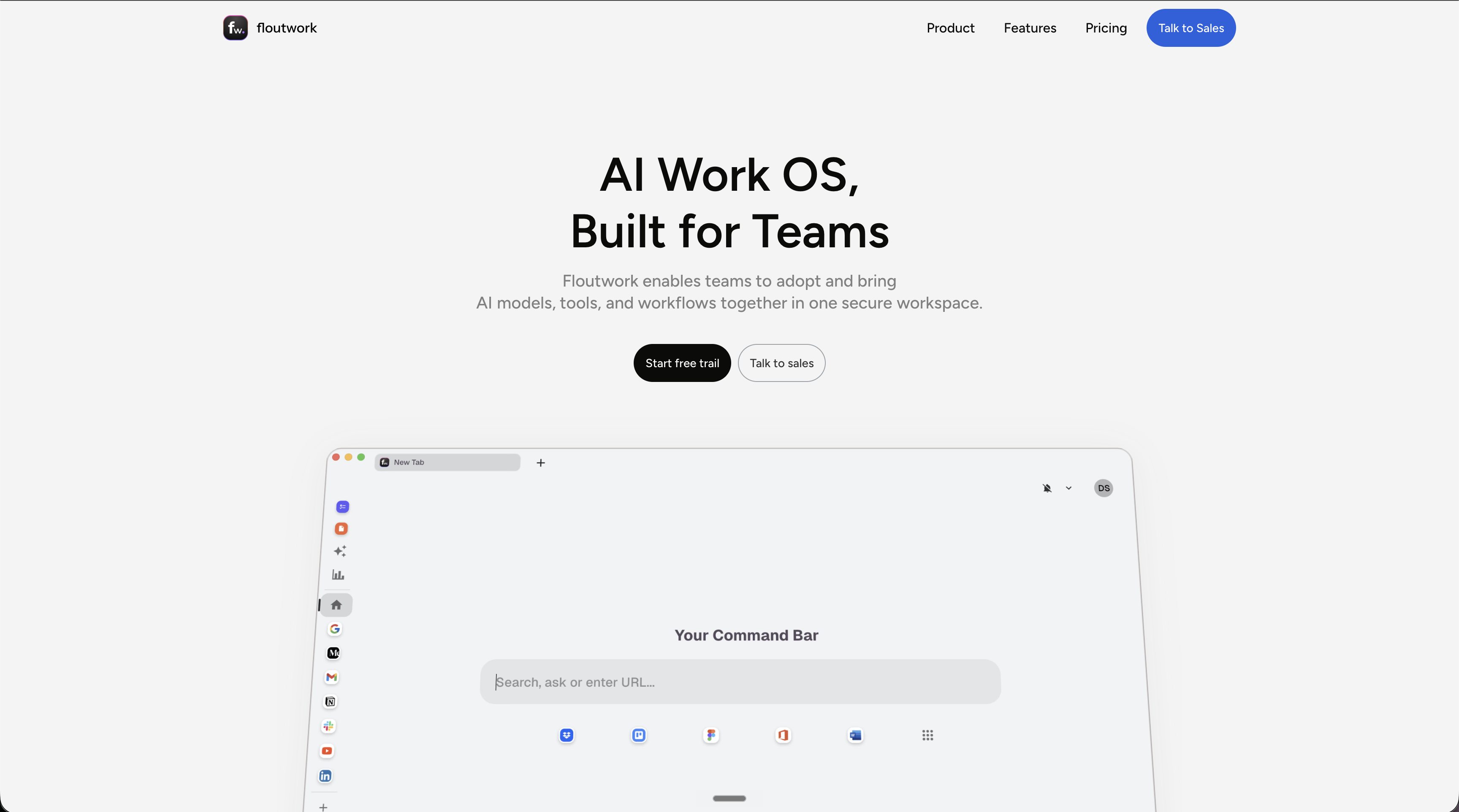
Floutwork is a desktop application that pulls a work browser, tasks, notes, multi-model AI chat and productivity metrics into a single window. The pitch begins with a diagnosis: the browser was designed for browsing, not for work, so knowledge workers end up with thirty or more open tabs, no boundary between projects, and a day fragmented by context switching. Floutwork answers with structure. Tabs are grouped automatically by application, so Gmail tabs never mix with Figma tabs; workspaces separate projects, departments or roles with one click; and tasks, notes, AI and the web apps themselves all live inside the same frame, with a launchpad keeping the most-used tools one keystroke away.
The AI layer is deliberately model-agnostic. An AI Hub puts GPT, Claude, Gemini, Perplexity and Grok behind one chat window, and changing model does not cost the conversation its context. Open pages can be handed to the assistant as context, while pre-built and custom assistants take on recurring workflows. Underneath sits a personal memory engine that stores short summaries drawn from your conversations and notes, backed by a retrieval layer that builds embeddings of notes, tasks, chats and files so answers stay grounded in your own material. Memories remain visible and individually deletable.
Around that core, Floutwork adds productivity metrics, counting clicks, keystrokes, scrolls, context switches and the domains of the web apps used, then surfacing them as a daily score. A Smart Inbox Cleaner handles Gmail and Outlook in bulk, and the app also carries a Pomodoro timer, split view, a command bar, full-screen focus, a locally encrypted password vault and an ad blocker.
For organisations the same product becomes a governed workspace: team, department or project spaces with their own tools and policies, centralised control over which models and assistants may be used, automated onboarding so a new joiner finds everything configured, and SSO, SCIM and SAML on the paid tier. Distribution is limited to Mac on Apple Silicon or Intel and to Windows, with no mobile app, no web version and no public API, and the product still carries a 0.x version number.
What it does
- Query GPT, Claude, Gemini, Perplexity and Grok from a single chat window without losing conversation context when switching model
- Use the tabs and pages you have open as context for the AI assistant
- Group tabs automatically by application inside a browser built for work, and split projects into switchable workspaces
- Run pre-built or custom AI assistants over recurring workflows such as writing, research, analysis and automation
- Capture tasks and notes from any page and schedule them into your calendar without leaving the window
- Search your own notes, tasks, chats and files through a persistent personal memory and contextual retrieval
- Govern team AI use centrally: which models, which assistants, which usage policies, with SSO, SCIM and SAML
When to use Floutwork / When not to
A quick filter to help you decide if Floutwork is the right fit.
When to use Floutwork
- Founders and operators juggling several projects, teams and tools at once, who need one place to keep all of it visible
- Product managers moving constantly between roadmaps, tickets, documents and stakeholder threads
- Designers and creative leads switching between briefs, feedback, research and design tools all day
- IT and people teams that want a new joiner's workspace, tools and AI assistants already provisioned on day one
- Team leads consolidating several per-seat AI subscriptions into a single governed workspace with centralised model and usage controls
When not to use Floutwork
- Anyone who works primarily from a phone or tablet: Floutwork ships as a desktop app only, with no mobile or web version
- Linux users, who have no build available at all
- Developers looking to script or embed the tool, since Floutwork publishes no public API and no developer documentation
- Organisations bound to EU data residency: hosting is entirely in the United States and self-hosting is explicitly ruled out
- Teams needing an audited compliance posture today, given that SOC 2 Type II is described as being pursued rather than held
How to use Floutwork
A typical end-to-end flow, from setup to results.
- Download the build matching your machine from the download page: Mac Apple Silicon, Mac Intel or Windows
- Create an account with passwordless sign-in, entering your email and the one-time code sent to it
- Start the 7-day free trial, which needs no credit card and includes five dollars of AI model credits
- Add the web apps you already use to the launchpad so they open inside Floutwork rather than in a separate browser
- Create separate workspaces for your projects, roles, departments or teams
- Connect Gmail or Outlook through OAuth to bring calendar and inbox cleaning into the app
- Open the AI chat, pick the model you want, and hand it your open tabs as context
- Turn on the pre-built AI assistants or build your own for the workflows you repeat
- Capture tasks and notes from any page as you work, and schedule them into your calendar
- Review the productivity dashboard in settings, where tracking can also be managed, deleted or switched off entirely
Pros & Cons
Pros
- One subscription replaces several per-seat AI plans; the site's own calculator puts a 25-person team at $3,350 a month across five tools against $725 on Floutwork
- Access to several leading models from a single window, without switching tools or losing the thread of a conversation
- A clear no-training commitment: content, conversations, memories and embeddings are never used to train or fine-tune any model, and API-level agreements with providers forbid it
- The most sensitive material never leaves the machine, since password vault entries and connected Gmail or Outlook data are stored locally only
- Unusually granular user control: AI memories can be inspected and deleted one by one, embeddings die with their source content, and productivity tracking can be switched off
- A detailed and specific security page covering hosting, TLS and AES encryption, passwordless login, staff MFA, annual penetration testing and consent-gated production access
- A 7-day trial with no credit card and five dollars of model credits, plus 20% off on annual billing
Cons
- No permanent free plan: past seven days the tool is paid, and the trial can roll into a paid subscription unless cancelled
- Desktop only, on Mac and Windows: no mobile app, no web version, no Linux build
- No public API and no developer documentation, so nothing can be scripted or embedded
- Hosting is entirely in the United States with no EU residency option, and self-hosting is explicitly refused
- No GDPR compliance claim, no Article 27 EU representative and no customer-facing DPA, which is a real obstacle for European buyers
- The subprocessor list is not published, only supplied on request, and SOC 2 Type II is being pursued rather than held
- Fine-grained behavioural telemetry is on by default, counting keystrokes, clicks, scrolls and the domains you visit, and the product still sits at a 0.x version number
Pricing & Plans
There is no permanent free plan. Floutwork offers a 7-day free trial that requires no credit card and includes five US dollars of AI model credits; beyond that, the lowest paid entry point is the Pro plan at USD 29.00 per user per month, excluding VAT, with a 20% discount on annual billing. Enterprise pricing is quoted on request.
- $5 of AI model credits included
- access to all platform features
- and the ability to invite team members during the trial
- up to 1
- 000 users
- all features
- SSO / SCIM / SAML
- more than 1
- 000 users
- dedicated deployment possible
- custom support
Data, GDPR & hosting
A consolidated view of how Floutwork handles your data.
GDPR overview
There is no GDPR compliance claim anywhere on the pages published by Floutwork. The single occurrence of the term sits in a list of certifications held by MongoDB Atlas, a hosting subprocessor, not by Floutwork itself. No Article 27 EU representative is designated, no data protection officer is named, no customer-facing data processing agreement is offered, and standard contractual clauses are never mentioned. The privacy policy instead states plainly that the service is operated from the United States, that data from users outside the country may be transferred, stored and processed there, and that using the product constitutes consent to that transfer. The terms add that the service is not intended to be subject to any non-US jurisdiction. Real user rights do exist, including access, correction, deletion, export, tracking opt-out and memory deletion, but they are presented as product choices rather than as legal obligations.
Who owns the data?
Under the terms of service you keep every ownership right in the content, data, notes, tasks and files you create or store in Floutwork. You grant the company only a limited, non-exclusive, worldwide licence to use, store, process and display that content for the sole purpose of running and improving the service for you; it explicitly claims no ownership and undertakes to use your content for nothing else. Personal data is never sold, rented or traded, and anything shared externally is aggregated and anonymised. Third parties see your data only as processors: analytics vendors, AI model providers, cloud infrastructure and transactional email. Password vault entries and connected Gmail or Outlook data never leave your own machine.
Reuse rights
You may freely reuse anything the AI produces for you: the terms grant you the right to use AI output from your own sessions without asking permission, with the caveat that no exclusivity comes with it, since comparable or identical output may be generated for other users. Three limits are attached rather than obtained. First, output is offered for informational and productivity purposes only, may be inaccurate or incomplete, and you are responsible for reviewing it before relying on it. Second, it is not professional, legal, medical or financial advice. Third, lawful use is on you: the terms forbid using AI features as the sole basis for decisions in regulated areas such as hiring, lending, insurance underwriting, housing, law enforcement or healthcare without meaningful human oversight. On the way out, you may download your data before deleting your account where that function exists, and you can access, correct or delete personal information at any time.
Data retention & training
Hosting summary
Floutwork hosts entirely in the United States. Production services run on Amazon Web Services, user content is stored on MongoDB Atlas within the US region of AWS, and attachments to tasks and notes are held in AWS S3, again in the US region. Two categories are deliberately excluded from that: password vault entries and the email and calendar data of connected Gmail or Outlook accounts stay encrypted on the user's own machine and are never sent to Floutwork's servers. Hosting on a private server or separate infrastructure is not offered to customers. Traffic runs over TLS with AES 128, data at rest uses full-disk AES with a unique key per server, and S3 attachments use server-side AES 256. The ISO, SOC, PCI, HIPAA and FedRAMP certifications cited on the security page belong to AWS and MongoDB Atlas as subprocessors, not to Floutwork, which says it is still pursuing SOC 2 Type II.
Things to keep in mind
Risks and trade-offs to weigh before adopting Floutwork.
- Fine-grained behavioural telemetry is collected by default, counting clicks, keystrokes, scrolls, context switches and the domains you visit. In a team setting a personal productivity score can quietly become a managerial surveillance metric, so check who sees it before rolling it out
- The tool sits between you and everything you do all day, which creates a heavy dependency on a young vendor still shipping 0.x versions
- Password vault entries and mailbox data live only on your own machine, so a lost, stolen or compromised laptop exposes or destroys them directly, with no server-side copy to fall back on
- AI memories are generated automatically from your conversations and notes, and a personal context you never explicitly wrote can accumulate unnoticed unless you inspect and prune it
- The terms state plainly that AI output may be inaccurate or incomplete and place the entire burden of verification on you, while forbidding its use as the sole basis for decisions in hiring, lending, insurance, housing, law enforcement or healthcare
- Delegating triage, planning and summarising to an assistant is comfortable, and comfort erodes skill: the same features that reduce friction can weaken the habits of reading, prioritising and deciding for yourself
- US jurisdiction, mandatory individual arbitration and a class action waiver narrow your legal recourse considerably, and the free trial can roll into a paid subscription if you forget to cancel
Setup & Integrations
Technical difficulty
Very low for an individual. You download a desktop build for Mac or Windows, sign in without a password using a one-time email code, and start the trial without a credit card. Adding web apps to the launchpad and connecting Gmail or Outlook through OAuth takes a few clicks and can be revoked from inside the app. Nothing needs to be coded or configured on a server, and there is no API to wire up. Only an organisation-wide rollout calls for IT involvement, to set up SSO, SCIM or SAML on the Pro plan, or a dedicated deployment under Enterprise.
Deployment
Integrations
Behind Floutwork
Social
Resources
All the official URLs gathered for verification and reference.
Alternatives
Tools that compete with or complement Floutwork.
Frequently asked questions
Which platforms does Floutwork run on?
Which AI models can I use inside Floutwork?
Is my data used to train AI models?
How much does Floutwork cost?
Where is my data hosted?
Are my passwords and emails stored on Floutwork's servers?
Can I delete what the AI remembers about me?
Can I turn off productivity tracking?
Is there an API?
What is the minimum age to use Floutwork?
Should you pick Floutwork?
Floutwork makes an unusually coherent argument. Rather than adding one more tool to an already crowded desktop, it proposes to absorb several: the browser you work in, the tasks and notes you scatter across apps, and the three or four AI subscriptions a team quietly accumulates. The per-seat price is pitched squarely at that last point, and the savings calculator on the pricing page is transparent about the comparison it wants you to make. What lifts the product above a simple bundle is the memory layer, which turns your own notes, tasks and conversations into retrievable context, and the governance layer that lets an organisation decide which models and assistants its people may use. The privacy posture is stronger than most: passwords and connected mailbox data stay on the machine, no training on customer content is a stated and contractually backed commitment, and memories and embeddings can be inspected and deleted. The reservations are just as clear. Everything is hosted in the United States, with no EU residency option, no GDPR compliance claim, no Article 27 representative and no customer-facing DPA, which will stop many European buyers before the trial starts. The subprocessor list is available only on request, SOC 2 Type II is being pursued rather than held, and the version number still begins with a zero. There is no permanent free plan, no mobile app and no API. Floutwork is therefore best read as a serious, fast-moving product for desktop-bound teams that are comfortable with US hosting and want to consolidate their AI spend behind one governed workspace, and as a wait-and-see for anyone with a compliance checklist to satisfy.
- Choosing a selection results in a full page refresh.
- Opens in a new window.