
Gradio
Gradio is an open-source Python library that turns any machine learning model, API or ordinary Python function into a shareable web interface. Install it with pip, write a few lines of code, and publish a public link within seconds.
What is Gradio?
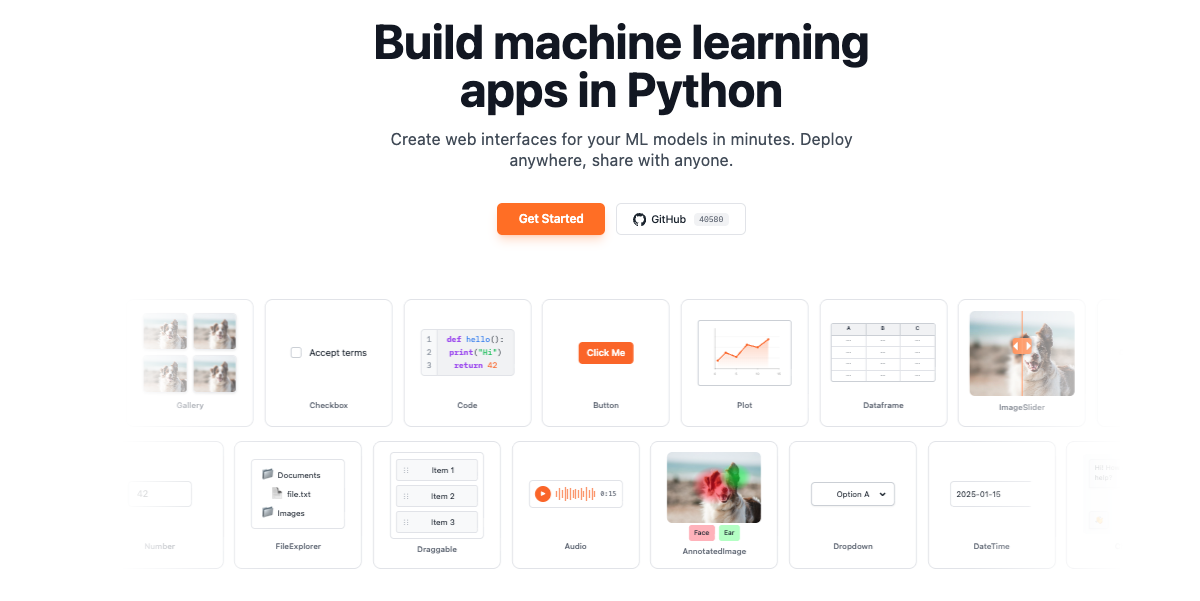
Gradio is an open-source Python package that lets you build a demo or a full web application around a machine learning model, an API, or any arbitrary Python function, then share it in seconds. The pitch on the home page is deliberately narrow: build machine learning apps in Python, create the web interface in minutes, and deploy or share it without touching JavaScript, CSS or web hosting.
The library offers three levels of abstraction. gr.Interface is the high-level entry point: pass a function, declare its inputs and outputs, and Gradio renders the whole page. gr.Blocks is the low-level API for custom layouts, multiple data flows and interactions where one output feeds another function. gr.ChatInterface is a purpose-built class for chatbots. Around them sit more than forty components covering images, audio, video, 3D models, dataframes, galleries, code, JSON, plots and file explorers, plus a component library that can be extended with custom components.
Sharing is the feature Gradio is best known for. Setting share=True opens a TLS tunnel, built on the open-source Fast Reverse Proxy project, from your machine to Gradio's official share server, which publishes the app under a xxxxx.gradio.live address while the model keeps running locally. The site states that more than 5,000 Gradio apps are being shared this way at any given moment. For something permanent, apps deploy free of charge to Hugging Face Spaces, and the wider ecosystem includes a Python client, a JavaScript client and a server mode for teams that want to keep the Gradio backend but write their own frontend.
Every app also becomes programmable. An automatically generated API page documents each endpoint, and a single mcp_server=True argument converts the app's functions into Model Context Protocol tools for clients such as Claude Desktop, Cursor and Cline. Authentication, rate limiting, internationalisation in more than forty languages, theming and progressive web app packaging are all built in. Gradio 6 is the current release line, and it requires Python 3.10 or higher.
What it does
- Wrap any Python function or machine learning model in a web interface with a few lines of code
- Generate a public share link to a demo running on your own machine, in seconds
- Deploy an app permanently and free of charge on Hugging Face Spaces
- Expose the same app as a REST API, queried from Python, JavaScript or curl
- Turn the app into an MCP server so assistants such as Claude Desktop or Cursor can call its functions
- Build chatbot interfaces, streaming audio and video apps, plots and data dashboards from Python
- Protect an app with password authentication, Hugging Face OAuth or an external OAuth provider
When to use Gradio / When not to
A quick filter to help you decide if Gradio is the right fit.
When to use Gradio
- Machine learning engineers who need to demonstrate a model without writing any frontend code
- AI and computer vision researchers publishing reproducible, clickable demos alongside their work
- University lecturers and teaching assistants who want students to interact with a model in a browser
- Python developers who need to expose a function as a web app, a REST endpoint or an MCP server at once
- Freelancers and startup technical founders showing a working prototype to clients or investors
When not to use Gradio
- Non-technical users: Gradio requires Python 3.10 or later and code to produce anything
- Organisations that need a signed contractual framework, since the site publishes no terms, no privacy policy and no DPA
- Teams under strict data protection obligations, as GDPR is never mentioned anywhere on the domain
- Anyone needing paid vendor support or a service level agreement, neither of which is offered
- Builders of general-purpose marketing websites or no-code business apps, which is not what the library targets
How to use Gradio
A typical end-to-end flow, from setup to results.
- Check that Python 3.10 or higher is installed, ideally inside a virtual environment
- Install the library by running pip install --upgrade gradio
- Write an app.py file that imports gradio as gr and defines the Python function you want to expose
- Wrap that function in gr.Interface, declaring its input and output components
- Call demo.launch() and run python app.py; the interface opens on http://localhost:7860
- Iterate quickly by launching with gradio app.py for hot reloading, or gradio --vibe app.py to edit the app from an in-browser chat
- Add demo.launch(share=True) to publish a temporary public link to the app running on your machine
- Add authentication if the app should not be open to everyone, using auth=, Hugging Face OAuth or an external provider
- Create a free Hugging Face account and deploy to Spaces for permanent, auto-scaling hosting
- Query the app programmatically through its generated API page, the Python or JavaScript client, or enable mcp_server=True to expose it as an MCP server
Pros & Cons
Pros
- Completely free and open source, with no paid tier and no usage limit announced
- Extremely short path to a working app: a handful of Python lines and one pip command
- No frontend skills required at all, which is exactly the friction the library removes
- Instant public sharing without any deployment step, and free permanent hosting on Hugging Face Spaces
- Unusually broad component coverage, including audio, video, 3D and dataframes
- Every app doubles as a REST API and, with one argument, as an MCP server
- Mature and widely adopted, with around a hundred guides, versioned documentation and a public status page
Cons
- No privacy policy, no terms and conditions and no legal notice anywhere on the domain
- No contact email address is published; support runs through GitHub and a status page
- No GDPR statement, no data processing agreement and no subprocessor list
- Developer telemetry is enabled by default, and switching it off requires knowing it exists
- Share links are public by default and expire, and the site gives two different lifetimes on two different pages
- The official share server is explicitly a best-effort service that can go down
- Requires Python 3.10 or higher, so it is of no use to anyone who does not write code
Pricing & Plans
Gradio is free of charge. The tool is distributed as an open-source Python package installed with pip install --upgrade gradio, and the site publishes no pricing page: /pricing returns a 404. No paid tier, no amount and no currency appear anywhere on the domain, so there is no lowest price point to report. Permanent hosting on Hugging Face Spaces is likewise presented as free, subject to creating a free Hugging Face account. The only cost a user may incur is indirect, if they choose to run their own share server on their own infrastructure.
- the complete gradio Python package installed with pip
- with no paid tier offered on the site
Data, GDPR & hosting
A consolidated view of how Gradio handles your data.
GDPR overview
There is no mention of the GDPR anywhere on gradio.app. Across every page collected, the term does not appear once, in the visible text or the underlying HTML. The domain publishes no privacy policy, no terms and conditions and no legal notice; /privacy, /terms and /legal all return a 404. No data protection officer, no Article 27 EU representative and no privacy contact address are named. The only personal data the vendor acknowledges handling is developer telemetry, which explicitly includes the IP address, collected "solely to measure the number of unique developers using Gradio", with a documented opt-out. Separately, the Cloudflare-managed robots.txt sets a content signal of ai-train=no and blocks several AI crawlers outright. Anyone deploying Gradio in a European regulated context should treat compliance as their own responsibility.
Who owns the data?
Gradio publishes no terms and conditions and no privacy policy on its domain, so data ownership is never contractually defined. What the documentation does establish is architectural: an app runs on the developer's own machine, and the model and all computation stay there. When a public link is created, the official share servers act only as a proxy and, in the vendor's words, "do not store any data sent through your app". In practice the developer keeps their data because it never reaches Gradio. The one exception is developer telemetry, which the library collects by default and which the vendor evidently controls. Anyone needing a written ownership commitment will not find one here.
Reuse rights
No terms of use are published, so nothing on the site grants or restricts reuse of data by the end user. The library itself is open source and installed freely with pip. What the documentation does describe is the vendor's own use of data: by default Gradio collects developer telemetry covering the runtime environment (for example a Colab notebook or Hugging Face Spaces), the input and output components in use, whether advanced features such as authentication or show_error are enabled, the IP address used solely to count unique developers, and the Gradio version. The documentation states plainly that no information is collected from the users of an app built with Gradio. Telemetry can be switched off entirely by setting analytics_enabled to False on gr.Blocks, gr.Interface or gr.ChatInterface, or by setting the GRADIO_ANALYTICS_ENABLED environment variable to "False" system-wide. This policy is stated to apply from gradio 4.32.0 onwards.
Data retention & training
Hosting summary
By default nothing is hosted by the vendor at all: a Gradio app runs on the developer's own machine, and the model and all computation stay there. When share=True is used, a TLS tunnel built on Fast Reverse Proxy connects that local process to Gradio's official share server at gradio.live, which routes traffic without storing it; the documentation states the share servers do not store any data sent through an app. Teams wanting full control can run their own FRP server, with the Go source and a Dockerfile published openly. The optional permanent hosting path is Hugging Face Spaces. No hosting country, region or jurisdiction is named anywhere on the site, and no data residency commitment is offered. The gradio.app site itself is served behind Cloudflare on an anycast address. In short: hosting is wherever the developer puts it, and the vendor makes no jurisdictional claim of any kind.
Things to keep in mind
Risks and trade-offs to weigh before adopting Gradio.
- Share links are public by default: anyone holding the URL can run your model, so never expose sensitive data or let the app modify your machine
- The app runs on your own computer while it is shared, so switching that machine off takes the demo down with it
- The site contradicts itself on link lifetime, quoting one week on one page and a 72-hour timeout on another, so do not plan around either figure
- Developer telemetry, including your IP address, is collected by default until you explicitly disable it
- The FRP client is downloaded automatically the first time you use share=True and is sometimes blocked by antivirus software such as Windows Defender
- The official share server is a best-effort service with its own status page, and it does occasionally go down
- With no terms of service or privacy policy published, there is no contractual recourse if something goes wrong
Setup & Integrations
Technical difficulty
Low for anyone who writes Python. Installation is a single pip command on Python 3.10 or higher, and a first working app takes about ten lines. Testimonials on the home page mention a text-to-speech demo assembled in ten minutes and a first project completed in forty-five minutes with no prior exposure to the library. No server or frontend configuration is needed to start. Difficulty rises with ambition: custom layouts through gr.Blocks, mounting inside an existing FastAPI application, external OAuth, self-hosting a share server, or authoring custom components, which requires both backend and frontend work.
Deployment
Integrations
Supported languages
Behind Gradio
Fundraising
Resources
All the official URLs gathered for verification and reference.
Frequently asked questions
Is Gradio free to use?
What do I need before I can start?
Do I need to know JavaScript or CSS?
How do I share a demo with someone else?
How long does a share link stay alive?
Does Gradio store the data passing through a share link?
How can I host an app permanently?
Can a Gradio app be called as an API?
Can Gradio act as an MCP server?
What data does Gradio itself collect?
Should you pick Gradio?
Gradio has become the default answer to a very specific problem: you have a model, or simply a Python function, and you need a working interface in front of it today. A pip install, a handful of lines, and the result runs in a browser; one extra argument and it has a public URL. That combination explains both the scale the site claims (more than 5,000 apps shared at any moment) and the fact that a project as visible as the Automatic1111 Stable Diffusion interface is built on it. The breadth is real too: forty-plus components, streaming, chat interfaces, plots, authentication, an automatic API page, and a one-line MCP server that plugs an app straight into Claude Desktop or Cursor. For a tool that costs nothing, the documentation is unusually thorough, with roughly a hundred guides and versioned reference docs.
The reservations are not about the software but about what surrounds it. gradio.app publishes no terms of service, no privacy policy and no legal notice; the GDPR is never mentioned; no company name, postal address or contact email appears anywhere on the domain. For an individual developer that is a non-issue. For an organisation that needs something to point a legal team at, it is a genuine gap, and one that no amount of technical quality closes. Add to that developer telemetry enabled by default, public-by-default share links, and two contradictory statements on how long those links survive, and the picture is clear enough: an excellent, generously free engineering tool, best used with your own judgment about what you expose through it.
- Choosing a selection results in a full page refresh.
- Opens in a new window.