
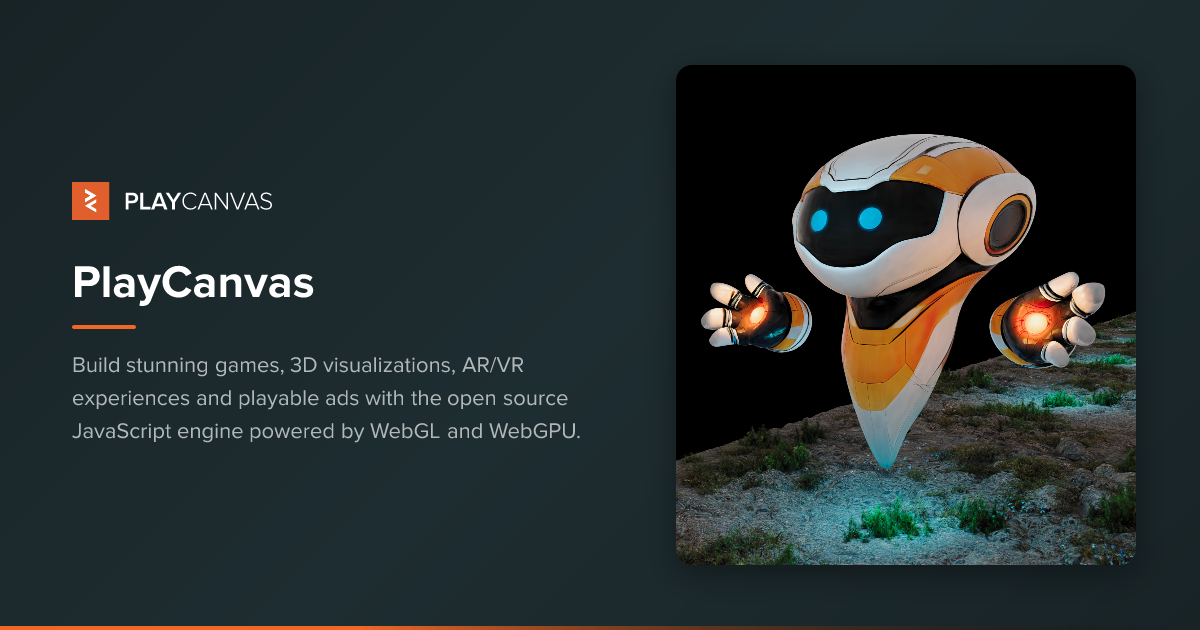
PlayCanvas
PlayCanvas is an MIT-licensed web graphics platform pairing a WebGL2 and WebGPU JavaScript engine with a collaborative browser editor, used to build games, 3D visualizations, AR/VR experiences, product configurators and playable ads. A permanent free tier includes hosting.
What is PlayCanvas?
PlayCanvas calls itself a Web Graphics Creation Platform, or in its own words "the open source engine and collaborative editor for 3D that loads instantly, on any device". Four products sit under that banner. The Engine is a JavaScript runtime built on WebGL2 and WebGPU, presented as one of the first production 3D engines with full WebGPU support including compute shaders, with automatic WebGL2 fallback. The Editor is a visual authoring environment that runs entirely in a browser. SuperSplat is a dedicated platform for 3D Gaussian splats. Model Viewer inspects glTF 2.0 files and .ply splats. All of it is published on GitHub under the MIT license.
Four development paths lead to the same runtime: the visual Editor, the engine installed from npm as tree-shakeable ES Modules, the PlayCanvas React component library, and framework-free HTML Web Components. A single command, npm create playcanvas@latest, gets a project running.
The Editor's distinguishing feature is Google Docs-style real-time collaboration on one scene, with zero compile time, hot reloading onto a connected mobile device and a built-in visual profiler. Around it sit checkpoint-based version control, templates, an Asset Store, in-editor chat and role-based team management. Publishing is one click to a global CDN; builds can also be downloaded for self-hosting. A REST API in beta covers projects, assets, builds, branches, checkpoints and export, and an Editor API scripts workflows inside the browser.
AI has a defined and deliberately narrow place. The Editor feature list carries an ai filter with two entries marked New: Vibe Coding, AI-assisted development through the PlayCanvas Visual Studio Code extension, and an MCP Server that, in the company's words, lets you "connect AI coding agents to the Editor via the Model Context Protocol" and "automate scene building, asset management and more with natural language". A public Skills for Coding Agents repository accompanies it. There is no AI asset generation.
The platform targets games, AR, VR, product configurators, advertising, casino games and education, and runs from any browser on Windows, macOS, Linux, Chromebooks, iOS and Android. Snap Inc., Google, Toyota, Ubisoft, Activision, Nickelodeon, Zynga, King, Atari, Bethesda Game Studios, Aristocrat and Polaris appear among the logos on its home page. PlayCanvas is part of Snap Inc.
What it does
- Build 2D and 3D browser games in JavaScript or TypeScript with no compile step
- Assemble 3D scenes with several people at once in a real-time browser editor
- Publish a 3D web application in one click to a global CDN, or download the build to self-host
- Create photorealistic product configurators that run on any device
- Ship WebXR AR and VR experiences, with runtime USDZ export for iOS AR Quick Look
- Edit, optimize and publish 3D Gaussian splats with SuperSplat
- Drive the Editor in natural language from an AI coding agent over MCP, and automate builds, assets and deployments through the REST API
When to use PlayCanvas / When not to
A quick filter to help you decide if PlayCanvas is the right fit.
When to use PlayCanvas
- Web and game developers who ship to the browser: no install, no download and no app store between the player and the game. Studios behind Robostorm, Venge.io, Mini Royale: Nations, Om Nom Run and Fields of Fury build this way.
- Product and e-commerce teams building photorealistic 3D configurators, the pattern already used by Polaris, Indian Motorcycles, DAB Motors, Airstream, Fjallraven Kanken Me, INR and Sesotec.
- AR and VR creators working in WebXR, with runtime USDZ export for iOS AR Quick Look and 8th Wall or Zappar integrations behind projects such as Nissan Ariya, KFC Bucket Hunt and Candela.
- Teachers and students: the Editor runs on Chromebooks and tablets with nothing to install, the whole stack is free under MIT, and the skills learned are real JavaScript, WebGL and glTF.
- Distributed teams that need several people editing the same 3D scene at once, Google Docs style, with in-editor chat, role-based permissions and version checkpoints.
- Developers who want an AI coding agent inside their project: the official MCP server connects Claude Code, Codex, Cursor or Claude Desktop directly to an open Editor session, and SuperSplat covers 3D Gaussian splat authoring in the same browser.
When not to use PlayCanvas
- Anyone who needs a native build. There is no console export, no desktop executable and no native mobile application; everything ships through a browser, and no iOS or Android app exists.
- Teams whose procurement requires a signed data processing agreement or published security evidence. PlayCanvas offers no DPA, names no subprocessor and shows no SOC 2 or ISO 27001 certification.
- Organizations that need support outside English or on a free account. Technical support is email-only, English-only and reserved for paying plans.
- Companies past the Personal plan's ceiling: that tier is contractually closed to entities whose annual revenue or funds raised exceed USD 100,000, and to freelancers earning more than that through the service.
- Buyers looking for an AI content generator. The AI here assists development through Vibe Coding and the MCP server; it does not generate 3D models, textures or animations.
- Users under 13, the stated minimum age, and any team that cannot accept private projects locking as soon as a subscription is cancelled.
How to use PlayCanvas
A typical end-to-end flow, from setup to results.
- Create a free account with an email address, a Google account or a GitHub account. No credit card is required.
- Open the Editor in your browser, start from a Starter Kit and import your assets: FBX, OBJ, glTF, GLB, HDR textures and audio.
- Assemble the scene visually with the entity-component system, the material and sprite editors, UI editing and the animation State Graph.
- Or work code-first: run npm create playcanvas@latest, install the tree-shakeable ES Modules engine into an existing app, or use PlayCanvas React and HTML Web Components declaratively.
- Iterate without a build step. Hot reloading pushes code and asset changes straight into the running application, including on a connected mobile device.
- Debug with the browser developer tools plus the visual profiler overlay inside the app.
- Invite teammates into the same scene, chat in the editor, set role-based permissions and take version checkpoints as you go.
- To bring in an AI agent, install Node.js 22.18 or later and register the MCP server: claude mcp add playcanvas -- npx -y @playcanvas/editor-mcp-server for Claude Code, codex mcp add playcanvas -- npx -y @playcanvas/editor-mcp-server for Codex, or an mcpServers entry in Cursor and Claude Desktop.
- Open a project in the Editor and click the MCP button at the bottom of the toolbar. Port 52000 is the default, and only one Editor instance may be connected at a time. The agent can then work on entities, components, scripts, assets, scenes, project settings, templates, animation data, builds and version control state.
- Follow the documented method with agents: a read-only query first, a checkpoint before any substantial task, an observable outcome rather than a list of tool calls, runtime verification (viewport capture, launching the app, reading logs, injecting input), then accept the result or restore the checkpoint. Publish in one click, and automate the rest through the REST API with a Bearer token, rate-limited to 120 requests per minute on the free plan and 240 on paid plans.
Pros & Cons
Pros
- Fully open source under the MIT license, engine and editor alike, published on GitHub with no runtime royalty.
- Generous permanent free tier: unlimited public projects, unlimited public collaborators, free hosting, 1 GB of storage and REST API access.
- Nothing to install. The Editor runs in a browser on Windows, macOS, Linux, Chromebooks, iOS and Android, and publishing pushes to a global CDN in one click.
- Google Docs-style real-time collaboration on the same 3D scene, still uncommon among 3D authoring tools.
- Production-grade WebGPU with compute shaders and automatic WebGL2 fallback, alongside first-rank 3D Gaussian splat tooling.
- Four development paths from one platform (visual Editor, npm engine, React, Web Components), with no compile step, hot reloading and live testing on real devices; the official MCP server puts AI coding agents inside the Editor with version checkpoints as a safety net.
- Mature and actively developed, with monthly release posts through July 2026, blue-chip public references (Snap, Google, Toyota, Ubisoft, Activision, King, Bethesda, Polaris), and published applications that stay online even after a subscription is cancelled.
Cons
- Technical support is reserved for paying accounts, delivered by email only and in English only; free users fall back on Discord, the forum and Reddit.
- No published data processing agreement, no named subprocessors and no security certification such as SOC 2 or ISO 27001, which will stall regulated procurement.
- No documented way to opt out of AI model training, and no statement on the subject anywhere in the legal documents.
- Making a project public grants PlayCanvas a perpetual, irrevocable, sublicensable and royalty-free intellectual property license, together with a waiver of moral rights.
- Private projects lock as soon as the subscription is cancelled, deleting an account destroys all its content with no recovery by either party, and liability is capped at EUR 100 or twelve months of fees.
- The REST API is still in beta with an explicit warning that endpoints may change, and Personal plan eligibility is capped by a USD 100,000 revenue and funding clause.
- The AI features stop at development assistance, with no AI asset generation; there is no native mobile application, no about page and no formal education discount.
Pricing & Plans
PlayCanvas operates on a freemium model. A permanent free plan is available at no cost and requires no credit card. The entry-level paid tier, Personal, is priced at USD 15.00 per month, and the Organization plan at USD 50.00 per seat per month. The engine and the platform themselves are free and open source under the MIT license, so subscriptions unlock additional Editor capabilities rather than the technology. Billing is monthly in advance with automatic renewal, a one-month minimum term and cancellation at any time, and a 14-day right of withdrawal with a full refund applies. There is no self-service trial of the paid plans: a trial upgrade code may be requested by email from sales@playcanvas.com. Annual invoicing is available on quotation for Organization subscriptions of twelve months or more. Prices may be revised with 30 days' notice. Invoices are emailed monthly and available from the Account page, and billing questions go to billing@playcanvas.com.
- unlimited public projects
- unlimited public collaborators
- free hosting
- 1 GB of storage
- downloadable builds for self-hosting
- REST API access
- custom loading screen
- project archive and restore.
- everything in Free
- plus unlimited private projects and 10 GB of storage
- ten times the free allowance.
- everything in Free
- plus unlimited private projects
- team management and 50 GB of storage. Annual invoicing is available on quotation from twelve months.
- commercial entities must keep both annual revenue and funds raised below USD 100
- 000
- non-commercial entities must stay below a USD 100
- 000 total annual budget
- individuals must earn less than USD 100
- 000 through the service. Anyone above those thresholds must use Organization.
Data, GDPR & hosting
A consolidated view of how PlayCanvas handles your data.
GDPR overview
GDPR is named explicitly. The privacy policy says it is designed to comply with applicable law including the EU GDPR, identifies PlayCanvas Ltd as the controller for users in the EEA and the UK, and designates Snap B.V. in the Netherlands as its Article 27 EEA representative. Data subject rights are listed in full: information, access, rectification, erasure, restriction, portability, and objection to automated decisions and to profiling for direct marketing. They are exercised by post or by writing to info@playcanvas.com, with a right to complain to a local supervisory authority or the UK ICO. Transfers outside the EEA rely on the European Commission's standard contractual clauses, adapted for the UK and Switzerland. What is missing is equally clear: no published DPA, no named data protection officer, no subprocessor list and no security certification.
Who owns the data?
PlayCanvas claims no ownership of what you create. Section 5 of the Terms states that the company claims no intellectual property rights in the material and content you provide, and that your profile and uploads remain yours; it does not pre-screen content, but may remove it at its sole discretion. Publishing changes that balance. Section 3 provides that making content public grants PlayCanvas a perpetual, irrevocable, worldwide, sublicensable, royalty-free and non-exclusive license to host, store, copy, modify, cache, reproduce, distribute, promote, display, syndicate, create derivative works from and otherwise exploit it, with a waiver of moral rights where the law allows. Private projects, available on Personal and Organization, avoid that grant. Account termination deletes all content irrecoverably.
Reuse rights
The privacy policy, effective 15 May 2024, lists what is collected: full name, username and email address, data submitted through forms, survey responses, and visit data such as traffic, location and weblogs. A table sets out each purpose and its legal basis: operating the service (performance of the contract), product improvement and aggregate statistics (legitimate interest), marketing emails (legitimate interest or consent, with an unsubscribe route), anonymous statistics and corporate transactions (legitimate interest), plus fraud prevention and the defence of legal claims. PlayCanvas states plainly that it does not collect information from web applications built with its tools or embedding its engine, and that it processes only what is technically necessary, including IP addresses, to serve applications hosted on its servers. Data may be shared with affiliates, group companies and authorized service providers, which are not permitted to reuse it for their own purposes, and may be disclosed where the law requires or in a business transfer. Cookies fall into four categories, third-party cookies are used, and no subprocessor is named. Nothing in the documents addresses the training of AI models on customer data, in either direction.
Data retention & training
Hosting summary
PlayCanvas offers no choice of hosting region and makes no contractual commitment about where customer data lives. Section 6 of the Terms states that your information may be collected and processed by PlayCanvas in the United Kingdom and in the United States, as well as by its affiliates, and transferred outside the country in which you reside. The privacy policy confirms that information may be transferred to or stored outside your country and outside the EEA, in particular in the United States, and relies on the European Commission's standard contractual clauses, adapted for non-EEA countries including the United Kingdom and Switzerland, as its transfer mechanism. Applications you publish are served from a global CDN, so the delivery layer is distributed by design. The site's own DNS resolves to an Amazon edge node (AS16509) in Italy, which indicates a content delivery point of presence, not a storage location. No trust page, no named hosting provider, no subprocessor list and no security certification are published. Read the UK and US wording as a statement about where processing may happen, not as a localization guarantee.
Where PlayCanvas works
Country-level availability.
Not available in
Things to keep in mind
Risks and trade-offs to weigh before adopting PlayCanvas.
- Publishing a project publicly grants PlayCanvas a perpetual, irrevocable, worldwide, sublicensable and royalty-free license over that content, with a waiver of moral rights where the law permits. It is a one-way door for anything you may later want to keep exclusive.
- Cancelling a subscription locks private projects, and terminating an account permanently deletes all its content, with no recovery by you or by PlayCanvas. Keep your own downloaded builds and asset exports.
- Free accounts get no technical support, paid support is email-only and English-only, and liability is capped at EUR 100 or the amount paid over the last twelve months. There is little recourse when something breaks at a bad moment.
- Personal plan eligibility depends on staying under USD 100,000 in annual revenue or funds raised. Growing past that threshold without moving to Organization puts you in breach of the Terms.
- The REST API is in beta with an explicit warning that endpoints and responses may change, and prices can be revised on 30 days' notice. Both are moving foundations for long-lived automation.
- Letting an AI coding agent operate the Editor over MCP means it can create, modify and delete entities, scripts and assets in a live project. The documentation's own advice, a read-only query first, a version checkpoint before any substantial task, runtime verification, then accept or restore, is the guardrail; skipping it hands unreviewed changes to your scene, and trusting the agent's summary instead of checking the running application is how a broken build reaches production.
- Personal data may be processed in the United Kingdom and the United States, and there is no DPA, no named subprocessor and no published security certification to lean on when a client or a regulator asks.
Setup & Integrations
Technical difficulty
Low for the Editor, moderate beyond it. A free account (email, Google or GitHub) and a browser are enough: nothing to install, drag-and-drop scene editing and ready-made Starter Kits. The code route needs JavaScript or TypeScript and one command, npm create playcanvas@latest, with no build step; React and Web Components drop into an existing web app. Connecting an AI agent is the most involved path: Node.js 22.18 or later, registering the MCP server in your client, enabling the Editor's MCP button on port 52000, one Editor instance at a time. Advanced work still requires real-time 3D fundamentals.
Deployment
Integrations
Supported languages
Behind PlayCanvas
Fundraising
Social
Resources
All the official URLs gathered for verification and reference.
Frequently asked questions
Is PlayCanvas really open source?
Do I have to install anything?
What does PlayCanvas cost?
Can I try a paid plan first?
How do I connect an AI coding agent?
What can the agent actually do once it is connected?
Is there an API?
What happens to my projects if I cancel?
What support can I expect?
Who is behind PlayCanvas, and is there an age limit?
Should you pick PlayCanvas?
PlayCanvas is a mature platform, not a new arrival: the domain was registered in 2011, the Web Archive's first capture dates from 7 October 2011, and the product was still shipping monthly updates in July 2026. What sets it apart is a combination few rivals assemble at once: the whole stack is open source under the MIT license; the editor is collaborative and runs in a browser with nothing to install; WebGPU support is production-grade, with compute shaders and an automatic WebGL2 fallback; 3D Gaussian splats are first-class through SuperSplat; and an official MCP server lets AI coding agents work directly inside a project, with version checkpoints as the safety net.
The commercial model is unusually legible. The technology is free and open source, the free tier is permanent and includes hosting, and subscriptions, Personal at USD 15.00 per month and Organization at USD 50.00 per seat per month, mainly buy private projects, storage and team management. There is no self-service trial of the paid plans; an upgrade code is issued on request by email, and a 14-day full refund applies.
The reservations are real. Technical support is reserved for paying accounts, by email and in English only. No data processing agreement is published, no subprocessor is named and no security certification is shown, which will stall regulated procurement. Making a project public grants PlayCanvas a very broad perpetual license over that content, private projects lock the moment a subscription lapses, and closing an account destroys its content irrecoverably. The REST API remains in beta.
For browser-first 3D work, whether games, configurators, WebXR or teaching, PlayCanvas is among the strongest options available, backed by Snap Inc. and its HackerOne bug bounty program. For teams with strict contractual requirements, the legal documentation has not kept pace with the product.
- Choosing a selection results in a full page refresh.
- Opens in a new window.