
Saima
Saima is a browser extension that matches video playback speed to the words-per-minute rate you actually understand, then lets you take timestamped, shareable notes on almost any online video platform. Built for online learners, non-native speakers and training teams.
What is Saima?
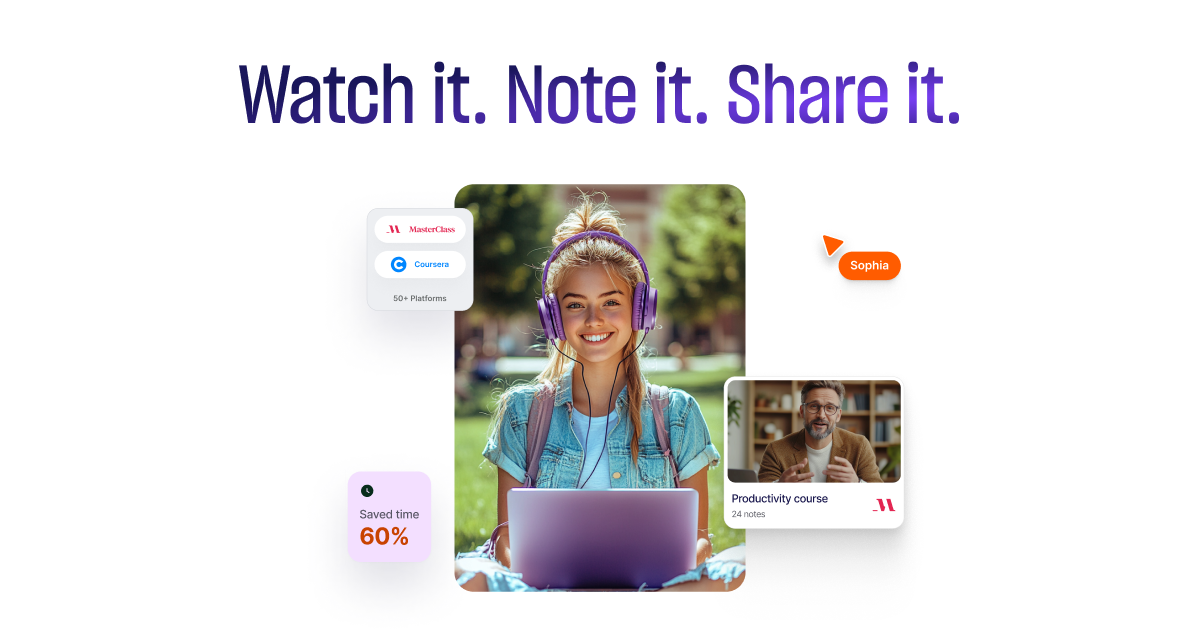
Saima is a browser extension that bills itself as the world's first AI video speed controller. The idea behind it is narrow and, once you hear it, obvious: the speed a video was recorded at has nothing to do with the speed you can follow. Instead of a fixed 1.5x or 2x multiplier, you tell Saima the words-per-minute rate you understand comfortably, and the AI adjusts playback continuously to hold that rate. The headline promise on the site is watching a three-hour video in one hour. Three audio features sit alongside it. Skip Silence removes pauses and dead air. Voice Booster keeps the speaker's voice loud, clear and at a constant volume. Speed Booster raises the pace gradually over a session, on the argument that boredom and cognitive fatigue arrive well before the video ends. All of it, Saima says, was developed in cooperation with neuroscientists. The second pillar is collaborative note-taking. Notes are pinned to the exact second of the video rather than floating in a separate document, and you can add voice notes, screenshots and reactions, reply in comment threads and see who else is currently in the material. Everything lands in Saima Hub, a workspace where videos, notes and discussions are filed into folders with access controls, where notes can also live outside any video, and from which notes export to PDF. Education and enterprise customers get engagement dashboards on top, meant to surface a struggling cohort early enough to do something about it. It works on nearly all online video platforms, with YouTube, Coursera, Udemy, edX, Skillshare and LinkedIn named explicitly, and is announced for Chrome, Edge, Brave and Arc, though the distribution channel actually observed is the Chrome Web Store. The extension manifest ships .onnx and .wasm models, meaning the processing runs in your browser rather than on a server. The company sells into three segments (Personal, Educational and Enterprise) and claims 65% time saved, 30% better comprehension and retention, 90% of users reporting a productivity gain, more than a million hours saved and over 100,000 downloads. The Chrome Web Store listing, from a verified publisher, shows version 7.1.1 dated 10 April 2025, 9,000 users and 4.5/5 across 111 reviews, figures worth holding next to the site's own.
What it does
- Match video playback speed to the words-per-minute rate you actually understand, and keep it there automatically
- Strip out silences and dead air as the video plays
- Even out and boost the speaker's voice to a constant, clear level
- Ramp the pace up gradually through a session to counter cognitive fatigue
- Take timestamped notes pinned to the exact moment of the video
- Add screenshots and voice notes, share them by link and reply in comment threads
- File videos and notes into folders in a shared workspace and export notes as PDF
When to use Saima / When not to
A quick filter to help you decide if Saima is the right fit.
When to use Saima
- Online learners working through Coursera, Udemy, edX or YouTube courses who want the pace set by their own comprehension rather than by the lecturer
- Non-native English speakers who need lecture audio slowed, cleaned up and evened out to follow it comfortably
- People with ADHD who lose the thread during long video lectures and need the pace to keep them engaged
- Teachers and institutions running flipped classrooms, exam revision or remote group projects on shared video
- Corporate training and onboarding teams who annotate internal videos, collect feedback and track where a cohort is struggling
When not to use Saima
- Mobile-first users: Saima ships only as a desktop browser extension, and mobile versions are still announced as in development
- Anyone who needs to work offline, since real-time speed control and collaborative notes require a connection and only PDF exports of notes stay usable
- Developers who want to build on a documented public API: the enterprise FAQ mentions a flexible API, but no documentation is published anywhere
- Teams working in languages other than English, Spanish or Portuguese, the only three interface languages the extension ships with
- Video editors and content creators: Saima acts on playback, never on the source file, so it produces no video you can export or edit
How to use Saima
A typical end-to-end flow, from setup to results.
- Install the extension from the Chrome Web Store; no credit card is required
- Set your target reading rate in words per minute, after which the AI takes over the playback speed
- Turn on the pieces you want: Skip Silence, Voice Booster and Speed Booster
- Open a video on any platform, YouTube, Coursera, Udemy, edX and most others, and Saima attaches itself to the player
- Take timestamped notes as you watch, adding screenshots or voice notes where a sentence is not enough
- Share a note by link, invite peers and reply in comment threads to keep the discussion on the video itself
- File everything in Saima Hub, with folders and read or edit permissions per collaborator
- Export notes to PDF to read them offline or hand them to someone who does not use Saima
- Check the time-saved statistics in the Hub to see whether the pace you set is actually working for you
- For a school or a company, go through the sales form (seven required fields) to get a demo and a quote; a subscription can be cancelled at any time from account settings
Pros & Cons
Pros
- Platform-agnostic: it works on any video on the web rather than inside one catalogue
- Speed set by words per minute instead of a blunt multiplier, so the pace follows comprehension rather than a preset
- Four playback features and collaborative note-taking gathered in a single extension instead of three separate tools
- Processing runs in the browser, the manifest shipping .onnx and .wasm models, so the video itself is not uploaded
- A permanent free plan, installation without a credit card, and a first month of Premium at no charge
- 4.5/5 across 111 Chrome Web Store reviews, with a verified publisher badge and a Follows recommended practices mention
- Notes export to PDF, which makes them shareable with people who do not use Saima at all
Cons
- No published pricing: the Free, Premium and Education cards on the pricing page render client-side and no figure is ever served
- The privacy policy has you consent explicitly to your content, notes and voice recordings included, being used for training and research, with no documented way to opt out
- No data processing agreement is published or offered, and no Article 27 EU representative is designated, for a product that markets openly to Europe
- No hosting country or region is stated anywhere, and the retention period is never quantified beyond only for as long as is necessary
- Desktop browser extension only: no mobile app, and actual distribution is limited to the Chrome Web Store despite pages for Edge, Brave and Arc
- Legal documents are old, with terms dated 22 December 2022 and a privacy policy dated 31 May 2024, and the liability cap sits at USD 50 or twelve months of fees
- Audience figures do not line up, 9,000 Chrome Web Store users against 100,000+ downloads and over 30,000 users claimed on the site, and the 30% / 65% / 90% effectiveness claims come with no published study or methodology
Pricing & Plans
Saima offers a permanent free plan with a limited feature set, and the extension installs without a credit card. A first month of Saima Premium is offered at no charge, after which it becomes a paid subscription; the pricing page carries a monthly / annual toggle with a SAVE 50% banner on annual billing. Education and organisation offers are handled separately, and the Enterprise tier is quote-only through the sales team. No price is published by the publisher: the Free, Premium and Education cards on the pricing page are rendered client-side and no figure is served, so no entry price can be stated here. The Chrome Web Store listing mentions in-app purchases without giving a range. Payment is by major credit and debit card, processed through Stripe or PayPal, and a subscription can be cancelled at any time from account settings.
- a permanent free plan with a limited feature set
- installable without a credit card
- unlimited access to skip silence
- voice booster
- progressive speed acceleration
- PDF export of notes and 24/7 support
- with the first month free
- the offer for schools and universities
- with volume discounts
- an announced discount of up to 80% and a one-month trial of the premium package
- everything in Education plus custom security and compliance integrations
- an unlimited number of licences
- centralised account management and adoption analytics
- on quote only
- No amount is attached to any of these plans in the publisher's public sources
Data, GDPR & hosting
A consolidated view of how Saima handles your data.
GDPR overview
The privacy policy carries a dedicated GDPR Privacy section. It names Saima, Inc. as data controller, lists the legal bases relied on (consent, contract, legal obligation, vital interests, public interest and legitimate interest) and opens the usual rights: access, rectification, objection, erasure, portability and withdrawal of consent. Requests go to dpo@saima.ai, where Saima may ask for an ID or a photo to verify the requester. The right to complain to an EEA supervisory authority is spelled out, and a separate CCPA section covers California residents with a 45-day response window that can be extended once. Two things are missing: no Article 27 EU representative is designated and no EU address is given, and no data processing agreement is published or offered. The policy was last modified on 31 May 2024. Saima never writes GDPR compliant: the structure of the document, not a claim, is what evidences the effort.
Who owns the data?
Saima's privacy policy names Saima, Inc. as the data controller under the GDPR. The company collects your name, email address, usage data and billing data, and may ask for an ID document or a photo to verify a rights request. On the content side it accesses your notes, voice recordings, the material you watch, your feature usage and your video playlists. Billing runs through Stripe and PayPal, and Saima states it never holds full card details. The terms of service assign the company ownership of any feedback you submit. And the privacy policy has you consent explicitly to your content being used for training and research, so the material you produce is broadly licensed to Saima even where you keep it.
Reuse rights
The stated purposes are running and maintaining the service, managing your account, performing the contract, contacting you, sending commercial offers and handling your requests. On top of that, the privacy policy asks for your explicit consent to use your content, including modifying and processing it, for training and research. Data may be shared with service providers, with affiliated companies, with business partners, in the event of a business transfer, and with other users in shared workspaces. Remarketing through Google Ads and third-party tracking cookies is declared. The Chrome Web Store listing, for its part, states that data is not being sold to third parties. On your side of the exchange, reuse is built into the product rather than gated: notes can be exported to PDF, shared by link and commented on by people you invite, with no permission step from the publisher.
Data retention & training
Hosting summary
Saima does not say where its data is hosted. No country and no region appear in the privacy policy or anywhere else on the site. What the policy does name are the infrastructure providers behind the service, AWS, Google Cloud Storage and MongoDB Atlas, alongside Google Analytics, Firebase, Stripe, Mailchimp and Google Ads as third parties handling analytics, payments and messaging. The policy also states plainly that your information may be transferred to and maintained on computers located outside your state, province or country, so cross-border transfer is the expectation rather than the exception. The site itself is served behind Cloudflare on an anycast address, which describes content delivery and says nothing about where records are stored. On the security side, Saima claims end-to-end encryption in transit and at rest, access controls and regular security audits, none of which is backed by a published certification or audit report. With no stated jurisdiction, no data processing agreement and no EU representative, a European buyer has no documented basis for assessing where the data actually sits.
Things to keep in mind
Risks and trade-offs to weigh before adopting Saima.
- Your content, notes and voice recordings included, is covered by an explicit consent to training and research, and no opt-out mechanism is documented anywhere in the policy
- Speed is not comprehension: with silences stripped and the pace pushed up, a session can feel productive while retention quietly drops, and the product counts the time you saved rather than what you kept
- No published price means no way to budget before signing up or contacting sales, and a subscription whose amount you never saw advertised is an easy one to forget you are paying
- No data processing agreement, no Article 27 EU representative and no stated hosting country: procurement in a school, a hospital or a company will ask for all three
- Retention is never quantified, data being kept only for as long as is necessary, so you cannot know how long a voice note survives
- The terms cap Saima's liability at USD 50 or twelve months of fees, whichever is higher, and they date from 22 December 2022, nearly four months before the saima.ai domain was even registered
- Small inconsistencies worth knowing before you commit institutional data: the publisher's address differs between the terms (Berkeley) and the Chrome Web Store listing (San Francisco), and the effectiveness figures of 30%, 65% and 90% rest on no published study or methodology
Setup & Integrations
Technical difficulty
Very low for an individual. Saima installs in one click from the Chrome Web Store, with no credit card and nothing to host; the extension requests storage, tabs and notifications permissions. The only configuration step is choosing your target words-per-minute rate, and the tool takes over from there. There is no API key to place and no server side to set up. For an organisation the picture is less clear: LMS integration is announced on the enterprise page but no documentation is published, so any rollout beyond individual installs goes through the sales team rather than a self-serve setup.
Deployment
Integrations
Supported languages
Behind Saima
Social
Resources
All the official URLs gathered for verification and reference.
Frequently asked questions
What is Saima?
Which video platforms does it work on?
Is there a mobile app?
Is there a free plan, and is there a trial?
How much does Saima Premium cost?
Is my content used to train the models?
Is Saima GDPR compliant?
Can I use Saima offline?
What is the minimum age, and which languages are supported?
Should you pick Saima?
Saima solves one problem and takes it seriously: the pace of a video has nothing to do with the pace of the person watching it. Setting playback by words per minute rather than by a blunt multiplier is a better idea than the speed buttons built into most players, and pairing it with timestamped collaborative notes is a combination you rarely find in a single tool. For students, online learners, non-native speakers and training teams, it is worth the install, and the free plan plus the free first month of Premium make trying it close to costless. Three reservations should temper that. First, no price is published by the publisher: the pricing page renders its cards client-side and no figure is served, so you cannot budget before signing up or talking to sales. Second, the privacy policy has you consent explicitly to your content, notes and voice recordings included, being used for training and research, with no documented opt-out. Third, there is no data processing agreement and no Article 27 EU representative, which will matter to any school or company procuring under European rules. The legal documents are also old: terms from 22 December 2022, a privacy policy from 31 May 2024. The numbers deserve a second look too. The site advertises more than 100,000 downloads and over 30,000 users; the Chrome Web Store listing shows 9,000. Both cannot be current. What the store does confirm is a verified publisher and a 4.5/5 rating across 111 reviews, a real signal from real users even at modest volume. Try it as an individual, where the stakes are low and the benefit is immediate, and ask harder questions before deploying it across a cohort or a workforce.
- Choosing a selection results in a full page refresh.
- Opens in a new window.